- Describe the problem
- Every time I manually check for updates, he comes there. If confirmed after success, he will reappear.
- What have you tried?
- Reboot
sfc
Windows built-in troubleshooting tools
There is no change in the phenomenon.
Oddly enough, it's already in the list of successful updates.
I will leave it as it is because it is not harmful, but I think it is related to the upgrade that will be distributed soon, so please let me know if you have any information.
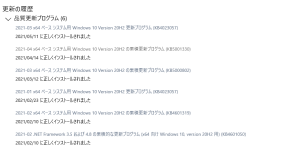
The date will be updated to the latest applied time, but you will be prompted to install it every time you check.
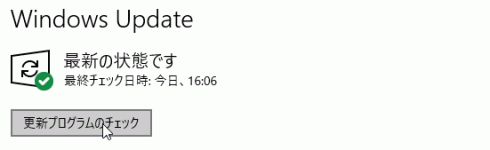
I will leave it as it is because it is not harmful, but I think it is related to the upgrade that will be distributed soon, so please let me know if you have any information.
The date will be updated to the latest applied time, but you will be prompted to install it every time you check.
Last edited by a moderator:
 . After applying the kb 5003173 update, I noticed that MoUsoCoreWorker.exe was blocked by MS-defender. We fixed this and ran the update again to confirm that the issue was resolved.