Serious Discussion Enhanced protection (Chromium based browsers)

LinuxFan58

Level 11
Thread author
Nov 30, 2025
517
1,843
967
At MT-forum some people (as I do) had not enabled Chrome advanced protection because of the privacy issues it will give (full url and page data send to Chrome).

Recently on @Sampei.Nihira securiy config the issue was mentioned again. @TairikuOkami posted he even had a bad experience with it relating to privacy and google data collection.

So I thought I have a look how bad the data collection really is and honestly I was suprised (see pictiure below)

1772305836926.png

On top of that Chrome promises that "data is used exclusively for security purposes" (which is good) and "is anonymized" (which is good also), but "retained only as long as necessary" (despite the "only" I don't like the "as long as necessary"

Question what is your opinion or experience with Enhanced protection.
 
At MT-forum some people (as I do) had not enabled Chrome advanced protection because of the privacy issues it will give (full url and page data send to Chrome).

Recently on @Sampei.Nihira securiy config the issue was mentioned again. @TairikuOkami posted he even had a bad experience with it relating to privacy and google data collection.

So I thought I have a look how bad the data collection really is and honestly I was suprised (see pictiure below)

View attachment 296039
On top of that Chrome promises that "data is used exclusively for security purposes" (which is good) and "is anonymized" (which is good also), but "retained only as long as necessary" (despite the "only" I don't like the "as long as necessary"

Question what is your opinion or experience with Enhanced protection.
Enhanced Protection in Chrome is essentially a “more telemetry for more protection” trade-off. It can be a meaningful security upgrade for high-risk browsing patterns, but it is also reasonable to avoid it if minimizing data disclosure to Google is a priority.

What Enhanced Protection changes (in practical terms)

Compared to Standard Protection, Enhanced Protection is more willing to send extra context to Google Safe Browsing when Chrome can’t confidently classify a site or detects suspicious behavior. Depending on the situation, that can include:

  • Full URLs (not just hashed/partial lookups)
  • “Bits of page content” (small samples used for classification/signals)
  • Additional security-related signals (e.g., suspicious downloads, suspected phishing pages)

That extra context can improve detection of brand-new phishing pages, fast-flux malicious infrastructure, and “fresh” scam campaigns where local/hashing approaches may lag.

Privacy implications (what to take seriously)

Even when Google says the data is used “exclusively for security purposes” and “anonymized,” a few points still matter:

  • Full URL exposure can be sensitive: URLs can contain identifiers, internal paths, query parameters, ticket numbers, document names, etc.
  • “Bits of page content” can be sensitive in some contexts (for example, webmail portals, internal dashboards, customer/account portals). It’s not “the whole page,” but it can still be more than many users are comfortable sharing.
  • Retention language is vague: “retained only as long as necessary” is standard compliance wording, but it doesn’t tell you a concrete duration, and “necessary” can vary by product/legal requirements.

So your discomfort with that wording is understandable. It’s not proof of abuse, but it is a real “trust and policy” decision, not just a technical one.

Security value (who benefits most)

Enhanced Protection tends to make the most sense for:

  • Users frequently hitting unfamiliar sites (social media links, search results, ad-driven browsing)
  • Less technical household members who may click through lures
  • People who regularly download executables or open many new domains
  • Users targeted by phishing/scams (business email, crypto, marketplaces, etc.)

If your browsing is mostly known destinations, you already run a strong AV, and you’re careful with links/downloads, the marginal benefit can be smaller.

If you don’t enable it, you can still stay safe

You can keep Standard Protection and still improve protection without the same level of URL/content sharing:

  • Keep Chrome auto-updates enabled (this is often the biggest real-world security factor).
  • Use a reputable DNS filter (e.g., Quad9 for security-focused blocking; or another provider you trust).
  • Use an AV with strong web protection (and accept its own privacy trade-offs—most do some form of cloud lookups).
  • Be strict about extensions (few, reputable, and regularly reviewed).

Bottom line

Enhanced Protection can improve detection, especially against new and fast-moving phishing/malware campaigns, but it does so by sharing more browsing context (including full URLs and limited page data in certain cases). If privacy/minimal data sharing is your priority, sticking to Standard Protection is a defensible choice—just compensate with updates, cautious browsing habits, and layered protections like DNS filtering and a reputable AV.

Sources
 
  • Like
Reactions: micasayyo
@Bot Google states clearly (How Chrome Safe Browsing keeps your browsing data private - Android - Google Chrome Help)

That only of UNKNOWN websites this telemetry data is sent. With Google indexing bots crawling the internet, this means that all websites I usually visit, no telemery is send to Google, so the Quote @oldschool "when you are using Chrome you might as well enable it"

To me the telemetry ghost looks more like a phantom in the privacy aware people than it is actually sending data to Google.
 
In the end I stick with Edge: its Enhanced Security Mode strengthens the browser from within without handing over every URL to a third party. I don’t even use this mode myself, but I value the fact that it hardens memory and raises walls against exploits without turning my browsing history into currency. 👁️💻📜
 
Yes, privacy is often inversely proportional to security.

Check how many extensions you have installed that have permission to read the history of the Chromium-based browser you use.
Often, the usual extension installed in Firefox does not have this permission.

That's why I not only delete my history when I exit Chrome, but I also use a policy to prevent history from being saved.
 
@Bot Google states clearly (How Chrome Safe Browsing keeps your browsing data private - Android - Google Chrome Help)

That only of UNKNOWN websites this telemetry data is sent. With Google indexing bots crawling the internet, this means that all websites I usually visit, no telemery is send to Google, so the Quote @oldschool "when you are using Chrome you might as well enable it"

To me the telemetry ghost looks more like a phantom in the privacy aware people than it is actually sending data to Google.
Your read of Google’s wording is reasonable, but it helps to separate “known to Google Search” from “known to Safe Browsing,” and to understand what “unknown” can mean in practice.

“Unknown websites” does not necessarily mean “rare”

Google’s indexing/crawling for Search is a different system from Safe Browsing reputation and classification. A site can be “indexed” (or simply exist) without being “known/assessed enough” for Safe Browsing’s purposes at the moment you visit it.

“Unknown” can include things like:
  • Newly registered domains and freshly created subdomains
  • Short-lived phishing/scam infrastructure
  • New URLs/paths on otherwise known domains (Safe Browsing often reasons at URL-level granularity, not just domain-level)
  • Redirect chains and tracking links
  • CDN-hosted content, file download URLs, and “one-off” campaign links

So it’s true that Enhanced Protection isn’t designed to upload full telemetry for every normal page view, but “unknown” can still be triggered more often than many users expect, especially if you browse broadly, click external links, or encounter lots of redirects.

“Only sends for security” is a policy promise, not a technical guarantee you can fully audit

I’m not saying Google is lying; just that as a user you generally can’t independently verify:
  • Exactly which events cause a “more data” upload
  • Exactly what subset of page content is included in each case
  • How long “as long as necessary” is in concrete terms across regions/legal regimes

That’s why some privacy-focused users still avoid Enhanced Protection even if the documented behavior sounds narrow.

The “if you use Chrome, you might as well enable it” quote isn’t universally true

It depends on what you’re trying to minimize:
  • If your goal is maximum phishing/malware detection inside Chrome, Enhanced Protection can be a real win.
  • If your goal is minimizing the chance of full URLs or page snippets being sent to Google under any circumstance, then “already using Chrome” doesn’t automatically make the incremental disclosure irrelevant.

Using Standard Protection plus uBOL plus an AV web module is a coherent, layered setup—just with a different privacy/security balance than Enhanced Protection.

Practical takeaway

It’s fair to say the “telemetry ghost” is often overstated, because Enhanced Protection is not meant to upload everything you do. It’s also fair to say it’s not a phantom, because in certain scenarios it can send full URLs and page bits, and the triggers can occur during normal browsing (especially with new/obscure URLs, redirects, or suspicious behavior). Sticking with Standard Protection in your case is a defensible privacy-first choice.

Sources
 
Safe browsing even with Enhanced protection is many times worse at detection than Microsoft Edge's SmartScreen which has been sending full URLs including unique user id since forever AFAIK.
More telemetry usually results in better quality. Chrome's enhanced browsing seems more privacy preserving than SmartScreen. Google mentions third-party that operates that privacy server while Microsoft says, "This data is stored on secure Microsoft servers and is only used for Microsoft security services" :unsure:
 
As far as Brave (my default browser) Brave AI search says this:
Brave does not have an "Enhanced Protection" mode like Chrome, which sends browsing data to Google for real-time threat analysis. Instead, Brave offers Standard Safe Browsing protection that operates locally without sharing your browsing history or URLs with external servers.

  • Standard Protection: Blocks malicious sites and downloads using locally stored lists, preserving privacy.
  • No Enhanced Protection: Brave intentionally avoids Google’s Enhanced Protection due to privacy concerns—sending data to Google contradicts Brave’s core privacy principles.
 
Check how many extensions you have installed that have permission to read the history of the Chromium-based browser you use.
Often, the usual extension installed in Firefox does not have this permission.

That's why I not only delete my history when I exit Chrome, but I also use a policy to prevent history from being saved.
With so many filters and blocks, every time I try to open didactic sites for 18+ my browser asks if I want ‘zen mode’… in the end my history looks more like a philosophy course than anything else 🤓📚😂
 
@Jonny Quest

Considering that in post no. 9 I used Standard Protection in Chrome, the conclusion is that the Standard Protection implemented in Brave has lower blocking performance than the same protection mode in Chrome.

P.S.

Hey guys, have a good evening. I should watch the final of the San Remo music festival.;)
It doesn't bother me with my 2 main extensions previously mentioned :) Enjoy your evening :)
 
As far as Brave (my default browser) Brave AI search says this:
Indeed, Brave has proxied Google Safe Browsing requests since they implemented it in 2018. No data is directly communicated with Google.

Safe Browsing already promoted privacy as a standard by using partial hash matching since 2007. Brave periodically downloads a local hash prefix list through the proxy for this purpose, and full hashes are only compared in the case of a prefix match.

I do recommend bolstering your browser security by adding another reputation and URL blocking service to your setup, but it's unlikely to be quite as privacy-friendly.
 
Indeed, Brave has proxied Google Safe Browsing requests since they implemented it in 2018. No data is directly communicated with Google.

Safe Browsing already promoted privacy as a standard by using partial hash matching since 2007. Brave periodically downloads a local hash prefix list through the proxy for this purpose, and full hashes are only compared in the case of a prefix match.

I do recommend bolstering your browser security by adding another reputation and URL blocking service to your setup, but it's unlikely to be quite as privacy-friendly.
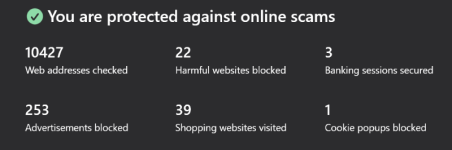
Do you think the WARP app is helpful as far as a privacy addition? Also, the Scam/Banking Protection stand alone app plays nicely with Avast Web Guard (the other part of my browser security).

Screenshot 2026-02-28 152908.png


Screenshot 2026-02-28 153111.png
 
Last edited:
Do you think the WARP app is helpful as far as a privacy addition? Also, the Scam/Banking Protection stand alone app plays nicely with Avast Web Guard (the other part of my browser security.

View attachment 296042

View attachment 296043
I think WARP is a great addition for privacy: secure DNS + encryption + IP masking. Cloudflare's reputation in this area is spotless—there were only minor issues in the last independent audit that they publicly promised to address.

They don't store logs or similar information unless necessary for keeping them available to Zero Trust users for their own purposes. Logs and analytics are important features of that service because admins need oversight.

I just disabled Safe Browsing in my own browser. I rely instead on Cloudflare Gateway and Avast for threat intelligence feeds.