Hot Take Escaping Windows: The Ultimate Guide to Migrate to Linux

off the top of my head (it was a year+ ago) number 1 recollection, Silverblue does update, perhaps not as often as fedora, but when Silverblue does update it seemed to take 3 times longer (maybe 5 times longer) then updating fedora. it got tedious for me. I don't mind updating fedora everyday from either terminal or its software GUI -- fast & clean.
When updating from official repos only, I am wondering why not allow them automatically, I have update manager automation on allowing updates (and flatpaks) but I often have to update them manually. Does Fedora has an auto-update option?
 
I thought Tuxedo is optimzied for Tuxedo hardware, so will it run flawlessly on your PC?
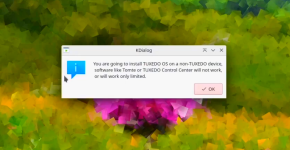
Any device can use it, but the built-in apps (TUXEDO Control Center and TUXEDO Tomte) that come with the installer might not work on yours; in my experience, they only partially work. If you don't need them, you can uninstall them.

Screenshot 2026-04-08 at 21-22-54 Tuxedo OS.png
 
When updating from official repos only, I am wondering why not allow them automatically, I have update manager automation on allowing updates (and flatpaks) but I often have to update them manually. Does Fedora has an auto-update option?
The default behavior of GNOME Software is to automatically download and install Flatpaks, which are treated differently because of their self-contained nature. Native RPM packages, however, are downloaded in the background but require you to manually start the process of installation.

GNOME Software reboots the system into a minimal environment for offline updates, which is a stripped-down mode for safely updating software throughout the system. This offline update approach has a number of advantages:
  • State Consistency: Ensures the version of the software stored on your disk perfectly matches what is running in your RAM.
  • ABI Stability: Prevents active programs from crashing when their underlying shared libraries ($.so$ files) are replaced mid-session.
  • Predictable Execution: Achieves a quiescent state where no user applications or non-essential services can interfere with the update process.
  • Atomic-like Reliability: Minimizes the risk of a "half-installed" system if the update is interrupted by power loss or a system hang.
  • Guaranteed Activation: Ensures critical patches (like Kernel or systemd updates) are actually loaded and active the moment you return to your desktop.
  • Conflict Prevention: Eliminates file-locking issues and race conditions that occur when an updater tries to overwrite a file currently in use.
  • Clean Environment: Provides a specialized, minimal shell that reduces the background "noise" (disk I/O and CPU usage), making the update faster and less prone to errors.

There is a plugin for using an alternative method of updating: DNF5 Automatic. This sets up your system to check for and download updates at a specified time, then installs the updates in real-time on the live system after a randomized delay set in your configuration. Exceptions to real-time updates would include new kernels and the like, which always require a reboot.

This can be convenient, but you can also argue that there are benefits to manual oversight of the frequent package updates for certain system admins.
 
When updating from official repos only, I am wondering why not allow them automatically, I have update manager automation on allowing updates (and flatpaks) but I often have to update them manually. Does Fedora has an auto-update option?
well not 100% sure as I don't try run updates automatically. usually I run an cmd from terminal and sometimes I check that output from software GUI, it depends on what I'm seeing and mood, and sometimes GUI will see something cli "missed" -- as for Silverblue all I recall is that updates were a pia or perhaps time consuming. is Silverblue more secure than fedora, perhaps :unsure: but probably not in a practical sense. might depend on how you're using your pc.
 
The default behavior of GNOME Software is to automatically download and install Flatpaks, which are treated differently because of their self-contained nature. Native RPM packages, however, are downloaded in the background but require you to manually start the process of installation.

GNOME Software reboots the system into a minimal environment for offline updates, which is a stripped-down mode for safely updating software throughout the system. This offline update approach has a number of advantages:


There is a plugin for using an alternative method of updating: DNF5 Automatic. This sets up your system to check for and download updates at a specified time, then installs the updates in real-time on the live system after a randomized delay set in your configuration. Exceptions to real-time updates would include new kernels and the like, which always require a reboot.

This can be convenient, but you can also argue that there are benefits to manual oversight of the frequent package updates for certain system admins.

well is don't use "automatic" on fedora, I just check it everyday when I sit down at keyboard... convenient for me. occasionally I'll check again when I'm ready to shutdown for the night.
 
... and I did remove Pop!_OS from VMware, plan to install linuxMint / Cinnamon later today. for me PopOS was a little buggy on VM and offered nothing special.
Pop!_OS is designed for developers and gamers, with an emphasis on productivity and the most recent NVIDIA GPU driver pre-installed. As is typical for most home users, including myself, it will not be of interest to those who do not fall into these categories.
 
It seems that age verification is weighing the scales. It is not just about the age, but if they are willing to fight any legal requirements in the future. Linux's future is at stake.


But as far as I'm aware, this law is only in effect in California and Brazil; given their concern for privacy, I doubt the EU will follow suit.
 
But as far as I'm aware, this law is only in effect in California and Brazil; given their concern for privacy, I doubt the EU will follow suit.
It has just started, I can imagine choosing Linux based on the country it will be allowed in and since EU bans even US apps, I have to wait for them to sort it out.
P.S. I have already a hard time buying alcohol, being 40 and looking like 15. I can only imagine how hard it will get for me "pretending" to be old on the internet. 😅
 
PS & fwiw I put Claude ai app on windows desktop no vpn, logged in aok, first real chat with Claude was beneficial, ie it helped me find "a conflict" in a core file that occurred during upgrade from freeBSD_VM 14.3 p9 to 14.4 and edit the correction. All good now and upgrade to 14.4 p1. Claude told me it doesn't like vpn. I don't like that it doesn't like vpn :rolleyes:
 
well not 100% sure as I don't try run updates automatically. usually I run an cmd from terminal and sometimes I check that output from software GUI, it depends on what I'm seeing and mood, and sometimes GUI will see something cli "missed" -- as for Silverblue all I recall is that updates were a pia or perhaps time consuming. is Silverblue more secure than fedora, perhaps :unsure: but probably not in a practical sense. might depend on how you're using your pc.
I dropped moving to Silverblue, will probably move earlier to Fedora Plasma. I discovered the downside of LTS Mint being stuck on Flatpack 14.6 with sereous vulnabilities.

Now moving from flatpak apps to firejail, but discovered Evolution does not run in Firejail. I kept an old profile of Thunderbird and will see how much of a hassle it is to restore that in Betterbird in Firejail.

I have to valuate a lot of exams, so not keen to re-install before 1st of may.
 
Maybe, but how long will it take to learn the Linux way? You had prior experience with it before you returned. I have none.
Fifteen years ago I had zero experience with Linux and had 10 weeks to build a secure company server for file sharing, VPN, licensing, and a few other tasks. I tried subcontracting from Indeed. After 2 weeks of frustration I gave up on them. I chose Ubuntu Server LTS because at that time it was the best documented. After I figured out the basic Ubuntu command line syntax I relied heavily on educational content from cloud service providers. I didn't have the time or experience yet to decipher manpages and Digital Ocean's one or two page tutorials for specific tasks turned out to be my first choice among 8 or so cloud providers or Linux websites.
After 5 months I was better than the Indeed "Linux Experts" I had subcontracted at the beginning. They all did the same thing: searched online for documentation while on the phone.
My experience tells me how well documented a Linux OS is plays a major role in simplifying the learning curve.
After that I went with Ubuntu for my personal computing. Eight years later I went back to Windows because I just had too many Windows specific programs to bother with compatibility layers compounded by the constant minor Linux tweaking that always seemed necessary.
 
Last edited:
My experience tells me how well documented a Linux OS is plays a major role in simplifying the learning curve
Yes, i agree. When I first moved to Linux after being fed up with Windows XP's security, I chose OpenBSD. It had very good documentation. The man pages were like tutorials, not just explanations for parameters.
 
Fifteen years ago I had zero experience with Linux and had 10 weeks to build a secure company server for file sharing, VPN, licensing, and a few other tasks. I tried subcontracting from Indeed. After 2 weeks of frustration I gave up on them. I chose Ubuntu Server LTS because at that time it was the best documented. After I figured out the basic Ubuntu command line syntax I relied heavily on educational content from cloud service providers. I didn't have the time or experience yet to decipher manpages and Digital Ocean's one or two page tutorials for specific tasks turned out to be my first choice among 8 or so cloud providers or Linux websites.
After 5 months I was better than the Indeed "Linux Experts" I had subcontracted at the beginning. They all did the same thing: searched online for documentation while on the phone.
My experience tells me how well documented a Linux OS is plays a major role in simplifying the learning curve.
After that I went with Ubuntu for my personal computing. Eight years later I went back to Windows because I just had too many Windows specific programs to bother with compatibility layers compounded by the constant minor Linux tweaking that always seemed necessary.
Ditto 15 or 20 years ago, but I had a close friend who helped me install CentOS and keep it running, but lately I found LLM/AI (ChatGPT, Claude...) are really helpful and usually available 24/7.
 
  • Like
Reactions: lokamoka820
I dropped moving to Silverblue, will probably move earlier to Fedora Plasma. I discovered the downside of LTS Mint being stuck on Flatpack 14.6 with sereous vulnabilities.
As a follow-up to what I previously stated regarding Ubuntu security, I checked into the flatpak vulnerability issue and discovered that it is in the community repository (Universe) rather than the supported repository (Main). To understand the difference:

Main​

The main component contains applications that are free software, can be freely redistributed and are fully supported by the Ubuntu team. This includes the most popular and most reliable open-source applications available, many of which are included by default when you install Ubuntu. Software in main includes a hand-selected list of applications that the Ubuntu developers, community and users feel are most important, and that the Ubuntu security and distribution team are willing to support. When you install software from the main component, you are assured that the software will come with security updates and that commercial technical support is available from Canonical.

Universe​

The universe component is a snapshot of the free, open-source, and Linux world. It houses almost every piece of open-source software, all built from a range of public sources. Canonical does not provide a guarantee of regular security updates for software in the universe component, but will provide these where they are made available by the community. Users should understand the risk inherent in using these packages. Popular or well supported pieces of software will move from universe into main if they are backed by maintainers willing to meet the standards set by the Ubuntu team.
Source: Repositories - Community Help Wiki

Therefore, switching to Fedora might help you resolve the problem because Fedora ships flatpak by default and will update more quickly than Ubuntu.
 
  • Like
Reactions: simmerskool
Ive been keeping a eye on this thread, just wanted to put in a bit of a interesting thought

on my secondary laptop ive been wanting to put a flavor of linux on, but for some reason every single on i have tried has completely crapped out on the installation so instead the laptop still has windows but im running a guest OS through Virtualbox (Elementary OS) as my main OS on the laptop. since it wont install :mad: