Question Eset Safe-Banking browser

Please provide comments and solutions that are helpful to the author of this topic.

simmerskool

Level 47
Thread author
Verified
Top Poster
Well-known
Forum Veteran
Apr 16, 2017
3,675
11,961
4,570
USA
I had used (& liked) Trendmicro Pay Guard, seamlessly automatic after initial easy tweak, & a friend said Eset safe-banking is even stronger protection, so I tried it, or clicked its desktop icon open and it seems to force Edge and asked for a MS sign-in, as if I want MS to "listen to" my financial transactions. Weird initial experience. I stopped, no money changed hands, but I think there may be some Eset settings to tweak re safe-banking. What's optimal tweak if you're using it and liking it... :unsure:
 
  • Like
Reactions: Khushal and Jack
ESET Safe Banking uses a secure browser to protect your online transactions. It's normal for it to request a sign-in as it's part of the security process. However, it doesn't mean Microsoft is "listening" to your transactions. For optimal settings, make sure to enable "Secure all browsers" in the setup. Also, ensure that "Phishing protection" is turned on. This will help protect against fraudulent websites. You can also customize the list of websites that will automatically open in the secure browser.
 
I had used (& liked) Trendmicro Pay Guard, seamlessly automatic after initial easy tweak, & a friend said Eset safe-banking is even stronger protection, so I tried it, or clicked its desktop icon open and it seems to force Edge and asked for a MS sign-in, as if I want MS to "listen to" my financial transactions. Weird initial experience. I stopped, no money changed hands, but I think there may be some Eset settings to tweak re safe-banking. What's optimal tweak if you're using it and liking it... :unsure:
it's basically using your browser with isolation to make it hard for other programs to inject themselves into that process
If you don't want edge then uninstall edge
but personally bi believe edge is one of the most secure browsers as it disables v8 for risky sites by default and has better integration to features of exploit guard
and remember it's not a private browser but a secure one (Microsoft spy's by default)
 
it's basically using your browser with isolation to make it hard for other programs to inject themselves into that process
If you don't want edge then uninstall edge
but personally bi believe edge is one of the most secure browsers as it disables v8 for risky sites by default and has better integration to features of exploit guard
and remember it's not a private browser but a secure one (Microsoft spy's by default)
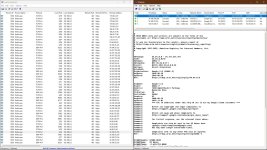
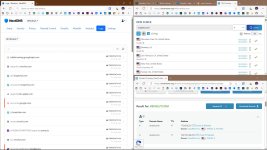
I made firefox the default browser in that VM and now Safe-Banking opens firefox. Once I tweaked a few things it seems to be working great. :D:D:D
 
  • Like
Reactions: TairikuOkami

Attachments

  • capture_06202025_104100.jpg
    capture_06202025_104100.jpg
    407.7 KB · Views: 121
  • capture_06202025_104452.jpg
    capture_06202025_104452.jpg
    228.2 KB · Views: 114