
Advice Request Firefox tab bar resizes window

Share practical recommendations that address the author's needs.

n8chavez

Level 26
Verified
Well-known
Forum Veteran
I've edited my Firefox configs so that when I double-click on a tab the tab closes. However, if I double-click on an empty area in the tab bar the firefox window resizes itself. I don't think this is related to any code mods I've done. Is there a setting to stop this behavior? It's very annoying!
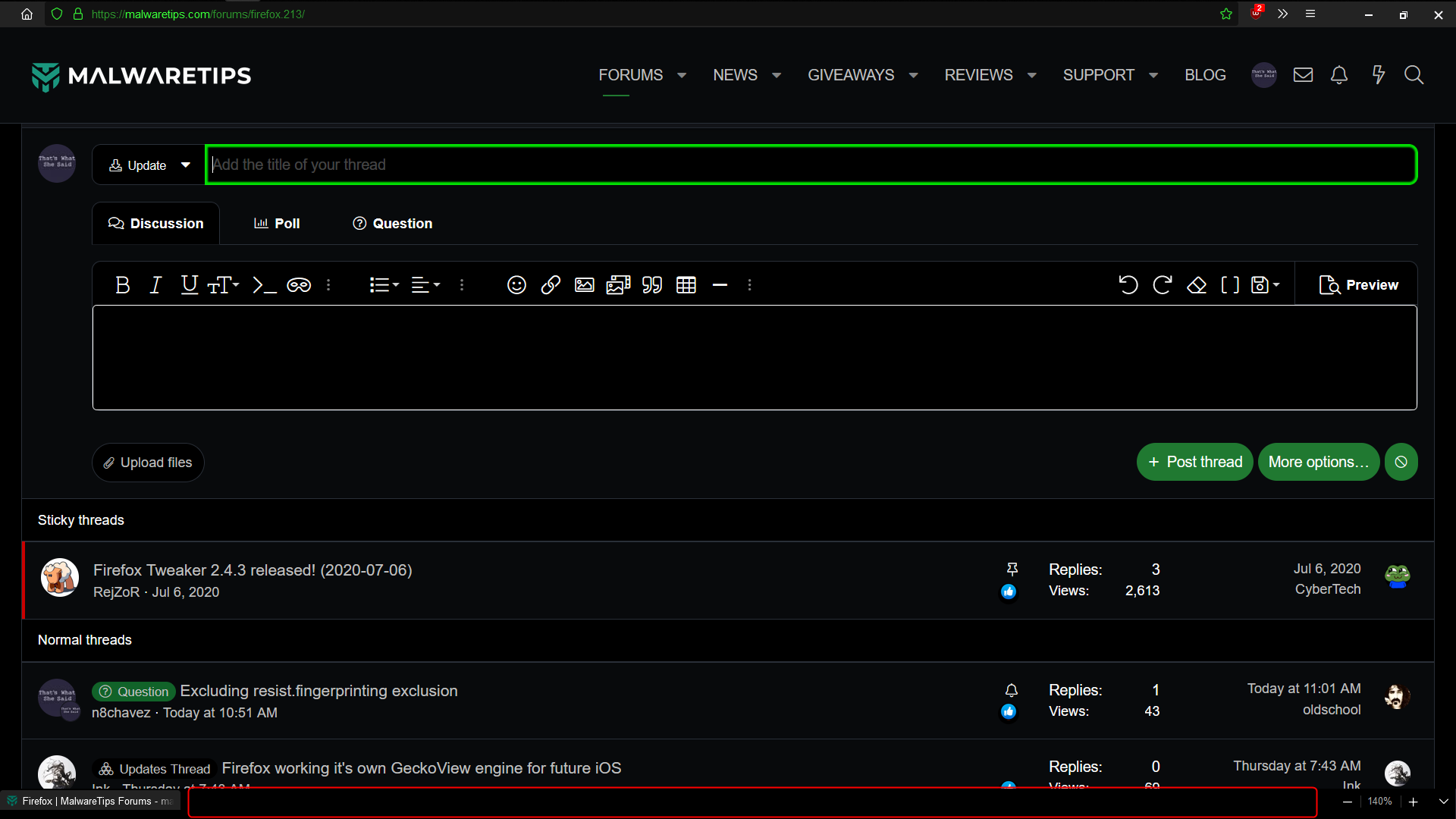
2023-02-11_13h40_20.png
 
Double clicking on the empty tab bar to resize is a default behavior of Windows AFAIK.
That's how it is in any app. If you double click on the top bar of any app (there's a better name for it, can't remember) it'll enter or exit full screen/maximize. Don't know if this behavior can be changed specially for Firefox.
I use middle mouse button to close tabs on all browsers. It's also possible to create new tab by middle clicking the empty tab bar space on Firefox after enabling that from about:config.
 
But that cannot be a windows' thing, because that's not the case anyway else. Vivaldi does not do this.
 
Title bar?
Yeah that's it.
Oh @SeriousHoax, you thought I was referring to the title bar? I wasn't. I was referring to the tab bar, which I moved to the bottom. Specifically, the area next to it outlined in red.
Right, that's what I thought. Can you share a video/gif of this behavior to better understand it? You may use the free and open source ShareX for screen recording.
 
Here's a better version. For some reason, there really was only a subtle difference in the last one. This shows a drastic change.

2023-02-11_21h37_33.gif
 
Hopefully this helps illistrate things a bit better. There is a behavioral difference between double clicking on a t ab vs the empty tab bar.

View attachment 272852
Yeah, this is what I thought initially. Even though you have moved it to the bottom, the empty space on your tab bar is still considered as the title bar of the application which is Firefox. It's a normal behavior and maybe there is no option to change this.
 

Recently browsing

Members who viewed this thread in the last 5 minutes

Back
Top