
Mainly for information, Flyby11 development continues...is this for our information, or do you recommend this & have you have used it...??
I have no unsupported devices for W11, hence no user experience.


Open MalwareTips from your Home Screen or desktop. Follow discussions, find answers and pick up where you left off.
If you cannot find an install option, update your browser or use its bookmark option to keep MalwareTips close.
After installation, open the app and sign in. Enable push notifications in Preferences if you want alerts. On iPhone and iPad, push requires a Home Screen web app and iOS or iPadOS 16.4 or later.
Sign in to manage notificationsInstallation is optional. Your notification settings stay under your control.
Mainly for information, Flyby11 development continues...is this for our information, or do you recommend this & have you have used it...??

I suppose I could try flyby11 on VMware win10, but not sure that's a good indicator of what would happen on Host win10. (under consideration...)Mainly for information, Flyby11 development continues...
I have no unsupported devices for W11, hence no user experience.

Just try it out on the actual hardware. Make full system image backup of Win 10 install (which you should already have), try out Win 11, if it doesn't work out for you then you will be back to Win 10 in minutes.I suppose I could try flyby11 on VMware win10, but not sure that's a good indicator of what would happen on Host win10. (under consideration...)

Used it once and worked perfectlyis this for our information, or do you recommend this & have you have used it...??
good suggestion in theory, assuming (Macrium) full system image of Host, Yes theoretically I have, but I used to "test" things like that on a somewhat regular basis but NOT lately, so I SHOULD check my Host image anyway whether or not I try flyby11... but will I? It depends...Just try it out on the actual hardware. Make full system image backup of Win 10 install (which you should already have), try out Win 11, if it doesn't work out for you then you will be back to Win 10 in minutes.
This is not some theoretical assumption; I have used this to test out AVs sometimes and then went back to the previous image. Restoring Image backups have never failed for me (but I do run Full Images checks every time after a backup is completed).good suggestion in theory, assuming (Macrium) full system image of Host, Yes theoretically I have, but I used to "test" things like that on a somewhat regular basis but NOT lately, so I SHOULD check my Host image anyway whether or not I try flyby11... but will I? It depends...
You're right! I used to restore from image on a somewhat regular basis, but not with macrium but with terabytes image_for_dos -- the assumption is that I currently have a good image, maybe...This is not some theoretical assumption; I have used this to test out AVs sometimes and then went back to the previous image. Restoring Image backups have never failed for me (but I do run Full Images checks every time after a backup is completed).
I have heard some experiences though on forums/reddit that it does fail sometimes but very rarely. If you don't trust your backup solution, then check for yourself, if it works or not.
Edit: made it more clear
As of now, I haven’t received any new updates from Microsoft or the users.
- I've localized the app, and it can now be translated by anyone. This makes the app more accessible, especially for people who might not be fluent in English.
A machine-generated German translation is included. Simply download and unzip the file in the "Assets" section, then place it in the same directory as the Flyby11.exe. If you'd like to contribute translations, you can find the necessary resource files on GitHub: Locales. You can also use Hakan's translation tool to assist with the process- Added a link to a survey to see how many users have successfully upgraded to Windows 11 using the app. The survey is hosted on GitHub and is completely optional. The app itself collects no data. You can find the survey here: GitHub Survey Link, or use the in-app voting link.
- Some minor code refactoring has been done, particularly regarding the previous classification of the app as a HackTool by Microsoft, which was removed in version 1.2 (available here: 1.2.112).
 github.com
thanks, I am following this thread but still not convinced to use this, (yet)... fwiw github is showing 24 "issues" 9 people used it and it looks like it failed for 2 of those 9.Flyby11 version 1.5

Release Flyby11 1.5 - WorldReady · builtbybel/Flyoobe
I've localized the app, and it can now be translated by anyone. This makes the app more accessible, especially for people who might not be fluent in English. A machine-generated German translation ...
As of now, I haven’t received any new updates from Microsoft or the users.
- In addition to the ability to add an ISO via drag-and-drop, you can now directly select an ISO from your computer using a link. Note: If an ISO is added via drag-and-drop, the app must not run in admin context (this is a restriction by Windows, not me).
- Certain unsupported ISOs are now blocked and excluded
- Fixed a bug that could prevent ISOs from being mounted if they contained spaces in their names
- The app is now available in English, German, French, Italian, Japanese, and Turkish
- All language bundles are now included directly with the zipped app. You can now download a Flyby11.zip instead of a Flyby11.exe.
- Added a link to a survey to see how many users have successfully upgraded to Windows 11 using the app. The survey is hosted on GitHub and is completely optional. The app itself collects no data. You can find the survey here: GitHub Survey Link, or use the in-app voting link.
- Some minor code refactoring has been done, particularly regarding the previous classification of the app as a HackTool by Microsoft, which was removed in version 1.2 (available here: 1.2.112).
github.com

let us know how it goes...Just in-place upgraded my remaining Win10 machine to Win11 (keeping files and installed software). Went smooth and w/o hassle, fingers crossed it persists
Will clean install after a testing period, as this is a shared machine.
So far so good, it received it's first updates right after installation (KB5051987 + KB5050577); also boottime is quite good for that old machine (ranging from 6 sec to 11.1), remember it also was not freshly installed. All programmes and settings / wallpapers, accounts etc. were kept, running fine. Apart from the GUI, it's hard to tell the difference.let us know how it goes...
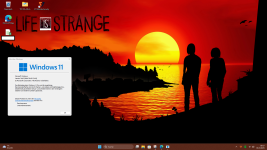
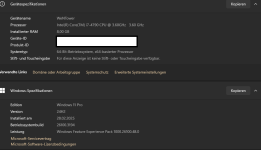
Flyby11 2.0 – The Big Update!
- Improved code dynamics for smoother mounting and patch execution
- Optimized Fido download process for a seamless experience
- Subtle UI refinements
- Flyby11 now speaks Arabic, Italian, Russian, Swedish, Czech, Polish, French, German, Japanese, English, and Turkish. Learn how to contribute a translation
- Minor refinements under the hood for better stability
- Added links to two useful tools: MSAPatcher for bypassing online account creation and TidyOS for trimming Windows 11
github.com
I don't know about if Flyby11 is able to work the same way also in VMs@silversurfer -- shortcut question if you don't mind: running VMware win10_guest, can I simply download flyby11 and run it and it will then do what it needs to do to update from win10 to win11 or is the process a whole lot more involved? short answer is fine or link to easy to understand instructions if available. I have looked at flyby11 website in past but backed away, afraid of unintended consequences.
 github.com
github.com
github.com
Flyby11 2.2 - With a preliminary upgrade success check
- Introduced a system compatibility check that evaluates the likelihood of a successful Windows 11 upgrade by verifying critical CPU features. The application checks also if the CPU supports SSE4.2 (bit 20) and POPCNT (bit 23) If the required file CpuCheckNative.dll is missing, the compatibility check cannot be performed.
How-to
- To enable this feature, download CpuCheckNative.dll from the assets and place it in the same directory as the Flyby11.exe. This DLL acts as a small C++ linker module that extends the application's functionality by enabling direct hardware feature detection.
- After placing the DLL, restart the app, and a message box will inform you about the upgrade success likelihood
github.com
Flyby11 2.1 – Clippy Drops In
- The UI got a full refresh to match the Windows 11 look and feel. And just for fun, I brought Clippy back as a little desktop guardian. Visually, he just chills on your desktop, but behind the scenes, he keeps an eye on the mounting and patching processes. Click the little "question mark" on Clippy to access some handy tips and help. Nothing about how you use the app has changed. It still works just like before. Clippy is here purely for the vibes: a little throwback, a bit of fun, and maybe a small reminder that youre not alone. Think of him as a nostalgic wink... and maybe a cheeky side jab at Copilot
- Added Chinese (Simplified) Support
github.com
Flyby11 2.3 - with Compatibility Checker
After receiving lots of feedback, I've now repackaged Flyby11 with the new compatibility checker that specifically targets critical Windows 11 CPU features like POPCNT and SSE4.2 (via CpuCheckNative.dll, a small C++ linker Addon module that extends the application's functionality by enabling direct hardware feature detection).
There's no need to download any external files anymore.
In the first step, you'll simply be informed whether an upgrade is possible or not. If you see two red checkmarks in the compatibility checker, an upgrade using this app is pretty much off the table.
github.com
Flyby11 2.3 - Fixed Compatibility Check Addon
- Yesterday's release with the built-in compatibility check via the external addon file CpuCheckNative.dll had an issue due to missing external dependencies, which caused some functionality to break. This has now been fixed! The addon is statically linked in the updated release, so you no longer need to worry about downloading additional dependencies (like Visual C++ Redistributables). Additionally, I've given the compatibility check UI a fresh, updated look for a better user experience.
Usage instructions:
- To enable this feature, download CpuCheckNative.dll from the assets and place it in the same directory as the Flyby11.exe. This DLL acts as a small C++ linker module that extends the application's functionality by enabling direct hardware feature detection.
- After placing the DLL, restart the app, and a box will inform you about the upgrade success likelihood
github.com
Flyby11 2.4
- Small but important improvements to the new compatibility checker. Plus, a fun little Windows 10 Armageddon Counter showing the days left until EOL!
github.com
Issues adressed in Flyby11:
- Flyby11 now includes a built-in troubleshooter that guides you through some of the most commonly reported issues during the Windows 11 upgrade process. This is especially useful for users whose systems pass the compatibility check but still run into problems due to seemingly minor issues, such as unsupported drivers, app errors, or misconfigured settings. These are among the top community-reported problems, and checking them first could save you time and help avoid posting duplicate issues. A quick check before posting can go a long way.
github.com
Members who viewed this thread in the last 5 minutes


