

The MalwareTips app
Your community, one tap away.
Open MalwareTips from your Home Screen or desktop. Follow discussions, find answers and pick up where you left off.
- Home Screen access
- Optional push alerts
- Your community
You're ready to explore.Explore what's new
Installation instructions
iPhone & iPad
- Open MalwareTips in Safari and tap Share. You may need to open the Page Menu first.
- Choose Add to Home Screen. If it is not listed, use Edit Actions to add it.
- Keep Open as Web App enabled if shown, then tap Add.
Android
- Open MalwareTips in Chrome or another browser that supports app installation.
- Open the browser menu and look for Install app, Install and create shortcut, or Add to Home screen.
- Choose Install and confirm. Wording varies by browser.
Desktop
- Chrome: use the install icon in the address bar, or the menu under Cast, save and share.
- Edge: open the menu, then More tools, Apps and Install this site as an app.
- Safari on Mac: choose Share or File, then Add to Dock. Firefox on Windows: look for the web apps button in the address bar.
If you cannot find an install option, update your browser or use its bookmark option to keep MalwareTips close.
Keep up with your conversations
After installation, open the app and sign in. Enable push notifications in Preferences if you want alerts. On iPhone and iPad, push requires a Home Screen web app and iOS or iPadOS 16.4 or later.
Sign in to manage notificationsInstallation is optional. Your notification settings stay under your control.
You are using an out of date browser. It may not display this or other websites correctly.
You should upgrade or use an alternative browser.
You should upgrade or use an alternative browser.
Solved Good Morning, Kapersky won't resolve these
- Thread starter Lizabith
- Start date
Windows Malware Removal Help & Support
8 Replies
2,708 Views

Hello,
Can you show me what exactly Kaspersky detected?
Can you show me what exactly Kaspersky detected?
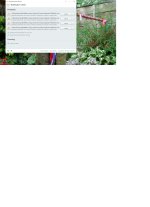
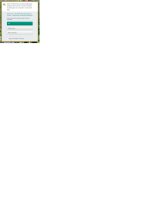
Okay, let's try this:
Please download Zemana AntiMalware and save it to your Desktop.
Please download Zemana AntiMalware and save it to your Desktop.
- Install the program and once the installation is complete it will start automatically.
- Without changing any options, press Scan to begin.
- After the short scan is finished, if threats are detected press Next to remove them.
- Open Zemana AntiMalware again.
- Click on
icon and double click the latest report.

- Now click File > Save As and choose yourDesktop before pressing Save.
- The only left thing is to attach saved report in your next message.

Okay, let's see if this is going to remove it:
 Fix with Farbar Recovery Scan Tool
 This fix was created for this user for use on that particular machine.
Running it on another one may cause damage and render the system unstable.
Download attached fixlist.txt file and save it to the Desktop:
Both files, FRST and fixlist.txt have to be in the same location or the fix will not work!
Please attach it to your reply.
 Fix with AdwCleaner
Please download AdwCleaner by Xplode and save the file to your Desktop.
Note: Reports will be saved in your system partition, usually at C:\Adwcleaner
Download attached fixlist.txt file and save it to the Desktop:
Both files, FRST and fixlist.txt have to be in the same location or the fix will not work!
- Right-click on icon and select
Run as Administrator to start the tool.

(XP users click run after receipt of Windows Security Warning - Open File). - Press the Fix button just once and wait.
- If for some reason the tool needs a restart, please make sure you let the system restart normally. After that let the tool complete its run.
- When finishes FRST will generate a log on the Desktop, called Fixlog.txt.
Please attach it to your reply.
Please download AdwCleaner by Xplode and save the file to your Desktop.
- Right-click on icon and select
Run as Administrator to start the tool.
- Accept the Terms of use.
- Wait until the database is updated.
- Click Scan.
- When finished, please click Clean.
- Your PC should reboot now.
- After reboot, logfile will be opened. Copy its content into your next reply.
Note: Reports will be saved in your system partition, usually at C:\Adwcleaner
Attachments
Wow!
After all that, Kapersky was able to resolve the issues without the annoying error message!
You are a genius!
BTW, what the hell was it? and how do I stop it from happening again?
Here's the reports as requested.
Hope this is cleaned up...and let me know where to send the beer donation
After all that, Kapersky was able to resolve the issues without the annoying error message!
You are a genius!
BTW, what the hell was it? and how do I stop it from happening again?
Here's the reports as requested.
Hope this is cleaned up...and let me know where to send the beer donation
Attachments
You had Ask Toolbar adware that was probably bundled with some installation. I will give you some tips what programs to install to at least reduce the chance of getting this again
There is a Donation link under my every post, you can see it on attached image below. Thank you very much

Since there are no more problems, we can declare this PC clean

Now, we can proceed with post-cleanup procedures. Let's remove my tools and create a new, non infected restore point concurrently deleting old ones.
Step 1. - Creation of system restore point and tools removal.
Download DelFix by Xplode and save it to your desktop.
Step 2. - Tips and tricks to keep your computer clean, safe and in a good shape.
Security tips - highly recommended reading:
Maintenance tips:
Additional software that I personally use and install on all my clients devices:
Stay safe,
TwinHeadedEagle
There is a Donation link under my every post, you can see it on attached image below. Thank you very much
Since there are no more problems, we can declare this PC clean
Now, we can proceed with post-cleanup procedures. Let's remove my tools and create a new, non infected restore point concurrently deleting old ones.
Step 1. - Creation of system restore point and tools removal.
Download DelFix by Xplode and save it to your desktop.
- Run the tool by right click on the icon and Run as administrator option.

- Make sure that these ones are checked:
- Remove disinfection tools
- Purge system restore
- Reset system settings
- Push Run and wait until the tool completes his work.
- All tools we used should be gone. Tool will create an report for you (C:\DelFix.txt). I don't need it for review.
Step 2. - Tips and tricks to keep your computer clean, safe and in a good shape.
Security tips - highly recommended reading:
Maintenance tips:
Additional software that I personally use and install on all my clients devices:
- Zemana AntiMalware (paid version highly recommended) - to work as a supplement for your antivirus but with excellent remediation and protection
- Zemana AntiLogger - keep everything you type on keyboard out of sight of bad guys trying to steal your credantials
- Malwarebytes' Anti-Exploit - to prevent plenty of mostly exploited vulnerabilities.
- McShield - to prevent infections spread by removable media.
- Unchecky - to prevent from installing additional foistware, implemented in legitimate installations.
- CryptoPrevent - tool for protection against Cryptolocker and similar ransomware infections.
- Adblock - to surf the web without annoying ads!
- Qualys BrowserCheck - cloud service that scans your browsers and plugins to see if they’re all up-to-date.
My help is free for everybody.
If you're happy with the help provided and/or wish to show your appreciaton, please consider a donation:
Thank you!
If you're happy with the help provided and/or wish to show your appreciaton, please consider a donation:
Thank you!
Stay safe,
TwinHeadedEagle
Recently browsing
Members who viewed this thread in the last 5 minutes
You may also like...
-

-
Comparison Feb 2026 conclusion?
-
 New Update Norton Security 25.9.10453
 -

-

