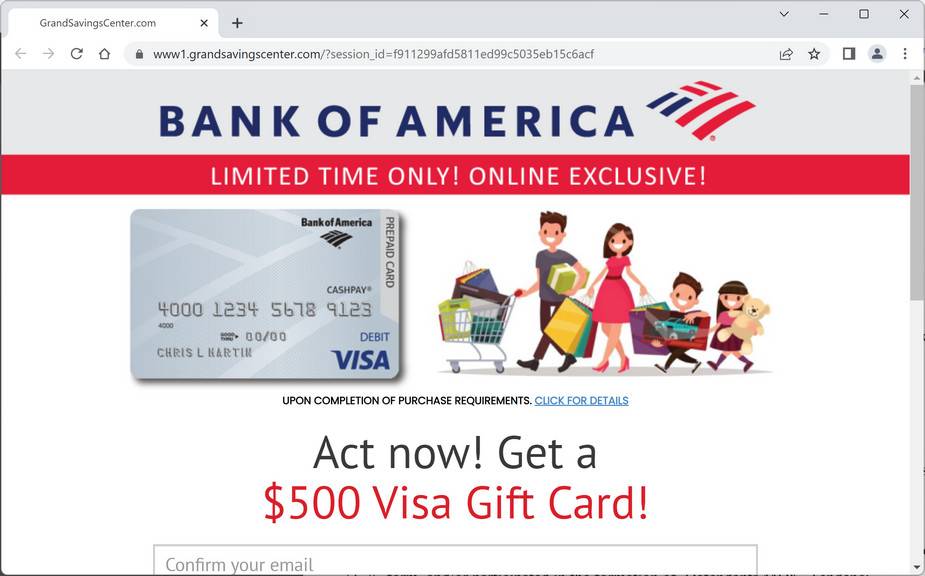
No Reply GrandSavingsCenter.

This support request was closed after at least 5 days without a reply from the author.
Still need help? Send a direct message to a staff member within the next 5 days and include a link to this thread.
Status
Not open for further replies.

L.E. Watts

New Member
Hello Malware Exports. I have no idea for the definition of a "post thread" the best way to explain the problem for us simpleton's is: I have a GrandSavingCenter email starring at me from my Gmail account. Here I am! Contacting you as was recommended and the 1st: "Post thread" didn't define what is going on with my mobile device,? Please let me know if I can just delete this as you are going to do.
 
Hello ..! Welcome to MalwareTips..! :)


Please follow the instruction below..:

Download Farbar Recovery Scan Tool and save it to your desktop. --> IMPORTANT

If your antivirus software detects the tool as malicious, it’s safe to allow FRST to run. It is a false-positive detection.
If English is not your primary language, right click on FRST.exe/FRST64.exe and rename to FRSTEnglish.exe/FRST64English.exe

Note:
You need to run the version compatible with your system. If you are not sure which version applies to your system download both of them and try to run them. Only one of them will run on your system, that will be the right version.
  • Double-click the FRST icon to run the tool. When the tool opens click Yes to disclaimer.
  • Press Scan button and wait for a while.
  • The scanner will produced two logs on your Desktop: FRST.txt and Addition.txt.
  • Please attach the content of these two logs in your next reply.
---------------------------------------------------

In your next reply, please include:
  • FRST.txt
  • Addition.txt
 
Due to lack of activity, this topic is now closed.
If you still need help, open a new topic, and wait for a new helper.
 
Status
Not open for further replies.

Recently browsing

Members who viewed this thread in the last 5 minutes

Back
Top