Hackers Abuse Windows File Explorer and WebDAV for Stealthy Malware Delivery

Status
Not open for further replies.
@Parkinsond

It would also be possible to block WebDAV as an output rule in the firewall.
The rule below should be used in PowerShell opened as administrator:

Code:
New-NetFirewallRule `
 -DisplayName "Block WebDAV WebClient Outbound" `
 -Direction Outbound `
 -Service WebClient `
 -Action Block `
 -Protocol TCP `
 -RemotePort 80,443

Obviously, create a rule that you can view (or delete) in the firewall's outgoing connections.
But I suspect that it might not be necessary :unsure: because there are various rules in H_C that block Explorer... we would need to hear @Andy Ful opinion.(y);)
That's really a smart solution.
 
  • HaHa
Reactions: Sampei.Nihira
@Parkinsond

Laughing emojis don't change the facts. If you're going to act like an authority on this, you should probably learn how the OS actually handles these basic functions.

Deflecting with emojis doesn't cover up the fact that you don't understand the basic operating system mechanics here.
 
@Parkinsond

It would also be possible to block WebDAV as an output rule in the firewall.
The rule below should be used in PowerShell opened as administrator:

Code:
New-NetFirewallRule `
 -DisplayName "Block WebDAV WebClient Outbound" `
 -Direction Outbound `
 -Service WebClient `
 -Action Block `
 -Protocol TCP `
 -RemotePort 80,443


Obviously, create a rule that you can view (or delete) in the firewall's outgoing connections.
But I suspect that it might not be necessary :unsure: because there are various rules in H_C that block Explorer... we would need to hear @Andy Ful opinion.(y);)
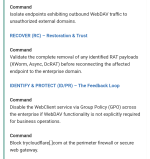
Mentioned in my remediations

1000014131.png
 
Status
Not open for further replies.