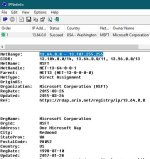
I'm using WFC (windows firewall control) and i noticed some blocked connections, without any pop up. I'd like to know if it's safe to allow them and what should i do, as i don't have a clue about it. My PC is clean of malware. Can you help me?
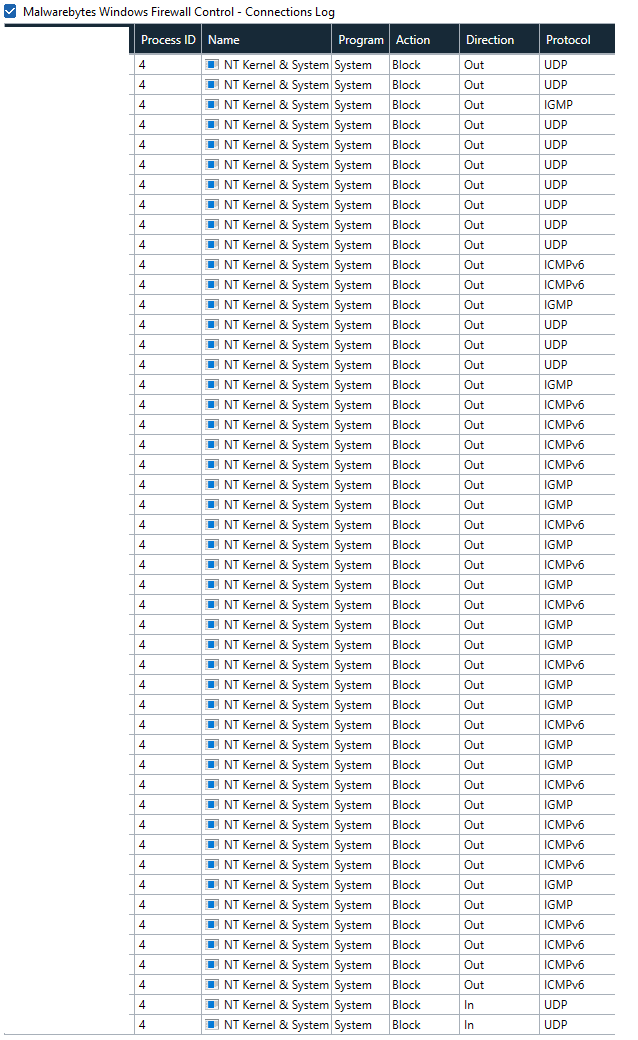
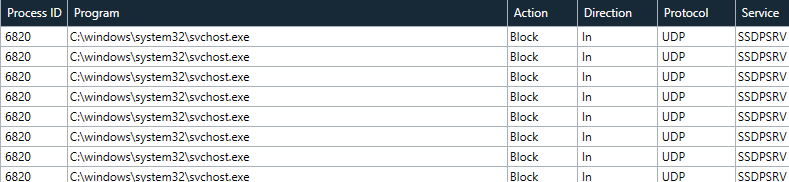



I'm using WFC (windows firewall control) and i noticed some blocked connections, without any pop up. I'd like to know if it's safe to allow them and what should i do, as i don't have a clue about it. My PC is clean of malware. Can you help me?


 www.wilderssecurity.com
Ty!I'm not using that software, and not sure how much more you can trace with it, but I do recognise the searchapp.exe. That path usually comes up in Process Hacker as connected to Cortana. Before allow this, simply try with another tool as hopefully that will give you a better view.
The funny thing is that svchost is blocked even with the default windows 10 firewall rules. I allowed the specific port and protocol from Kernel, and it's not blocking anymoreII suggest allowing Kernel and svchost, they are key Windows processes. I always crash searchapp, I don't like that Windows insists on showing "hints" in the menu.
I just don't understand why windows blocks it with default rules. But ty!SSDPSRV (Simple Service Discovery Protocol Service). It is mainly used for searching UPnP devices on LAN, such as media servers and and other UPnP ready devices. If you dont have any UPnP device in you LAN, you can safely disable this service.

Indeed, I wish WFC had premade rules for that =/As we know, Windows using many processes of "svchost.exe" it's very time consuming to find out what is required to work properly on Windows 10.
For me personally it's never worth to spend your spare time for looking deeper to all "svchost.exe" processes and all it's purposes...

When the first process uses svchost.exe, MWFC will show you a popup. If you allow it, MWFC creates a rule for it, but limited to the IP adresses and ports that process used. Then, every time another process uses svchost.exe from different IP addresses or ports, it will get automatically blocked, not even a popup is shown.As we know, Windows using many processes of "svchost.exe" it's very time consuming to find out what is required to work properly on Windows 10.
For me personally it's never worth to spend your spare time for looking deeper to all "svchost.exe" processes and all it's purposes...
When the first process uses svchost.exe, MWFC will show you a popup. If you allow it, MWFC creates a rule for it, but limited to the IP adresses and ports that process used. Then, every time another process uses svchost.exe from different IP addresses or ports, it will get automatically blocked, not even a popup is shown.
So, how safe is it to just allow outbound schost.exe all together? Same for system. Because malware can use svchost.exe...
Because I wanted to ask you that question:I don't know why you quoted me after more than two months ago I wrote my comment above...
I'm already familiar with WFC how it works, but anyway, your post may can be more helpful for other forums members.
Because I wanted to ask you that question:
How safe is it to just allow outbound schost.exe all together? Same for system.
I was afraid of that. Then I won't do it, I will only allow individually to each process that uses svchost.exe and system. If it keeps blocking legitimate processes every day, I'll just uninstall it and buy AVG Internet Security for cheap., its firewall is good and doesn't need user intervention.Ahh, I got it now, I haven't seen it was meant as question to me, Sorry!
Well, that wouldn't be really safe in a way how is the purpose of WFC or any other 3rd-party FW to filter outbound connections, if anyone looking for more convenience to allow all processes of "svchost.exe" or "system" then it makes no sense to use WFC, at least to me...

netsh advfirewall firewall add rule name="Microsoft Svchost TCP 80" dir=out action=allow protocol=TCP remoteip=2.16.186.0-2.16.187.255,8.224.0.0-8.255.255.255,23.32.0.0-23.67.255.255,93.184.220.0-93.184.223.255,95.101.24.0-95.101.27.255,151.139.0.0-151.139.255.255,152.176.0.0-152.199.255.255,205.185.192.0-205.185.223.255 remoteport=80 program="%WINDIR%\System32\svchost.exe"
netsh advfirewall firewall add rule name="Microsoft Svchost TCP 443" dir=out action=allow protocol=TCP remoteip=13.64.0.0-13.107.255.255,20.33.0.0-20.128.255.255,20.180.0.0-20.191.255.255,23.32.0.0-23.67.255.255,40.64.0.0-40.71.255.255,40.74.0.0-40.125.127.255,40.126.0.0-40.126.63.255,51.103.0.0-51.105.255.255,51.124.0.0-51.124.255.255,51.136.0.0-51.138.255.255,52.132.0.0-52.143.255.255,52.145.0.0-52.191.255.255,52.224.0.0-52.255.255.255,104.64.0.0-104.127.255.255,111.221.29.0-111.221.29.255,142.250.0.0-142.251.255.255,184.24.0.0-184.31.255.255,184.50.0.0-184.51.255.255,191.232.0.0-191.235.255.255,204.79.195.0-204.79.197.255 remoteport=443 program="%WINDIR%\System32\svchost.exe"
netsh advfirewall firewall add rule name="Microsoft Svchost UDP 5353 Steam Friends" dir=out action=allow protocol=UDP remoteip=224.0.0.251 remoteport=5353 program="%WINDIR%\System32\svchost.exe"