Serious Discussion How KDE Plasma developed into an ultra high-performance, cutting-edge desktop

  • Thread starter Thread starter ForgottenSeer 116559
  • Start date Start date
I have two Linux systems: one on an old PC running Fedora 46 XFCE, which works well for me, and another running Bazzite with GNOME (based on Fedora).
I like both of them.

I tried KDE Plasma, but I'm so used to GNOME and can't be bothered to switch :)
 
I've gotten more adjusted to KDE Plasma 6.6. I'm only just beginning to appreciate the depths of its configurability and power user features.

Games really do run and feel different from GNOME. It's easy to tell that KWin, the window manager and compositor, is better calibrated and equipped for the job. KDE Plasma feels incredibly responsive and smooth every day. Low latency across the board.

KDE's push for higher standards of professional QA and stability that serves a broader audience in recent years really shows.

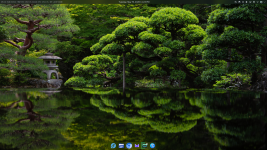
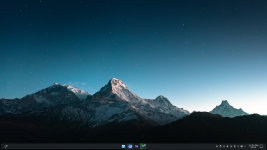
Although it starts with a similar setup to Windows, that's really just the tip of the iceberg: you can customize it to look and work more like macOS, ChromeOS, Unity, or whatever else you have in mind. I'm still experimenting.

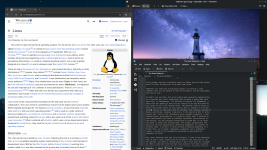
I'm most partial to placing the Task Manager bar on the bottom or left. I've applied some non-default tweaks, and I'll see where KDE wants to take me from here. The left placement has gotten to be quite popular—vertical real estate is at a premium, after all. I also love the "dodge windows" visibility: the panel automatically hides to get out of the way of your workflow, then you can reveal it again when you need it.
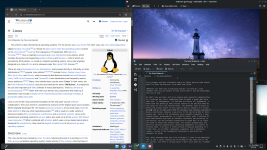
Screenshot_20260505_230029.png Screenshot_20260505_230358.png Screenshot_20260505_230409.png

The Kickoff menu (Start menu / Windows key) is well-laid out, and the search functionality and file indexing are just incredible. You can search for all kinds of things at lightning speed: applications, software center suggestions (Discover app store), command-line executables, recent documents, places (Dolphin bookmarks), storage media/drives, files (indexed by Baloo), system settings modules, calculator results, unit conversions, currency conversions, power/session commands (shut down, sleep), window titles, activity titles, web shortcuts (Google, Wikipedia, etc.), dictionary definitions, spellcheck suggestions, browser bookmarks, browser history, and browser tabs. KRunner (alt+F2 / space) is an even faster way to search and run commands.

The file manager, Dolphin, has a lot of cool features. The built-in terminal can make life easier. I've also been enjoying getting used to Yakuake, a drop-down terminal for KDE that feels more like a seamless, stateless part of the system.

KDE has ramped up their attention to UX design in recent years, and there are exciting changes on the horizon for Plasma 6.7. New Plasma style, new icons.

After trying out some of the most popular icons out there, I've stuck with default for now. However, I checked out the new icons from the upcoming successor to the default theme Breeze—called Ocean. It's still incomplete, but there's a whole new look to those already updated. I like the direction.

KDE Plasma ships with Noto Sans and Noto Mono default fonts for the UI. It's a practical choice: they're part of Google's open font superfamily offering the best language support in the world. They're legible, slightly humanist workhorses. While useful and attractive in the right place, it's a decidedly different look from the fonts favored by the likes of Microsoft, Apple, and Google (clean, more geometric and precise).

I opted to use some of the most refined and beloved free fonts: Inter and JetBrains Mono—for now. Inter is a modern interpretation of Swiss typography made for screens, and JetBrains is a popular pairing.

I recommend enabling RGB subpixel rendering, and most likely "slight" hinting for a high-resolution display. I edit ~/.config/fontconfig/fonts.conf to configure font substitutions and make sure I see these kinds of beautiful fonts while browsing the web.
 
Last edited by a moderator:
mini update fwiw: CachyOS / KDE Plasma / Wayland running in my VMware= one issue after another, so I removed it. ChatGPT thinks CachyOS / XFCE might work better.
CachyOS is not officially recommended for VMWare by the developers. This particular distribution is heavily optimized for bare metal hardware—specifically x86-64-v3/v4. The advantages CachyOS wants to offer won't hit the same at all when virtualized.

There are good reasons that mainstream distros don't apply the optimizations found in CachyOS.

I'm curious if you'll find a better way to run it, but it may not be the best Arch experience on VMWare after all.
 
I've gotten more adjusted to KDE Plasma 6.6. I'm only just beginning to appreciate the depths of its configurability and power user features.
yes agree but CachyOS KDE Plasma Wayland in VMware problematic for me, and tonight even elegant openSUSE Tumbleweed KDE Plasma snafu'd (surpised by that) but expect updated fix soon by openSUSE.
 
CachyOS is not officially recommended for VMWare by the developers. This particular distribution is heavily optimized for bare metal hardware—specifically x86-64-v3/v4. The advantages CachyOS wants to offer won't hit the same at all when virtualized.

There are good reasons that mainstream distros don't apply the optimizations found in CachyOS.

I'm curious if you'll find a better way to run it, but it may not be the best Arch experience on VMWare after all.
THANKS for the heads up, I'll skip any new installs of CachyOS until further notice :oops:
 
@simmerskool If you are installing several vm's of around 100GB, you can do them all on hardware. They will all appear nicely in the grub menu. You don't need the vmware + hostOS layer . Then you can try Cachy on hardware.

But beware, you must size each OS's drive space when installing. And not rely on the installer's ability to resize the previous OS, because that wrecks the previous grub entry settings, then grub won't work.
 
Last edited:
@simmerskool If you are installing several vm's of around 100GB, you can do them all on hardware. They will all appear nicely in the grub menu. You don't need the vmware + hostOS layer . Then you can try Cachy on hardware.

But beware, you must size each OS's drive space when installing. And not rely on the installer's ability to resize the previous OS, because that wrecks the previous grub entry settings, then grub won't work.
:ROFLMAO: no offense but I have no real desire or need to run CachyOS, I was just curious since it is Arch and also ranked no.1 at distrowatch. Most or many OS run aok in VMware, if one doesn't, no harm no foul, just "delete from disk"
 
What problems or glitches did you encounter?
I can give it label or name but can't explain in any depth > it was kernel workqueue lockup line: BUG: workqueue lockup - pool cpus=3... more serious & a real concern (per chatgpt) but under the hood, not noticeable from keyboard, there are supposed to be updates today, so I'll boot openSUSE tonight and see what happens...
 
  • Like
Reactions: lokamoka820
:ROFLMAO: no offense but I have no real desire or need to run CachyOS, I was just curious since it is Arch and also ranked no.1 at distrowatch. Most or many OS run aok in VMware, if one doesn't, no harm no foul, just "delete from disk"
Despite being based on Arch, CachyOS serves a completely different purpose. The default Linux kernel is highly optimized, and desktop packages are compiled differently than Arch. In my opinion, EndeavourOS is the best option if you want the closest Arch experience possible using GUI tools rather than terminal.
 
fyi/fwiw booted openSUSE, it had its updates: to 20260507-0 82 packages 659.4 mb now kernel-default-7.0.3-1.1 all fast and smooth update in KDE Plasma, reboot required and cmd > sudo journalctl... still reports "BUG: workqueue lockup - pool cpus=127 node=0 flags=0x4 nice=0 stuck for 463s!" what is "interesting" it seems to be a "false positive" in the sense that it seems to have zero effect on performance tested various ways. ChatGPT says that "glitch" has been reported, and thinks it's an issue with new kernel in VMware... still liking openSUSE / KDE Plasma, but shut it down, try again in 2 or 3 days...
 
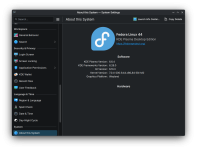
My setup is still going strong with the new Linux 7.0.4 update. Important updates have been rolling in very frequently on Fedora 44—KDE Plasma, NVIDIA Open, Mesa, Linux kernel, etc.

Screenshot_20260509_002950.png

Performance and stability are on point.
 
Last edited by a moderator:
My setup is still going strong with the new Linux 7.0.4 update. Important updates have been rolling in very frequently on Fedora 44—KDE Plasma, NVIDIA Open, Mesa, Linux kernel, etc.

View attachment 297588

Performance and stability are on point.
my fedora 44 / gnome updated from 6.19.14-300 to 7.0.4-200 and not seeing any issues with my VMware installation of fedora. I think this must say something positive about fedora's dev team / process...
 
  • Like
Reactions: lokamoka820
@Miravi, is Nvidia Open already compatible with Secure Boor, or does it require a MOK similar to the Nvidia proprietary driver?
Yes, it is compatible. It's already been around and improving for a very long time at this point. NVIDIA-open has effectively replaced the proprietary driver on all supported architectures.

That means the NVIDIA proprietary blob is basically a legacy driver, so it will only be officially recommended for older GPU architectures.
 
Installed Suse KDE this morning. And proceeded to confine the admin to staff_u. Now I can't log in to admin. Chatgpt warned me that their Selinux is not ready.
I did not do anything special or non-default to my openSUSE KDE Plasma VM and it's been an extra smooth trouble-free experience. (fwiw)
 
I immersed myself deeper in the world of ricing (customization and beautification) on KDE Plasma. I shared my results so far over at the Desktop Show Off thread:

Screenshot_20260519_232311.png

I converted to a two-panel setup, with similarities to GNOME and Google's new Aluminium OS. Both panels use a frosted glass effect (transparency + blur). I installed Panel Colorizer and Better Blur DX to achieve their desired appearances. All modifications were applied to the stock Breeze theme. Panel sizes, spacing, and the dock radius were calculated for optimal sharpness and harmony. There's a shadow helping to give the dock some physicality.

The thin top panel contains system vitals, the clock, and the customizable system tray. The dock on bottom works differently from GNOME—it always displays on the desktop but dodges windows. I can pull it up by hovering my cursor over its placement on the edge of the screen.

It's practical and aesthetically pleasing. Shifting to two panels offloads information to a reliable location on top that doesn't eat up much vertical space, while the auto-hiding dock is both economical and beautiful.

I also applied a whole custom color scheme to Breeze, making the system accent color a bright royal blue. The default Breeze theme is receptive to adding your own touches—the default icons adjust to your color scheme.
 
Last edited by a moderator: