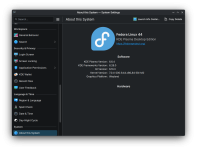
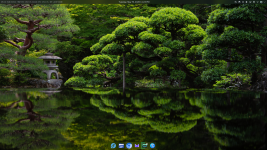
I've gotten more adjusted to KDE Plasma 6.6. I'm only just beginning to appreciate the depths of its configurability and power user features.
Games really do run and feel different from GNOME. It's easy to tell that KWin, the window manager and compositor, is better calibrated and equipped for the job. KDE Plasma feels incredibly responsive and smooth every day. Low latency across the board.
KDE's push for higher standards of professional QA and stability that serves a broader audience in recent years really shows.
Although it starts with a similar setup to Windows, that's really just the tip of the iceberg: you can customize it to look and work more like macOS, ChromeOS, Unity, or whatever else you have in mind. I'm still experimenting.
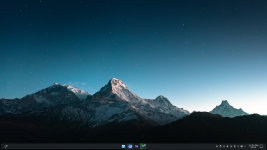
I'm most partial to placing the Task Manager bar on the bottom or left. I've applied some non-default tweaks, and I'll see where KDE wants to take me from here. The left placement has gotten to be quite popular—vertical real estate is at a premium, after all. I also love the "dodge windows" visibility: the panel automatically hides to get out of the way of your workflow, then you can reveal it again when you need it.
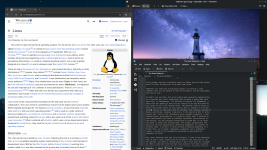
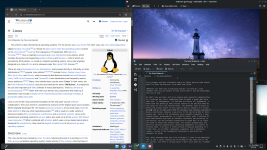
The
Kickoff menu (Start menu / Windows key) is well-laid out, and the search functionality and file indexing are just incredible. You can search for all kinds of things at lightning speed: applications, software center suggestions (Discover app store), command-line executables, recent documents, places (Dolphin bookmarks), storage media/drives, files (indexed by
Baloo), system settings modules, calculator results, unit conversions, currency conversions, power/session commands (shut down, sleep), window titles, activity titles, web shortcuts (Google, Wikipedia, etc.), dictionary definitions, spellcheck suggestions, browser bookmarks, browser history, and browser tabs.
KRunner (alt+F2 / space) is an even faster way to search and run commands.
The file manager,
Dolphin, has a lot of cool features. The built-in terminal can make life easier. I've also been enjoying getting used to
Yakuake, a drop-down terminal for KDE that feels more like a seamless, stateless part of the system.
KDE has ramped up their attention to UX design in recent years, and there are exciting changes on the horizon for Plasma 6.7. New Plasma style, new icons.
After trying out some of the most popular icons out there, I've stuck with default for now. However, I checked out the new icons from the upcoming successor to the default theme Breeze—called
Ocean. It's still incomplete, but there's a whole new look to those already updated. I like the direction.
KDE Plasma ships with
Noto Sans and
Noto Mono default fonts for the UI. It's a practical choice: they're part of Google's open font superfamily offering the best language support in the world. They're legible, slightly humanist workhorses. While useful and attractive in the right place, it's a decidedly different look from the fonts favored by the likes of Microsoft, Apple, and Google (clean, more geometric and precise).
I opted to use some of the most refined and beloved free fonts:
Inter and
JetBrains Mono—for now. Inter is a modern interpretation of Swiss typography made for screens, and JetBrains is a popular pairing.
I recommend enabling RGB subpixel rendering, and most likely "slight" hinting for a high-resolution display. I edit
~/.config/fontconfig/fonts.conf to configure font substitutions and make sure I see these kinds of beautiful fonts while browsing the web.