


To prevent web sites from learning all about you and your browsing habits, you need to enable various security settings in your browser. You may also choose to install one or more browser extensions to automatically configure your browser for optimum privacy. But having done all that, just how well is everything working to protect your identity online?
Is there an easy way to find out?
It's a web site which will attempt to identify you from your browser. But instead of then using that information for its own purposes, it reports the data back to you, so you know just how much personal data your PC is divulging.
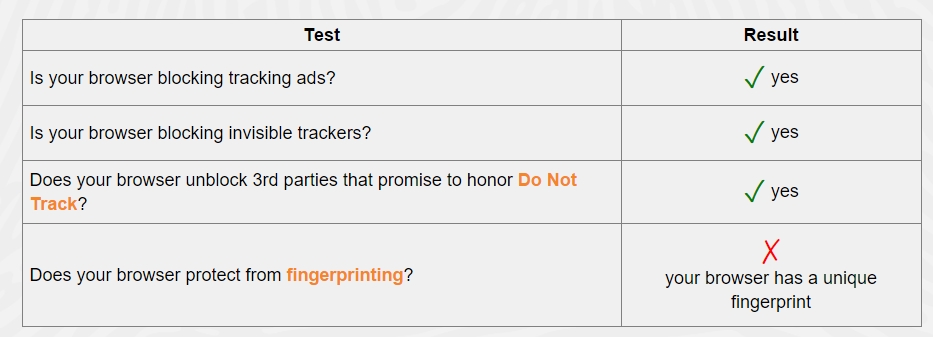
To test your browser you simply need to head to Panopticlick and then click on the Test Me button to start the process.
Source:
How Much Privacy Is Your Browser Providing?
Is there an easy way to find out?
It's a web site which will attempt to identify you from your browser. But instead of then using that information for its own purposes, it reports the data back to you, so you know just how much personal data your PC is divulging.
To test your browser you simply need to head to Panopticlick and then click on the Test Me button to start the process.
Source:
How Much Privacy Is Your Browser Providing?


