rem Remove Cortana (SearchUI.exe)
takeown /f "%WinDir%\SystemApps\Microsoft.Windows.Cortana_cw5n1h2txyewy" /a /r /d y
icacls "%WinDir%\SystemApps\Microsoft.Windows.Cortana_cw5n1h2txyewy" /inheritance:r /grant:r Administrators:(OI)(CI)F /t /l /q /c
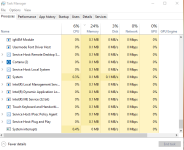
taskkill /im SearchUI.exe /f
rd "%WinDir%\SystemApps\Microsoft.Windows.Cortana_cw5n1h2txyewy" /s /q

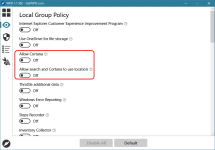
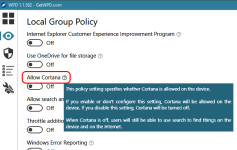
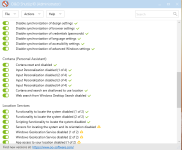
rem Disable Cortana
reg add "HKCU\Software\Microsoft\Windows\CurrentVersion\Search" /v "AllowCortana" /t REG_DWORD /d "0" /f
reg add "HKCU\Software\Microsoft\Windows\CurrentVersion\Search" /v "CortanaCapabilities" /t REG_SZ /d "" /f
reg add "HKCU\Software\Microsoft\Windows\CurrentVersion\Search" /v "CortanaConsent" /t REG_DWORD /d "0" /f
reg add "HKCU\Software\Microsoft\Windows\CurrentVersion\Search" /v "DeviceHistoryEnabled" /t REG_DWORD /d "0" /f
reg add "HKCU\Software\Microsoft\Windows\CurrentVersion\Search" /v "IsAssignedAccess" /t REG_DWORD /d "0" /f
reg add "HKCU\Software\Microsoft\Windows\CurrentVersion\Search" /v "IsWindowsHelloActive" /t REG_DWORD /d "0" /f
reg add "HKLM\Software\Microsoft\PolicyManager\default\Experience\AllowCortana" /v "value" /t REG_DWORD /d "0" /f
reg add "HKLM\Software\Policies\Microsoft\SearchCompanion" /v "DisableContentFileUpdates" /t REG_DWORD /d "1" /f
reg add "HKLM\Software\Policies\Microsoft\Windows\Windows Search" /v "AllowCloudSearch" /t REG_DWORD /d "0" /f
reg add "HKLM\Software\Policies\Microsoft\Windows\Windows Search" /v "AllowCortana" /t REG_DWORD /d "0" /f
reg add "HKLM\Software\Policies\Microsoft\Windows\Windows Search" /v "AllowCortanaAboveLock" /t REG_DWORD /d "0" /f
reg add "HKLM\Software\Policies\Microsoft\Windows\Windows Search" /v "AllowSearchToUseLocation" /t REG_DWORD /d "0" /f
reg add "HKLM\Software\Policies\Microsoft\Windows\Windows Search" /v "DisableWebSearch" /t REG_DWORD /d "1" /f
reg add "HKLM\Software\Policies\Microsoft\Windows\Windows Search" /v "DoNotUseWebResults" /t REG_DWORD /d "1" /f
reg add "HKLM\Software\Policies\Microsoft\Windows\Windows Search" /v "ConnectedSearchPrivacy" /t REG_DWORD /d "3" /f
reg add "HKLM\Software\Policies\Microsoft\Windows\Windows Search" /v "ConnectedSearchUseWeb" /t REG_DWORD /d "0" /f
reg add "HKLM\Software\Policies\Microsoft\Windows\Windows Search" /v "ConnectedSearchUseWebOverMeteredConnections" /t REG_DWORD /d "0" /f

rem 1 - Let Cortana respond to "Hey Cortana"
reg add "HKCU\Software\Microsoft\Speech_OneCore\Preferences" /v "VoiceActivationOn" /t REG_DWORD /d "0" /f

rem 1- Let Cortana listen for my commands when I press Windows key + C
reg add "HKCU\Software\Microsoft\Windows\CurrentVersion\Search" /v "VoiceShortcut" /t REG_DWORD /d "0" /f

rem 1 - Use Cortana even when my device is locked
reg add "HKCU\Software\Microsoft\Speech_OneCore\Preferences" /v "VoiceActivationEnableAboveLockscreen" /t REG_DWORD /d "0" /f




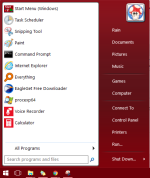
 How to access Cortana from Classic Start Menu