


Well I know this is old but from users in twitter who are not yet activated HTTPS then here are the steps.
Ghacks
Enable HTTPS On Twitter
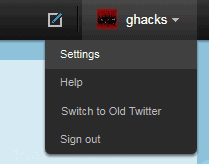
Visit the Twitter homepage and log into your account. You need to click on your username after the log in and select Settings from the context menu that is displayed.
This loads a new page with all available account settings. HTTPS Only is available under Account, which should be the active tab under settings.
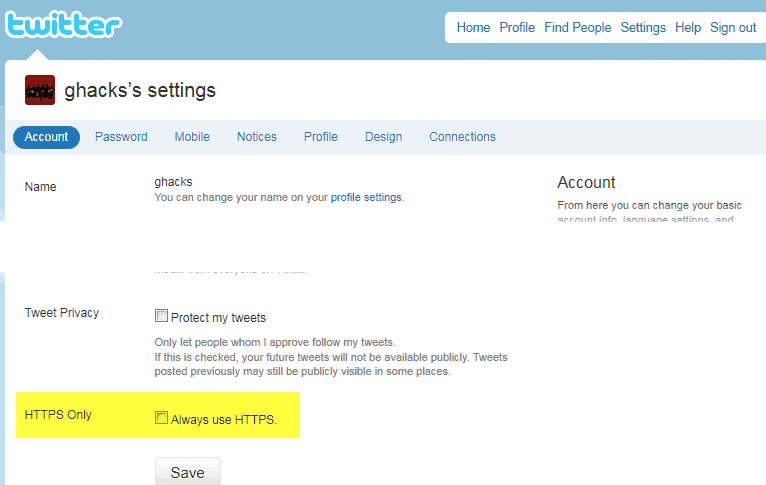
Scroll down to the very bottom of the settings page and put a checkmark into the HTTPS Only, Always use HTTPS checkbox.
You need to enter your password to verify the change after clicking on the Save button.
Take a look at the web address after you have enabled HTTPS on Twitter. The url should begin with https:// on every Twitter page.

Ghacks


