Troubleshooting How to fix fonts in windows 10

Filip

Level 2
Verified
Hello, i have a question.

I recently uninstalled Avira antivirus in safe mode but safe mode resolution was low and and my whole desktop was filled with icons i.e. there was not space available because it was filled with icons.

when I reverted back in normal mode.

The icons were very small on my desktop.

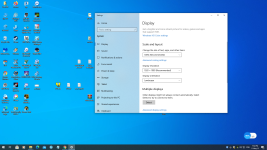
So in Settings > Display --- under " Scale and layout " i changed it from 100% to 125% so desktop icons can be back to normal like they used to be before.

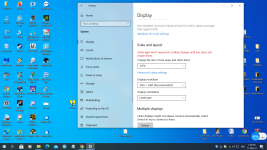
However, now the windows file info and stuff are bigger i.e. they are not like before. In the SS below you can see what do I mean.

Fix please?
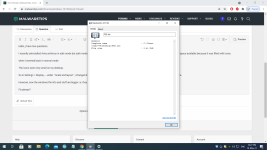
 

Attachments

  • asd.png
    asd.png
    206.9 KB · Views: 509
When i went back to 100% all of the desktop icons got smaller, the desktop itself ( toolbars ) and the file / program windows.

On 100% the file / program windows are fine but the desktop icons are much smaller XD

It wasn't like this before i booted windows in safe mode for the first time.
 
Upvote 0
Did you make the display resolution the same as before? Please check again

 
Upvote 0
You don't get it... let me show it to you by Screenshots.

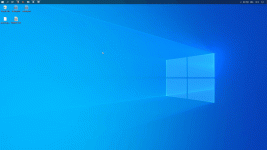
First screenshot is taken before i opened safe mode for the first time.

When I opened safe mode for hte first time ever the icons were extremely large and the resolution was changed to a smaller one, was this the case?

In safe mode i changed resolution back to the biggest one, is this the issue???

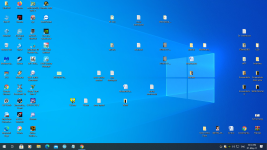
Second picture shows desktop but the not the one i wanted with much smaller icons.

Second picture shows with 125% size BUT IT WAS LIKE THIS SINCE I BOUGHT MY PC, now the problem is that the windows of files are now also bigger, text size, fonts and everything.

Can I keep my Desktop like Desktop02 picture but with smaller text, font and stuff?
 

Attachments

  • Desktop.png
    Desktop.png
    1.4 MB · Views: 492
  • Desktop01.png
    Desktop01.png
    1.1 MB · Views: 516
  • Desktop02.png
    Desktop02.png
    1 MB · Views: 537
Upvote 0
Windows loads the barebones minimum in Safe Mode, that's why the resolution is low by default. You don't need to change it.
When I opened safe mode for hte first time ever the icons were extremely large and the resolution was changed to a smaller one, was this the case?
In safe mode i changed resolution back to the biggest one, is this the issue???
Safe Mode is a diagnostic startup mode in Windows operating systems that's used as a way to gain limited access to Windows when the operating system won't start normally.
https://www.lifewire.com/safe-mode-2626018
 
Upvote 0
Second picture shows with 125% size BUT IT WAS LIKE THIS SINCE I BOUGHT MY PC, now the problem is that the windows of files are now also bigger, text size, fonts and everything.

Can I keep my Desktop like Desktop02 picture but with smaller text, font and stuff?
Seriously the windows are so huge it takes half of my screen.

Use Medium icons, and scaling at 100% to keep the smaller font.

1621104127722.png


Remember to Sign out and log back in.
 
Upvote 0

MalwareTips community

Join the discussion

Create a free account to reply to this thread, ask your own questions and get help from the community.

  • Reply and ask questions
  • Get alerts when someone answers
  • Free malware removal help
Create free account
or continue with

Recently browsing

Members who viewed this thread in the last 5 minutes

Back
Top