Guide | How To How To Update Windows Defender using CommandLine

The associated guide may contain user-generated or external content.

Ink

Administrator
Thread author
Verified
Jan 8, 2011
22,318
2
55,055
8,379
How To Update Windows Defender using CommandLine

Useful for:
  • Windows 8 users who do not want to modify the Registry
  • Windows 8 users who do not use real-time protection, but want it remained on-demand


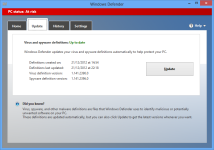
  • Before: Windows Defender with RT disabled
[attachment=2913]
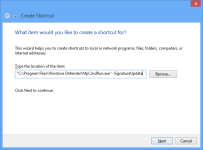
  • Desktop > Right-click > New > Shortcut
    Code:
    "C:\Program Files\Windows Defender\MpCmdRun.exe" -SignatureUpdate
[attachment=2914]
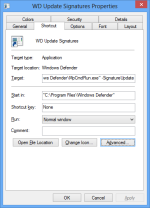
  • Right-click > Properties > Change Icon (To apply an Icon to the Shortcut)
[attachment=2915]
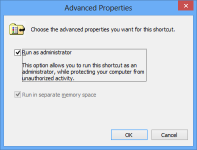
  • Right-click > Properties > Advanced (Enable Run as Administrator)
    Click OK > Apply > OK to confirm all changes
[attachment=2916]
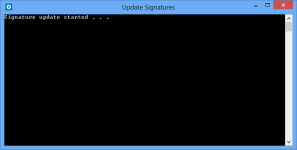
  • Running the WD Update Signatures shortcut from the Desktop
    Allow UAC prompt
[attachment=2917]
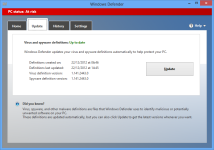
  • After: Windows Defender w/ RT disabled
[attachment=2918]


References : TechNet.Microsoft
 

Attachments

  • WD-Before.png
    WD-Before.png
    127.8 KB · Views: 980
  • WD-Shortcut.png
    WD-Shortcut.png
    13.2 KB · Views: 1,104
  • WD-Properties.png
    WD-Properties.png
    18.5 KB · Views: 813
  • WD-RunAs.png
    WD-RunAs.png
    9.7 KB · Views: 987
  • WD-Updating.png
    WD-Updating.png
    4.1 KB · Views: 1,035
  • WD-After.png
    WD-After.png
    140 KB · Views: 1,023

You may also like...