

This is mostly an FYI post.
If you use HWMonitor, you may have noticed in the Tools menu there are 'Check for Driver Updates' and 'Check for BIOS updates'.
These are NOT developed by CPUID, but are affiliates software links.
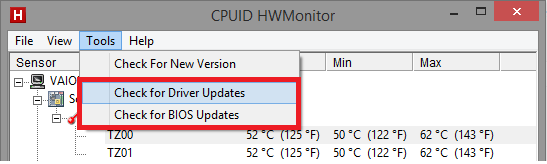
They are linked to the Affiliated site, that appears very similar to CPUID's site.
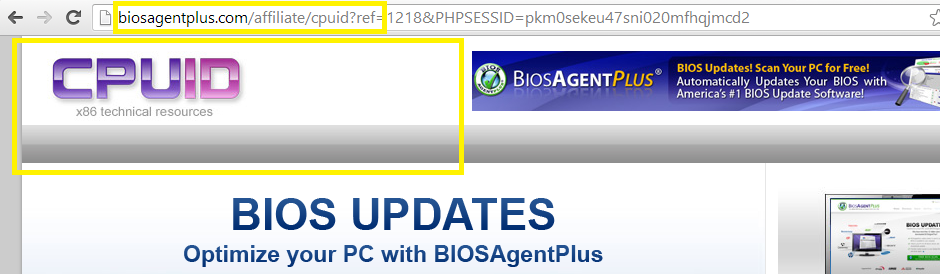
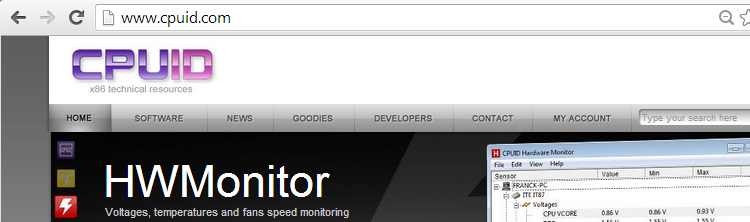
Here's a comparison - (http://www.cpuid.com)
Results by URLVoid, 3 scanning engines identify the affiliated site as malware / scam / spam.
http://www.urlvoid.com/scan/biosagentplus.com/
Don't get tricked by sponsored / affiliated software.
If you use HWMonitor, you may have noticed in the Tools menu there are 'Check for Driver Updates' and 'Check for BIOS updates'.
These are NOT developed by CPUID, but are affiliates software links.
They are linked to the Affiliated site, that appears very similar to CPUID's site.
Here's a comparison - (http://www.cpuid.com)
Results by URLVoid, 3 scanning engines identify the affiliated site as malware / scam / spam.
http://www.urlvoid.com/scan/biosagentplus.com/
Don't get tricked by sponsored / affiliated software.


