

iLivid redirect problem every 15-20 min or so, on the default browser

Madeline

New Member
Thread author
Apr 7, 2014
14
0
5
As described above I am really hoping to get this problem fixed, as it is annoying and I guess also harmful for my pc.
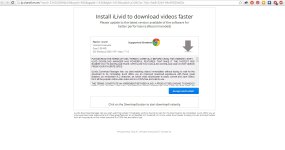
I keep on getting a new tab pop-up redirecting me to a page of iLivid web site to install some video download helper.
I did a bunch of stuff, hope I did not ruin my chances of resolving this!

I can provide, if requested logs generated after scans performed with the following: MalwareBytes Anti-Malware, RogueKiller, tdsskiller, spybot S&D (besides the FRST, aswMBR and AdwCleaner, I already attached to this post).

Thanks a lot for any help!

P.S.: I am also attaching a print screen of the web page i am getting those nasty redirects.
 

Attachments

I forgot to mention to the whole story, I did tried to block that URL address using Chrome's extension AdBlock, with no success at all :).
 
Hi,


Download attached fixlist.txt on the same location as FRST (otherwise the fix won't work)
NOTICE: This script was written specifically for this user, for use on that particular machine. Running this on another machine may cause damage to the operating system

Open FRST, and click Fix. Attach me that report after it is finished.


***** NEXT *****


Please download zoek.zip or zoek.rar by smeenk (
Zoek_icon.png
) from here or here and save it to your Desktop.
Unpack the archive...
  • Close any open browsers
  • Temporarily disable your AntiVirus program. (If necessary)
    If you are unsure how to do this please read this or this Instruction.
  • Double click on zoek.exe to run the tool .
    Please wait while the tool does not start...
  • Copy the text present inside the code box below and paste it into the large window in the zoek tool:
    NOTICE: This script was written specifically for this user, for use on that particular machine. Running this on another machine may cause damage to the operating system

    Code:
    createsrpoint;
    gpt.ini;z 
    C:\Windows\System32\GroupPolicy;v
    C:\Windows\SysWOW64\GroupPolicy;v 
    StandardSearch; 
    emptyfolderscheck; 
    installer-list; 
    installedprogs; 
    uninstall-list;
  • Click on
    Run%20Script%20by%20zoek.png
    button.
    Please wait until a logreport will open (this can be after reboot)
  • Save notepad to your Desktop and attach here zoek-results.log
    Note: It will also create a log in the C:\ directory named "zoek-results.log"
 

Attachments

Last edited:
hi, sorry, where can I find the fixlist.txt attached ? :) sorry for the nob question, but I just can't seem to find it :(.
 
ok :), did both of them.
when I run the zoek code, it said something about some SISS or something similar, I did not have the inspiration to make a print screen, being unresponsive, so I clicked to close that process or something, and then the zoek continued and generated the log like you said.

I have attached them.
 

Attachments

> Re-run zoek with the script below and attach here fresh zoek log results.
NOTICE: This script was written specifically for this user, for use on that particular machine. Running this on another machine may cause damage to the operating system


Code:
autoclean;
emptyalltemp;
emptyclsid;
emptyfolderscheck;delete
Ilivid;a
Ilivid;z
 
I did what you said, you have the new log attached.

While running the new code, zoek rebooted my pc, so now I opened fresh the Chrome browser, and the popup is still present :(.
 

Attachments

thank you, but I already checked the default home pages for both Chrome and Firefox, and the popup appears as another tab, not the deafult one, as I keep multiple tabs opened in both browsers. also sometimes it does not appear when I start fresh after a reboot, the browser, but after 20-30 min. I have no idea what can cause it and why nothing can block it. it must be something in my pc, it's impossible otherwise. Chrome does have that sync option (which I mentioned earlier that I did a total delete to it), but Firefox, at least personally I am not using any sync, and it happened the same like in Chrome once I made it the default browser.

I attached the new log
 

Attachments

hi, it is still there.
I have reseted Chrome Settings a couple of times, I will do it once more. but it had no effect before. I did this also with firefox and internet explorer.
:(
I went even further and uninstalled both Firefox, and Chrome, and clean install them, and the problem still persists.
 
Last edited:
it is weird cause there's no sign of infection anywhere, just that pop-up shows from time to time, and I noticed today, using some 3D modelling, and other designing software that my pc behaves a little slower, and this is felt most by explorer and chrome browser. I suspect it has something to do with the infection.

also my theory is that during that first install of iLivid that I cancelled some residue have remained infiltrated somewhere, but I have no idea where to look for it :|
 
I don't see any sign :mad:

Where have you downloaded installer for Google Chrome from? Type chrome://extensions and remove anything that you do not use.
 
hmmm, nothing suspicious found there. just adblock, pinterest button, stumbleupon, bookmarks button and a downloads button.
 
When you uninstall/reinstall Chrome, try not to sign in your account and don't restore stuff and see does it happens again.