Troubleshoot Installing Windows 7 without losing your personal data

Kalashnikov

Level 2
Thread author
Verified
Apr 13, 2016
52
75
64
29
Poland
I'm going to install a new system specifically Windows 7 , windows now have 10 if there is a possibility of installation of keeping personal files? ( Photos, videos, for example , MKV , .iso files , .mp3 files.I do not what them to copy and also can not lose them ... In short, I want to install Windows while maintaining their personal files, waiting for a quick answer:)
 
If you HDD has not yet been split into Partitions, you can create one and move your personal files over. It may take a while to move GBs of data.

You should avoid Logical partitions, they show within a Green border.

If you need advanced tools to manage your HDD, I can recommend EaseUS Partition Master Free.
Free partition manager software to resize partitions - EaseUS Partition Master Free

After you can wipe the OS partition clean and install Windows 7 SP1 without any data loss.
 
Last edited:
Upvote 0
My Windows language is Polish wait...

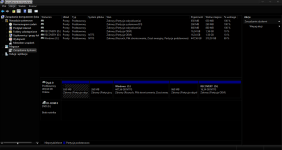
screenshot

already reduced the size of C , and now I make new what I type in " Volume Label " ?

well already did it, you've read my files to the newly created partition can proceed with confidence to install the new system ?
 

Attachments

  • Screenshot - 05_08.png
    Screenshot - 05_08.png
    54.4 KB · Views: 417
Last edited by a moderator:
  • Like
Reactions: _CyberGhosT_
Upvote 0
Until and unless you format the drive ,no personal file is going anywhere irrespective of what version of Windows you are installing .
Now if you upgrade you will have personal files plus installed program
And if you clean install you will only have your personal files
 
  • Like
Reactions: _CyberGhosT_
Upvote 0
Until and unless you format the drive ,no personal file is going anywhere irrespective of what version of Windows you are installing .
Now if you upgrade you will have personal files plus installed program
And if you clean install you will only have your personal files
OP is downgrading, C:/ will need to be formatted.

By the looks of it, you will need to use EaseUS Partition Master Free. Appropriately resize C: drive for the OS + Programs, so that enough space for new updates and software.

The new volume will store all your personal data, you can use the Library view structure in File Explorer to relocate folders; Documents, Pictures, Videos, Music and Downloads. Right-click Properties and Location.

You can follow the guide I posted above. Remember to Apply changes. Do not use your computer during this process.
 
  • Like
Reactions: _CyberGhosT_
Upvote 0
I could but I can not install Windows 7 , shows " the partitions on the disk are not sorted out in the recommended way to learn more about installing GPT disks ... "

I downloaded a tool Rufus chose there, " GPT partition scheme for UEFI " I created a bootable USB stick , turned off in the BIOS function "Secure Boot " kind of turns on the system but it stands in place on the "Starting Windows" help ...
 
  • Like
Reactions: _CyberGhosT_
Upvote 0
If your computer was shipped with a Win8/10 OS , you are on UEFI/GPT scheme which disallow the installation of older OS like win7 or WinXP.

For this you have to switch to Legacy mode , which is possible via the BIOS (if supported). but note that once on Legacy mode , you may not be able to switch back to UEFI.
 
Upvote 0
@Kalashnikov
Your creating a large amount of issues for yoursef, 1> put all your stuff on that thumb that you want to keep 2> Do as Umbra suggests and switch to Legacy
3> do a fresh install of Win7 SP1.. Remember to keep it simple, the short way is not always the good way.
 
Upvote 0
I was able to install Windows 7 , now another problem at the start is a mistake can not verify the digital signature file " winload.efi " error code 0xc0000428:(
 
Upvote 0