Introducing Secure Helper - The User Controlled AI Assistant

  • Thread starter Thread starter danb
  • Start date Start date
  • Featured
Very cool! Secure Helper is not like LMStudio, it is actually kind of difficult to explain, you just kind of have to try it to see how it works. But let me give you some examples. The other day I was at the USPTO website submitting a provisional patent and I had 2-3 questions on which boxes I should check. With Secure Helper, all I have to do is click the Secure Helper icon, then click the website that I had a question about, then click the "Which option should I choose?" button, and Secure Helper will automatically take a screenshot of the website and upload that and a prompt to whichever AI I want, and then I just click the Send button on the AI and I have my answer. We could make it so that the Send button is automatically clicked, but I think it is better to have the user manually click the final Send button for a lot of reasons.

You can also use SH if you receive an email that you are unsure of and ask your AI if it is a scam or potentially malicious email. Another example was yesterday I had an odd message on my computer and I used Secure Helper and it only took like 3 seconds and I had the answer.

And like I was saying, there are TONS of things we can do with this, and new features will be super simple to add.
Thanks :D Very helpful tool. I'd not used Copilot for a bit but it was always helpful and this poses those questions without me needing to manually input the context or the style of response I'm wanting back :)
All i get?? Nothing else? :):)

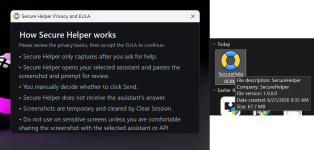
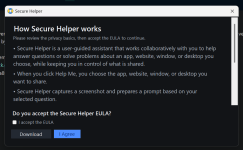
View attachment 298298
I had the same though I just hit enter and it disappeared.
 
All i get?? Nothing else? :):)

View attachment 298298
I'm getting the same thing, without the ability to accept the EULA.

2026-06-21_9-46-03.png
 
Last edited:
Thanks :D Very helpful tool. I'd not used Copilot for a bit but it was always helpful and this poses those questions without me needing to manually input the context or the style of response I'm wanting back :)

I had the same though I just hit enter and it disappeared.
Thank you, yeah, I love it, I use it all the time when I get stuck on something, it is so much quicker than anything else. Secure Helper works with several different AI's but I have to say, Copilot might be my favorite assistant for SH... Copilot is actually really good now. Copilot has the Vision feature (the glasses icon), but it was not really what I what I was looking for, so I created SH ;). Thank you!
 
Here is the latest version, I still have not implemented version numbers yet. This version has a few small bug fixes and optimizations.

SecureHelper 1.00 Demo
SHA-256: 65260923193fb20ebb20654e1bc13d74279d8502cef68ca7f979dc101516425a
 
I discovered a really great use case for Secure Helper. Earlier today, some assclown sent me an Outlook meeting request for "AI Powered Incident Investigation and Reporting". So I sat there for 3-4 minutes trying to figure out where I knew this guy from and I was incredibly frustrated. Then I thought... wait, let me try Secure Helper ;). Sure enough, it was a poor marketing attempt. Anyway, the next time something like that happens, I will know exactly what to do instead of sitting there being baffled and frustrated.

Here is the latest version, there are a few small new features that are pretty cool. One of the features is an button / icon that lets the user download a screenshot to their computer and not send it to an AI for help. In other words, it is a simple, quick and efficient general screenshot tool now as well. You can change the default save path of the screenshot in the Settings window. I added this because I was tired of waiting 4-5 seconds for the Snipping Tool to start whenever I take a screenshot (and I take a lot of them), and the existing screenshot tools are great, but I wanted something dead simple and super quick.

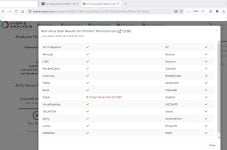
The Sirius false positive for Secure Helper is fixed now as well, and was fixed in two different ways. First, I read the Sirius Analysis Report and it indicated several different areas in the code for me to tighten up, so I did that first. Also, our main LLM provider for Sirius has been deprecating models a lot lately and our choices were becoming limited, so we switched providers yesterday. The really cool thing is now we have a much larger selection of LLM's to choose from, so we now have a killer LLM lineup, and the third LLM that returned a lot of false positive verdicts has been replaced with an amazing model.

If you guys have any old false positives for any files that need to be fixed / cleaned up, please send me the hash and I will delete the old analysis and it will almost for sure return the correct verdict the next time it is analyzed.

SecureHelper 1.00 Demo
SHA-256: 8fc2f9d64fec4d6ddca746b7e73c5aa0e002014378982f728cb2c688cefa5c2e


BTW, here was Claude's response to my question earlier today:

Yes, several red flags. This has the markers of a fake-webinar/registration phishing pattern.

Red flags visible:
  • Reply-to mismatch. Sender is no-reply@zoom.us (Zoom's real notification domain), but questions route to coxcrai@turnsession.live — an unrelated, throwaway-looking domain. Legit Zoom webinars keep the host on a consistent, recognizable domain.
  • "turnsession.live" — .live gTLD, no brand association, almost certainly newly registered. Classic disposable phishing infrastructure.
  • Generic security-bait topic ("AI Powered Incident Investigation and Reporting") aimed at a security-software founder — plausible spear-phishing targeting given your CyberLock/security profile.
  • You don't recall registering. "Thank you for registering" with no memory of signing up is the standard pretext.
  • Obfuscated link tail. The padded AAAA... block in the Zoom URL is unusual; could be a real (long-token) Zoom link or a lookalike. The visible host does read zoom.us/w/..., which is genuine Zoom — but the registration could still funnel you into a hostile session for live social engineering (credential prompts, "verify your identity," fake tooling demos).
What NOT to click:
  • The coxcrai@turnsession.live address — don't email it.
  • The cancel link — unsubscribe/cancel links in suspicious mail confirm your address is live and can carry tracking or redirect payloads.
  • Don't open invite.ics to auto-add it; don't Accept/Tentative/Decline (the decline-to-sender path can also confirm liveness, though Outlook RSVP is lower-risk than the body links).
What's actually safe vs. unknown:
  • The zoom.us/w/ host is real Zoom domain. The risk isn't malware from clicking so much as a live human social-engineering session if you attend.
  • Can't confirm without seeing: full headers (SPF/DKIM/DMARC + actual Return-Path), the real hyperlink targets behind cancel and the email link (hover, don't click), and whether 98977688623 is a valid Zoom webinar ID.
Next actions:
  1. Don't engage the body. Delete, or report as phishing if you want it logged.
  2. If you want to verify it's nothing: view source/headers, check Return-Path and DMARC pass/fail, and hover the cancel link to see the true destination. Hover-only, no clicks.
  3. If you genuinely registered for something Zoom-related, go to zoom.us directly (typed URL) and check your account's registered events — don't navigate from this email.
Bottom line: treat as phishing/social-engineering until headers prove otherwise. Highest-confidence tell is the turnsession.live reply address paired with a Zoom no-reply sender.
 
Hey guys,

Here is the latest Secure Helper, there are tons of little refinements and a new feature called Security Snapshot. It is a new feature that profiles your computer and sends the report to an AI for analysis, here are some of the things it analyzes so far...

1. System Summary
2. Windows Security / Defender
3. Firewall
4. Secure Boot / BitLocker
5. Recent System Errors
7. Startup Entries
8. Running Processes
9. Installed Programs
10. Network / Proxy / DNS
11. Hosts File
12. Collection Notes / Errors

And we will be adding more soon. If you guys have any ideas on what we should add, please let me know.

SecureHelper 1.00 Demo
SHA-256: 71adc61c5f4c0612db075ca72e5ef62c798c0327650173c6fc37b555ae1a6feb
 
security snapshot is useful, and adding it to cyberlock would be nice.

About chatgpt, the screenshot system and securehelper in overall works as intended.

I dont have any suggestions to give, but i will think about what i would want from it.
 
@danb Great update and really like the security snapshot feature which also highlighted potential system instability issues etc. Very cool :D
Thank you guys!

Here is the latest version that has a few small bug fixes and optimizations that I noticed. This version is quite stable and will probably be the last version for a while, but if you guys have any ideas on new features to add, please let me know.

SecureHelper 1.00 Demo
SHA-256: 7b05292d7d07177b2956923b7e6df2fe1ccca9890a2dd45387cbbaf4c026a832
 
Hi @danb
I've executed your app and ran the security snapshot which is a nice quick process and handy to fire at an AI assistant, can see it being very useful, along with the screen capture feature :).

There is however one area within the report that fails and a couple that I think could do with tweaking in my opinion.

1782933821404.png


I've ran the command in PS to check it's status and it works - Confirm-SecureBootUEFI and it shows true in my own security script output.

1782933629207.png


Snapshots from my reports
1782933974785.png


The other areas that should show detail is Firewall as I am using Windows firewall and Bitlocker shows no data, I know I've not got Bitlocker set but isn't
it better to show the status of drives.

Partial Snapshots of Firewall Profiles
1782934172202.png


Snapshots from my reports
1782933941774.png


Could the issue be permissions of Secure Helper executing commands on my machine?.

The following is a example screenshot of my script output, its PS script that creates a webpage so not as elegant as your app "also need to change the yellow was going for a traffic light system for overall PC status, but its a bit bright lol".

MyReport.jpg
 

Attachments

  • 1782934156024.png
    1782934156024.png
    11.1 KB · Views: 19
  • 1782933661487.png
    1782933661487.png
    31.6 KB · Views: 19
Hi @danb
I've executed your app and ran the security snapshot which is a nice quick process and handy to fire at an AI assistant, can see it being very useful, along with the screen capture feature :).

There is however one area within the report that fails and a couple that I think could do with tweaking in my opinion.

View attachment 298528

I've ran the command in PS to check it's status and it works - Confirm-SecureBootUEFI and it shows true in my own security script output.

View attachment 298526

Snapshots from my reports
View attachment 298530

The other areas that should show detail is Firewall as I am using Windows firewall and Bitlocker shows no data, I know I've not got Bitlocker set but isn't
it better to show the status of drives.

Partial Snapshots of Firewall Profiles
View attachment 298532

Snapshots from my reports
View attachment 298529

Could the issue be permissions of Secure Helper executing commands on my machine?.

The following is a example screenshot of my script output, its PS script that creates a webpage so not as elegant as your app "also need to change the yellow was going for a traffic light system for overall PC status, but its a bit bright lol".

View attachment 298533
Very cool, thank you for the info! If you right click on SecureHelper and run it as administrator, most or all of the info will be available when you run the Security Snapshot.
 
  • +Reputation
Reactions: simmerskool
HI @Dan, I've opened the app with admin privileges but it still shows unavailable message

4. Secure Boot / BitLocker
Secure Boot:
Unavailable: Secure : The term 'Secure' is not recognized as the name of a cmdlet, function, script file, or operable program.
Check the spelling of the name, or if a path was included, verify that the path is correct and try again.
At line:3 char:1
+ `Secure Boot Enabled: $value`
+ ~~~~~~~
+ CategoryInfo : ObjectNotFound: (Secure:String) [], ParentContainsErrorRecordException
+ FullyQualifiedErrorId : CommandNotFoundException
 
HI @Dan, I've opened the app with admin privileges but it still shows unavailable message

4. Secure Boot / BitLocker
Secure Boot:
Unavailable: Secure : The term 'Secure' is not recognized as the name of a cmdlet, function, script file, or operable program.
Check the spelling of the name, or if a path was included, verify that the path is correct and try again.
At line:3 char:1
+ `Secure Boot Enabled: $value`
+ ~~~~~~~
+ CategoryInfo : ObjectNotFound: (Secure:String) [], ParentContainsErrorRecordException
+ FullyQualifiedErrorId : CommandNotFoundException
Interesting, thank you for finding that and retesting! It should be fixed in this version, if not, please let me know.

SecureHelper 1.00 Demo
SHA-256: 0bb6d1cb06805a433190b33267d9e3eb93999e25236e117f566597a15793f5fc

BTW, SecureHelper now has its own webpage: Secure Helper - AI screen help for Windows apps.
 
Interesting, thank you for finding that and retesting! It should be fixed in this version, if not, please let me know.

SecureHelper 1.00 Demo
SHA-256: 0bb6d1cb06805a433190b33267d9e3eb93999e25236e117f566597a15793f5fc

BTW, SecureHelper now has its own webpage: Secure Helper - AI screen help for Windows apps.
I've downloaded the new version, it no longer errors which is good but I am now getting no data for the sections - same for basic and advanced snapshot.

2. Windows Security / Defender
Microsoft Defender basic status:
No data returned.

Microsoft Defender recent threat/history summary:
No data returned.

3. Firewall
No data returned.

4. Secure Boot / BitLocker
Secure Boot:
No data returned.

BitLocker:
No data returned.
 
  • Like
Reactions: danb