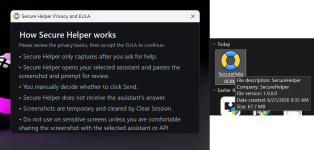
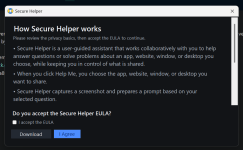
I discovered a really great use case for Secure Helper. Earlier today, some assclown sent me an Outlook meeting request for "AI Powered Incident Investigation and Reporting". So I sat there for 3-4 minutes trying to figure out where I knew this guy from and I was incredibly frustrated. Then I thought... wait, let me try Secure Helper

. Sure enough, it was a poor marketing attempt. Anyway, the next time something like that happens, I will know exactly what to do instead of sitting there being baffled and frustrated.
Here is the latest version, there are a few small new features that are pretty cool. One of the features is an button / icon that lets the user download a screenshot to their computer and not send it to an AI for help. In other words, it is a simple, quick and efficient general screenshot tool now as well. You can change the default save path of the screenshot in the Settings window. I added this because I was tired of waiting 4-5 seconds for the Snipping Tool to start whenever I take a screenshot (and I take a lot of them), and the existing screenshot tools are great, but I wanted something dead simple and super quick.
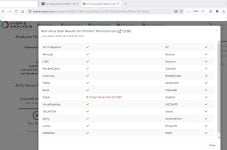
The Sirius false positive for Secure Helper is fixed now as well, and was fixed in two different ways. First, I read the Sirius Analysis Report and it indicated several different areas in the code for me to tighten up, so I did that first. Also, our main LLM provider for Sirius has been deprecating models a lot lately and our choices were becoming limited, so we switched providers yesterday. The really cool thing is now we have a much larger selection of LLM's to choose from, so we now have a killer LLM lineup, and the third LLM that returned a lot of false positive verdicts has been replaced with an amazing model.
If you guys have any old false positives for any files that need to be fixed / cleaned up, please send me the hash and I will delete the old analysis and it will almost for sure return the correct verdict the next time it is analyzed.
SecureHelper 1.00 Demo
SHA-256: 8fc2f9d64fec4d6ddca746b7e73c5aa0e002014378982f728cb2c688cefa5c2e
BTW, here was Claude's response to my question earlier today:
Yes, several red flags. This has the markers of a fake-webinar/registration phishing pattern.
Red flags visible:
- Reply-to mismatch. Sender is no-reply@zoom.us (Zoom's real notification domain), but questions route to coxcrai@turnsession.live — an unrelated, throwaway-looking domain. Legit Zoom webinars keep the host on a consistent, recognizable domain.
- "turnsession.live" — .live gTLD, no brand association, almost certainly newly registered. Classic disposable phishing infrastructure.
- Generic security-bait topic ("AI Powered Incident Investigation and Reporting") aimed at a security-software founder — plausible spear-phishing targeting given your CyberLock/security profile.
- You don't recall registering. "Thank you for registering" with no memory of signing up is the standard pretext.
- Obfuscated link tail. The padded AAAA... block in the Zoom URL is unusual; could be a real (long-token) Zoom link or a lookalike. The visible host does read zoom.us/w/..., which is genuine Zoom — but the registration could still funnel you into a hostile session for live social engineering (credential prompts, "verify your identity," fake tooling demos).
What NOT to click:
- The coxcrai@turnsession.live address — don't email it.
- The cancel link — unsubscribe/cancel links in suspicious mail confirm your address is live and can carry tracking or redirect payloads.
- Don't open invite.ics to auto-add it; don't Accept/Tentative/Decline (the decline-to-sender path can also confirm liveness, though Outlook RSVP is lower-risk than the body links).
What's actually safe vs. unknown:
- The zoom.us/w/ host is real Zoom domain. The risk isn't malware from clicking so much as a live human social-engineering session if you attend.
- Can't confirm without seeing: full headers (SPF/DKIM/DMARC + actual Return-Path), the real hyperlink targets behind cancel and the email link (hover, don't click), and whether 98977688623 is a valid Zoom webinar ID.
Next actions:
- Don't engage the body. Delete, or report as phishing if you want it logged.
- If you want to verify it's nothing: view source/headers, check Return-Path and DMARC pass/fail, and hover the cancel link to see the true destination. Hover-only, no clicks.
- If you genuinely registered for something Zoom-related, go to zoom.us directly (typed URL) and check your account's registered events — don't navigate from this email.
Bottom line: treat as phishing/social-engineering until headers prove otherwise. Highest-confidence tell is the turnsession.live reply address paired with a Zoom no-reply sender.