


Lucky windows 7 users like me and win 10 users who haven't upgraded.
You are using an out of date browser. It may not display this or other websites correctly.
You should upgrade or use an alternative browser.
You should upgrade or use an alternative browser.
- Status
- Not open for further replies.

5
509322
Thread author
Have you tried some memory wipe procedure using Dism++? I think Win 10 is R2 droid needing memory wipes for perfect working.
Clean old SxS files, update cache, update history, assembly and .net cache. Reboot the machine and compile ngen with update argument for both x86 and x64 archs and you might get some options back in Settings or you should see better/faster compile times(its only a minute faster, though!)
Pull up the floor boards and tear down the house.
Watch out for nasty updates that might break W7 and cause you to blame W7 and you'll upgrade to W10.Lucky windows 7 users like me and win 10 users who haven't upgraded.
Maybe you need to call Fire and rescue dept. for next W10 update in your cabin where you work.Pull up the floor boards and tear down the house.
5
509322
Thread author
I dont download w7 updates anymore so i am safe.Watch out for nasty updates that might break W7 and cause you to blame W7 and you'll upgrade to W10.

Last edited:
5
509322
Thread author
I dont download w7 updates so i am safe.
Heck... if you have certain hardware, Microsoft won't even provide updates for 7 and 8.1 any longer.
I think Donna and others run and use MBP's exclusively to work closely with their iphones. We might mistake MSFT is Apple in disguise.
Good job Sasuke!I dont download w7 updates so i am safe.
I think you meant ItachiI think Donna and others run and use MBP's exclusively to work closely with their iphones. We might mistake MSFT is Apple in disguise.
Good job Sasuke!

He looks like Sasuke. Been too long...I think you meant Itachi

I just rolled back KB4462933
What a trainwreck!!!! Uninstall that update. Massively broken, extreme CPU overhead and lag. Can this company get anything right??
What a trainwreck!!!! Uninstall that update. Massively broken, extreme CPU overhead and lag. Can this company get anything right??
What do you mean? I haven't notice any lag so far. Any process consuming a lot CPU? If so, which one?I just rolled back KB4462933
What a trainwreck!!!! Uninstall that update. Massively broken, extreme CPU overhead and lag. Can this company get anything right??
New problem with KB4462933 on a Microsoft Surface Pro 2017 - after installing this patch, I did my normal shutdown (Start>Power>Shutdown) at the end of the day with 100% battery, when I try to switch on in the morning there is 0% battery. After doing a little investigation, something in this update is consuming huge amounts of power when the machine is "off" - the device is getting really hot and the battery goes from 100% to 75% in under 10 minutes.
Solution was to uninstall KB4462933, now eveything is back to normal - battery 100% last night at power down, still 100% this morning at switchon - Good job Microsoft another half a day of my life wasted and on your own device as well!
Solution was to uninstall KB4462933, now eveything is back to normal - battery 100% last night at power down, still 100% this morning at switchon - Good job Microsoft another half a day of my life wasted and on your own device as well!
It might be the CPU uCode.I just rolled back KB4462933
What a trainwreck!!!! Uninstall that update. Massively broken, extreme CPU overhead and lag. Can this company get anything right??
You know what. That might very well be it. Either way I rolled back and my laptop is cool again.It might be the CPU uCode.
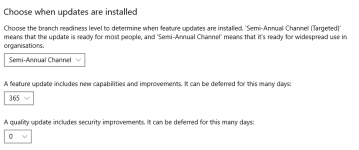
This stupid update is trying to reinstall itself again so I had to use the big guns:
https://support.microsoft.com/en-us...t-a-windows-update-from-reinstalling-in-windo
This should do for now. I just want to skip this update.
https://support.microsoft.com/en-us...t-a-windows-update-from-reinstalling-in-windo
This should do for now. I just want to skip this update.
- Status
- Not open for further replies.
You may also like...
-
 Hot Take Latest Windows Update Problems and How to Fix Them
- Started by lokamoka820
- Replies: 3
-
New Update Microsoft is removing legacy drivers from Windows Update
- Started by brambedkar59
- Replies: 0
-
 New Update Windows 11 Patch Tuesday September 2025 (KB5065426, KB5065431)
- Started by silversurfer
- Replies: 0
-
 New Update Windows 10 Patch Tuesday January 2026 (KB5073724)
- Started by Gandalf_The_Grey
- Replies: 3

