kelton's Security Configuration

kelton

New Member
Thread author
Verified
Dec 28, 2012
47
0
7
40
DNS server: Google DNS
UAC: default
Windows Update: On
Windows SmartScreen Filter: On
Sandbox: Sandboxie free
Monitors and other tools: Emsisoft HiJackFree
Advanced SystemCare PRO
Shadow Defender (shadow mode only when I need to test something)


What do you think?
 
Hello Kelton,
Did you experience any problems while running MBAM Pro with Emsisoft Anti-Malware?
When was the last time you had to deal with a infection on your computer?
If I were you , I would remove MBAM Pro from my real time protection because Emsisoft Anti-Malware and this software are basically doing the same thing!
Did you use any custom settings for EAM or Online Armor?

PS. Welcome to the forums!:D
 
Have to agree with Jack here too :)
MBAM PRO in realtime provides no additional coverage really.
With EAM's two av/am engines, behaviour blocker and Surf protection you are more than covered.
Suggest MBAm for second opinion purpose very much.
 
Jack said:
Hello Kelton,
Did you experience any problems while running MBAM Pro with Emsisoft Anti-Malware?
When was the last time you had to deal with a infection on your computer?
If I were you , I would remove MBAM Pro from my real time protection because Emsisoft Anti-Malware and this software are basically doing the same thing!
Did you use any custom settings for EAM or Online Armor?

PS. Welcome to the forums!:D

With the mutual exclusions, no problems here! This combo isn't heavy on my system.

I never had a infection.

In fact, MBAM's website blocking feature is annoying when I try to download some torrent. Maybe it's really a good idea leave it as a "on demand" scan.

Beyond the exclusions, I have no special settings on EAM or OA.

*Sorry for my bad english! I'm not very good in writing in english...
*Thank you for the welcome!
:)
 
NSG001 said:
Have to agree with Jack here too :)
MBAM PRO in realtime provides no additional coverage really.
With EAM's two av/am engines, behaviour blocker and Surf protection you are more than covered.
Suggest MBAm for second opinion purpose very much.

Thanks for your opinion! I'll consider it!
 
Good config, i agree with removing MBAM pro and use it as a on-demand scanner.
 
Welcome to the forums kelton :)

Something you could add to Chrome, is Lastpass, as it's one of the best free password managers out there.
 
McLovin said:
Welcome to the forums kelton :)

Something you could add to Chrome, is Lastpass, as it's one of the best free password managers out there.

Thank you, McLovin! I've followed your tip!

:)
 
Updates on my combo: I've added:

Extensions and Plugins: LastPass
On-Demand Tools: Norman Malware Cleaner and ClamWin Portable
Online anonymity: TOR Browser Bundle and Cyberghost VPN Free
Monitors: Comodo KillSwith, Comodo Autoruns, Process Hacker, Emsisoft HiJackFree


I'm keeping Malwarebytes PRO in Real-time Protection. This way, I have three engines protecting my machine from malicious files: Bitdefender, Emsisoft (these two in EAM) and Malwerebytes. They work well together and I can't see any significant slow down on the system.

As behavior blocker and HIPS, my combo has the resources from Emsisoft Internet Security Pack.

To block malicious URLs, Norton ConnectSafe (DNS Server) + Emsisoft and Malwarebytes' website blocking. Additionally, Chrome's extensions also help in this job.

If everything goes wrong, KeyScrambler can save my sensitive data from been logged.

I know, maybe this combo is "too much". But with it I have peace of mind and the speed of my system is still grate for my usual tasks.
 
How does Norman Malware Cleaner perform? Noticed the download is over 200mb.
 
Earth said:
How does Norman Malware Cleaner perform? Noticed the download is over 200mb.

It's a good piece of software, from a trustful company. I've run quick scans and it took about 6 mins. In fact, it has about 200 mb. But I think that's OK, since it's not necessary to download it every time you want to do a scan. As a portable file, it's a great tool to keep.
 
Updates:

1. Malwarebytes Anti-Malware PRO now is only on demand.

2. Added Webroot SecureAnywhere on realtime protection. I followed Umbra's guide to set compatibility: http://malwaretips.com/Thread-How-to-setup-Webroot-SA-alongside-another-Antivirus
 
Umbra Corp. said:
Glad you enjoy the "Umbra Total Security 2013 lite" :D

Thank you for the guide, Umbra! :)

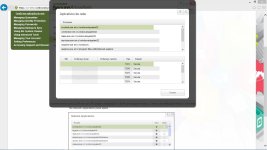
In firewall, Webroot don't show the options it should show. Maybe it's a bug in the portuguese translation. I think I'll disable Webroot's firewall. I can't use something that I can't control.
 

Attachments

  • webroot firewall.jpg
    webroot firewall.jpg
    256.6 KB · Views: 459
This is not a bug, in fact the control you saw on the guide was removed for Win8 users because the way Win8 handles its security is different. The "Firewall" still works silently in the background but you can't select anymore how it functions.

note: The firewall in WSA is not a real firewall but more a "outbound connection monitor" that was designed to prevent malicious processes/software to call home; if the process is unknown , a popup will appears.
 
Umbra Corp. said:
This is not a bug, in fact the control you saw on the guide was removed for Win8 users because the way Win8 handles its security is different. The "Firewall" still works silently in the background but you can't select anymore how it functions.

note: The firewall in WSA is not a real firewall but more a "outbound connection monitor" that was designed to prevent malicious processes/software to call home.

Good! So I'll keep it! Thank you again, Umbra!