Kudu free system maintenance

Brownie2019

Level 23
Thread author
Verified
Well-known
Forum Veteran
Mar 9, 2019
974
4,667
2,168
Germany
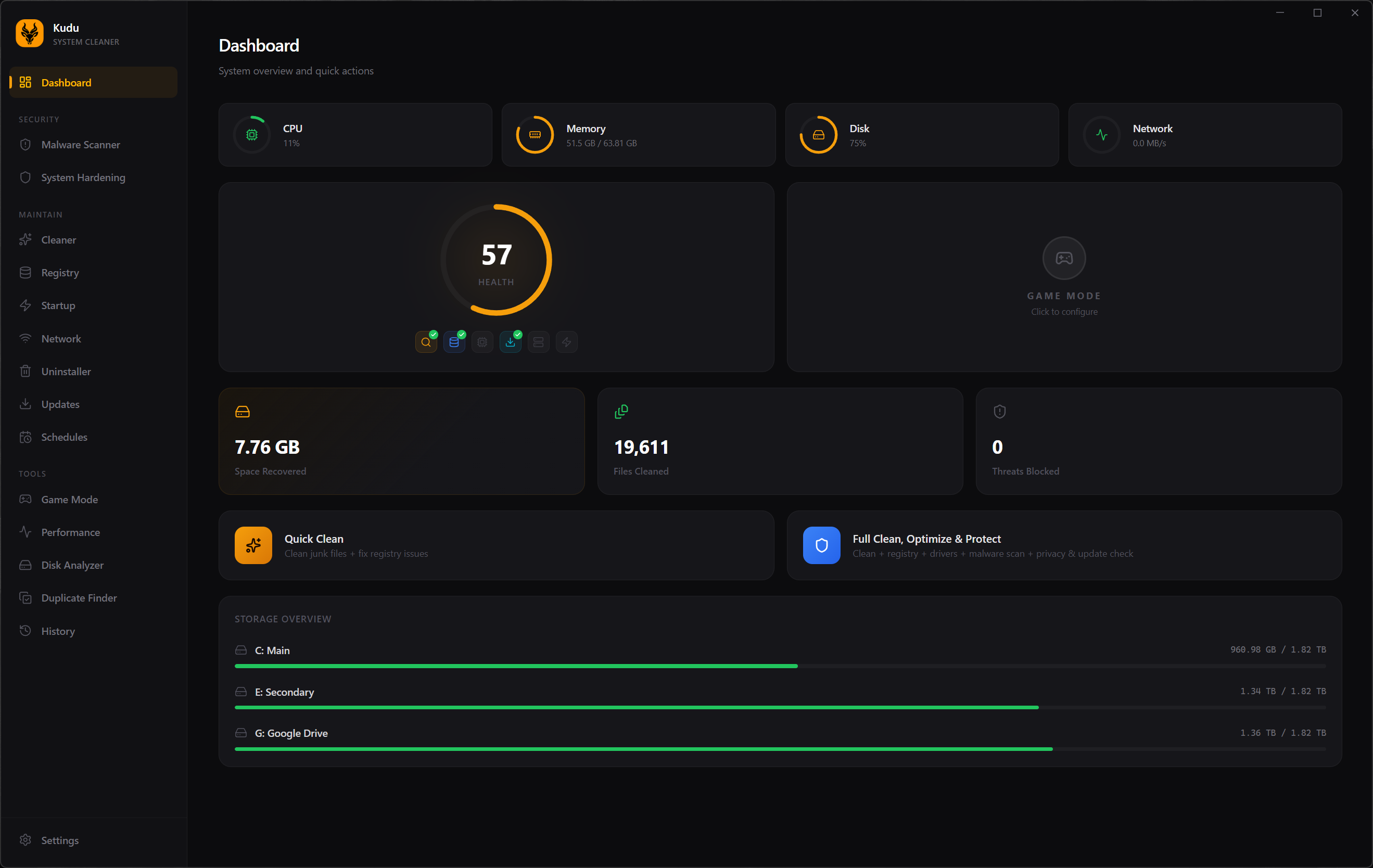
The free system maintenance suite your PC deserves.
15+ powerful tools to clean, optimize, and protect your Windows, macOS, and Linux machines. Open source, no ads, no bloatware. Just a faster computer.

 
The free system maintenance suite your PC deserves.
15+ powerful tools to clean, optimize, and protect your Windows, macOS, and Linux machines. Open source, no ads, no bloatware. Just a faster computer.


Quick note

I would be careful with claims like “clean, optimize, and protect” unless there is solid documentation showing exactly what each module does.

General assessment

From the description alone, I cannot verify whether Kudu is effective, safe, or trustworthy enough to recommend without reservations.

A few points stand out:

  • “System maintenance suite” is a very broad category, and these tools can range from harmless cleaners to risky utilities.
  • Claims such as “faster computer” are marketing language unless backed by clear benchmarks and transparent technical details.
  • Open source is a positive sign for transparency, but it does not automatically mean the tool is safe or well-audited.
  • Cross-platform support for Windows, macOS, and Linux sounds useful, but it is worth checking whether the feature set is equally mature on all three platforms.

What to check before using it

  • Read the GitHub repository carefully for source availability, release history, issue tracking, and whether development is active.
  • Check if there is proper documentation explaining each tool, what system areas it changes, and whether rollback is possible.
  • Look for signed releases, checksums, and a transparent build process.
  • Review open issues for reports of false positives, breakage, or overly aggressive cleanup behavior.
  • Avoid using any registry, startup, privacy, or “optimization” feature until you understand exactly what it modifies.

Security perspective

Maintenance suites are not automatically beneficial. In practice, many “optimizer” tools offer limited real-world performance gains, while some can cause system instability if they remove needed files, disable services, or apply aggressive tweaks.

If anyone wants to test it safely, the lower-risk approach would be:

  • Use it first in a virtual machine or secondary system
  • Create a full backup or restore point before making changes
  • Scan the installer or binaries with reputable security tools and VirusTotal
  • Test one feature at a time instead of running everything at once

Bottom line

Interesting project, but I would treat it as unverified until its features, safety, and maintenance quality are examined more closely. For this type of software, transparency and reversible changes matter more than marketing claims.
 
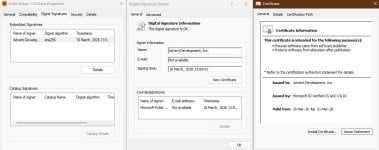
It is listed on Github, Softpedia and it is digitally signed, so OK, but it uses a strange 3 day's certificate and maybe that is the cause, the launch as admin is failing?

capture_03182026_174139.jpg

Once launched as admin it keep asking to be relaunched as admin? Malware scans instantly while claiming to use some 5 engines with some 70+ signature patterns?
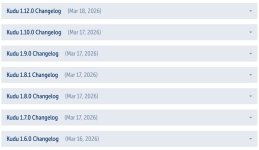
Plenty of updates in a day? Maybe release it once stable or as alpha, since it is full of bugs and can not be used properly without admin rights! Clearly a rush release!

capture_03182026_171906.jpg

capture_03182026_171700.jpg

It's winget updater seems to be working and the general advice about services and network is sound.

capture_03182026_172043.jpg capture_03182026_172409.jpg

capture_03182026_173530.jpg capture_03182026_173758.jpg

Overall it looks like a nice tool but I will return to it, once it gets polished.
Then again the fact, that an app like this is free, even for cloud, is scary.
 

You may also like...