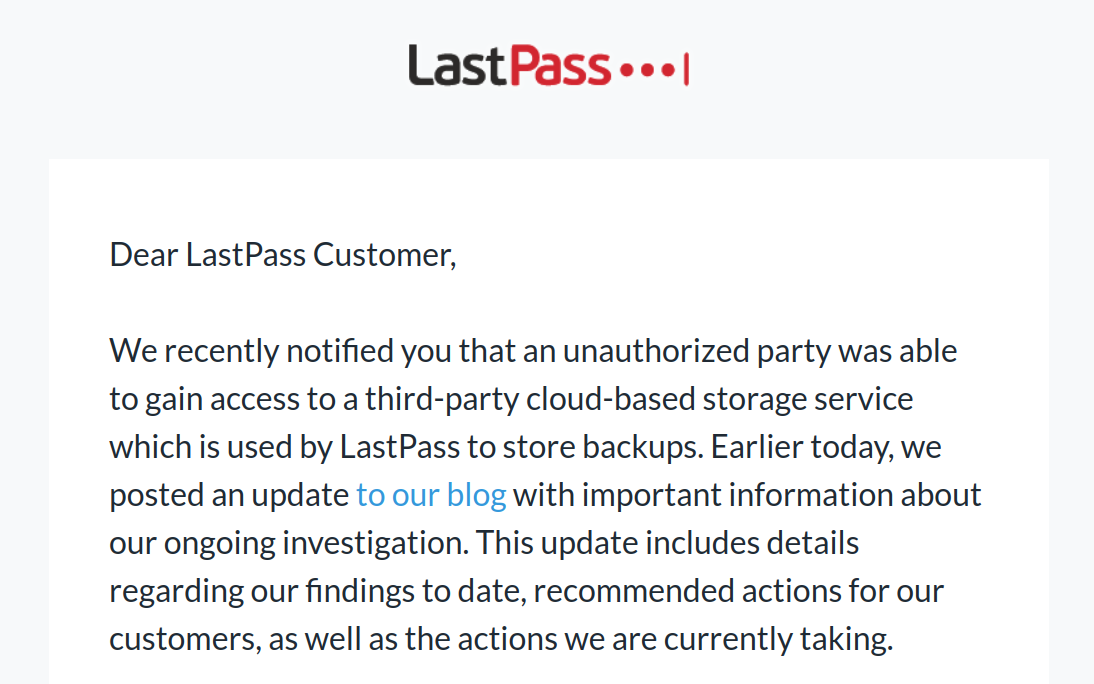
Lastpass says hackers accessed customer data in new breach

I will join the choir here. Thanks to MT, I switched to Bitwarden years ago. If you look at their Wikipedia page, there has been a security breach almost every year since 2015 lol. If you have LastPass, this might as well be your opportunity to export your vault over to Bitwarden. Once you have done that, change every single password and add 2fa. That's what I did during my migration. It honestly took me several days because there were so many websites and passwords to change but it was worth it.
 
I will join the choir here. Thanks to MT, I switched to Bitwarden years ago. If you look at their Wikipedia page, there has been a security breach almost every year since 2015 lol. If you have LastPass, this might as well be your opportunity to export your vault over to Bitwarden. Once you have done that, change every single password and add 2fa. That's what I did during my migration. It honestly took me several days because there were so many websites and passwords to change but it was worth it.
We have a family account. It would be over 500 passwords to change. We had a strong master password, so I hope they really are zero knowledge encrypted. It will take days to change them all.
 
I will join the choir here. Thanks to MT, I switched to Bitwarden years ago. If you look at their Wikipedia page, there has been a security breach almost every year since 2015 lol. If you have LastPass, this might as well be your opportunity to export your vault over to Bitwarden. Once you have done that, change every single password and add 2fa. That's what I did during my migration. It honestly took me several days because there were so many websites and passwords to change but it was worth it.
You made the right choice, that's right the first incident of the hack was around June 2015
 
Last edited:
We have a family account. It would be over 500 passwords to change. We had a strong master password, so I hope they really are zero knowledge encrypted. It will take days to change them all.
The data is encrypted, provided that your master password is strong, long and truly random, otherwise no need to worry.;)
 
Migrated away from LastPass 2 years ago.
Feb 26, 2021

The warning signs were there, but we ignored it.

1. 2015 - LastPass acquired by LogMeIn.
2. 2019 - LogMeIn acquired by Private Equity Firms.

Moving on, we can switch to better services.
Wikipedia

On December 14, 2021, LogMeIn, Inc. announced that LastPass will be established as an independent company
Going completely offline is best, but requires users to manage their own safeguards and deal with a few compromises.
 
The LastPass browser extension is really struggling with so many people changing passwords at once.
 
Lastpass has a huge customer base especially businesses. Bitwarden in a valuable target, too. If one is to learn anything from such incidents, it is that one should not trust a cloud-based password manager. There are options which do not store passwords in the cloud such as Enpass, Sticky Password, Roboform and KeepassXC.

Migrated away from LastPass 2 years ago.


Going completely offline is best, but requires users to manage their own safeguards and deal with a few compromises.
Wifi sync offered by Enpass and Sticky Password is the answer. I must say that if you have more than two devices, then SP is not for you as it struggles with syncing passwords. I never had issues with Enpass though.
 
LastPass has been breached: What now?
If you have a LastPass account you should have received an email updating you on the state of affairs concerning a recent LastPass breach. While this email and the corresponding blog post try to appear transparent, they don’t give you a full picture. In particular, they are rather misleading concerning a very important question: should you change all your passwords now?

The following statement from the blog post is a straight-out lie:

If you use the default settings above, it would take millions of years to guess your master password using generally-available password-cracking technology.

This makes it sound like decrypting the passwords you stored with LastPass is impossible. It also prepares the ground for blaming you, should the passwords be decrypted after all: you clearly didn’t follow the recommendations. Fact is however: decrypting passwords is expensive but it is well within reach. And you need to be concerned.

I’ll delve into the technical details below. But the executive summary is: it very much depends on who you are. If you are someone who might be targeted by state-level actors: danger is imminent and you should change all your passwords ASAP. You should also consider whether you still want them uploaded to LastPass servers.

If you are a regular “nobody”: access to your accounts is probably not worth the effort. Should you hold the keys to your company’s assets however (network infrastructure, HR systems, hot legal information), it should be a good idea to replace these keys now.

Unless LastPass underestimated the scope of the breach that is. If their web application has been compromised nobody will be safe. Happy holidays, everyone!
 
That depends, many services encrypt data using the master password (like Chrome), that approach is designed to avoid local attacks not master ones.
Yes, correct but lastpass should not allow creating a 12 character master password like this
Abc123456789
that's of little concern. ☹️

1671852337681.png

This password has been seen 993 times before

1671852008713.png
 
My decade old LP account is now deleted although I had 3 months of family subscription to go. All family members' accounts were deleted shortly thereafter. We have migrated to Bitwarden and 1Password. Enpass and Sticky Password (for local sync capabilities) are alternatives. Dashlane is an alternative too but without local sync options.

Left some pithy feedback for the LP team. No more LP unless these people fix their game.

Merry Christmas and happy holidays to ya all at MalwareTips. Cheers!
 
Dashlane is an alternative too but without local sync options.
Dashlane keeps bragging that they were never hacked, but sooner or later it will happen. Using an offline password manager is much more secure. Even if you are syncing to your own cloud is safer than storing your password on their servers.
 
  • Like
Reactions: [correlate]
Dashlane keeps bragging that they were never hacked, but sooner or later it will happen.
Of course it will..in one way or the other there will be a break in. No computing or other device that is powered on and connected to the internet should be considered 'unhackable'. What matters is how attractive a target is to a hacker or a group of hackers.
 
Last edited:
  • Like
Reactions: Manifestation
Of course it will..in one way or the other there will be a break in. Nothing computing or other device that is powered on and connected to the internet should be considered 'unhackable'. What matters is how attractive a target is to a hacker or a group of hackers.
A password manager’s servers with the data of millions of users are a valuable target. But if you’re using an offline password manager and upload your vault to let us say OneDrive, unless you are a valuable target, you are way safer.

The issue with offline password managers is that they are much less convenient to use.
 
1.if stop using LastPass Authenticator - migrated to Bitwarden I have to resume all the steps for two-factor authentication for all sites/apps ?
2.Bitwarden "As an alternative to Authy, Bitwarden offers a built-in authenticator for premium users, including members of paid organizations (families, teams, or enterprise). Bitwarden for iOS and Android can scan QR codes and generate six-digit tokens just like other authenticator apps."
- i need to pay for this :( ?
  • YubiKey OTP security key Premium​

    Use a YubiKey to access your account. Works with YubiKey 4 series, 5 series, and NEO devices.

  • Duo Premium​

    Verify with Duo Security using the Duo Mobile app, SMS, phone call, or U2F security key.

  • FIDO2 WebAuthn Premium​

    Use any WebAuthn compatible security key to access your account.
  • Pricing for Individuals and Families | Bitwarden
 
Last edited:
@eXDj I would strongly recommend maintaining separate password and TOTP apps. Putting your critical bits of into in one basket is never a good idea. Remember, BW (on premium for about 5 years now) or other PMs like Dashlane, 1Password aren't big hacker targets yet. That could change in the future. Also remember, password + TOTP from BW = access to your account.

As a best practice keep your TOTP app and PM as 2 separate apps, & if possible use a Yubikey or similar hardware token. This should cover you.

The real problem, as has been seen from the LP case, is the weakest link has always been the backend system of the provider or company employees. All it takes is one employee to click on the wrong link or back system to be penetrated and you have a LP like crisis.
 
Last edited:
I use keepass and load it on a memory stick, flash drive and my external hd. But I wanted to have a password manager on my laptop and desktop that would be more convenient and fill web forms faster. So I asked @irfanuas in another post about SP (Sticky password), if it was a good password manager, and he said yes, then I downloaded and installed and imported my passwords from keepass and started to use it and it filled the web forms perfectly, even in external applications in windows, this I loved, but I did not sync in the cloud, then I asked him, if he uses cloud sync, and he didn't answer me, however I found out later that Sticky password syncs via WIFI/LAN so I enabled sync via WIFI/LAN - Local and set up the sync on my laptop, desktop and my phone and my data was successfully synced, now it doesn't leave my network. This was a very important finding for me, because most password managers only allow cloud synchronization. Because of the security incidents that have been happening recently with Lastpass, this made me think about synchronizing my accounts in the cloud, because in the future it may happen with the other password managers that synchronize in the cloud, if hackers want to find a loophole, it is just a matter of time. I thank @irfanuas for this, you are the man and Thank You!👏 A Merry Christmas to you and your family and all MT members and a Happy New Year to everyone!;)
1672003536276.png
 
I use keepass and load it on a memory stick, flash drive and my external hd. But I wanted to have a password manager on my laptop and desktop that would be more convenient and fill web forms faster. So I asked @irfanuas in another post about SP (Sticky password), if it was a good password manager, and he said yes, then I downloaded and installed and imported my passwords from keepass and started to use it and it filled the web forms perfectly, even in external applications in windows, this I loved, but I did not sync in the cloud, then I asked him, if he uses cloud sync, and he didn't answer me, however I found out later that Sticky password syncs via WIFI/LAN so I enabled sync via WIFI/LAN - Local and set up the sync on my laptop, desktop and my phone and my data was successfully synced, now it doesn't leave my network. This was a very important finding for me, because most password managers only allow cloud synchronization. Because of the security incidents that have been happening recently with Lastpass, this made me think about synchronizing my accounts in the cloud, because in the future it may happen with the other password managers that synchronize in the cloud, if hackers want to find a loophole, it is just a matter of time. I thank @irfanuas for this, you are the man and Thank You!👏 A Merry Christmas to you and your family and all MT members and a Happy New Year to everyone!;)
One thing that I dont like about SP is the fact you need to enter your master password when you sign in to your sticky password on a new device. I just do not get it why you have to use your master password to sign in even though your data is not synced to the cloud.