Request "Latest Posts"... how does it work?

codswollip

Level 23
Thread author
Content Creator
Well-known
Jan 29, 2017
1,191
4,289
2,179
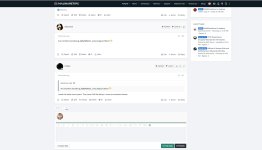
When I click on a "Lastest Posts" thread... I expect to be taken to that post. Instead, I am often taken to the first post or a seemingly random post upstream from the "lastest" post.

Also... Looking at the entries...
TZgtIfT.png

... and clicking the poster name or the "minutes ago" takes me to neither the poster profile, nor the time-stamped post.

How is "Lastest" Posts intended to work? Thanks!
 
I can confirm this as well and I'm very glad someone else finally saw the same. :emoji_beer::emoji_beer::emoji_beer:

Going back one page and click a second time normally fix it, so I strongly suspect it's a bug in the forum software or the possible installed add-on itself.
 
How is "Lastest" Posts intended to work? Thanks!
Hello guys,
The link is leading you to the last post in the thread that you've not read. If you have 10 unread posts in a thread, the link will lead you to the 1st unread post instead of going directly to the 10th posts. I understand your point here and I'll try to change the behavior of the links in that box. : )
Going back one page and click a second time normally fix it, so I strongly suspect it's a bug in the forum software or the possible installed add-on itself.
That's happening because you're already viewed/read all the posts in that thread, so the software shows you the latest post. The forum software always shows your lastest unread posts in the thread rather than just sending you the last post. It basically takes into account what you've previously read in the thread.
 
Here's an example:
In this thread: Help Me Decide - Adguard Chrome Extension vs Adguard for Desktop, if I click it from the Latest Posts box, I'm not redirected to the last post. That's happening because there are some posts that I have not yet read. As you can see in these posts there's a "New" icon that shows that I haven't read those posts.

1.jpg

However, if I scroll/read through all the posts, the next time I would click to go to that thread, I would be taken to the last post directly. That happens because I've read all the posts in that thread. And as you can see the "New" icon it isn't there anymore.

2.jpg
 
Hello guys,
The link is leading you to the last post in the thread that you've not read. If you have 10 unread posts in a thread, the link will lead you to the 1st unread post instead of going directly to the 10th posts. I understand your point here and I'll try to change the behavior of the links in that box. : )

That's happening because you're already viewed/read all the posts in that thread, so the software shows you the latest post. The forum software always shows your lastest unread posts in the thread rather than just sending you the last post. It basically takes into account what you've previously read in the thread.
Now that makes total sense and thanks for the explanation. But, if your not able to make links work a bit more what one probably expect if one don't know about the re-direction to the latest unread post, perhaps make a simple name change could help? Instead of Latest Post, " Last View or Latest View/ed " or something similar.

Just saw the name change is already implemented. :emoji_beer::emoji_fingers_crossed:
 
Here's an example:
In this thread: Help Me Decide - Adguard Chrome Extension vs Adguard for Desktop, if I click it from the Latest Posts box, I'm not redirected to the last post. That's happening because there are some posts that I have not yet read. As you can see in these posts there's a "New" icon that shows that I haven't read those posts.

View attachment 227905

However, if I scroll/read through all the posts, the next time I would click to go to that thread, I would be taken to the last post directly. That happens because I've read all the posts in that thread. And as you can see the "New" icon it isn't there anymore.

View attachment 227906

You executed this feature so well I never even thought about it. (y)