App Review McAfee Protection (Plus Plans, Total Protection, LiveSafe)

It is advised to take all reviews with a grain of salt. In extreme cases some reviews use dramatization for entertainment purposes.
Product name
McAfee Total Protection/Plus Plans
Installation (rating)
5.00 star(s)
User interface (rating)
5.00 star(s)
Performance (rating)
5.00 star(s)
Core Protection (rating)
5.00 star(s)
Proactive protection (rating)
5.00 star(s)
Additional Protection notes
See tests
Browser protection (rating)
5.00 star(s)
Positives
    • Many features
    • Low impact on system resources
    • Lightning fast scans
    • Easy to use
    • Simple and non-intrusive
    • Ransomware protection
    • Strong and reliable protection
    • Detects or blocks in the wild malware
    • Consistently high test scores
    • Accurate results and reliable antivirus engine
    • Effective malicious URL blocking
    • Virus signatures are updated daily
    • Excellent scores in independent tests
    • Great value for money
    • Effective malware removal
    • Well designed, clear and easy to use interface
    • Multi-layer protection approach
Negatives
    • Advanced users may want more control
    • Short on configuration options
    • Includes paid-for components (paywall)
Time spent using product
Reviewed between 1 to 7 days
Computer specs
11th Gen Core i5
16GB RAM
Recommended for
  1. All types of users
Overall rating
5.00 star(s)
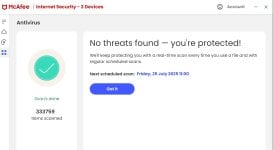
this is not a "complaint" just a FYI: I ran McAfee first full scan on the win10_VM which has 16 gb RAM -- VM runs on a 128 gb virtual ssd. I let the scan run... and run as I did not need to use that VM. It scanned 400,000+ items and found zero (0) threats and it took somewhere between 6 hours and 7 hr. (not sure when it finished exactly as I had stepped away from the machine). It was set to "fast scan" stating it would use all pc assets, and it was. The VM 6-core cpu was at or near 100% and the RAM usage was 14.5 gb out of 16 -- right now VM is using 3.6 gb. At about 92% finished scan slowed to a crawl as the last 8% took about 4 hours. My ISP caps my upload internet at 40 Mbps.
 
this is not a "complaint" just a FYI: I ran McAfee first full scan on the win10_VM which has 16 gb RAM -- VM runs on a 128 gb virtual ssd. I let the scan run... and run as I did not need to use that VM. It scanned 400,000+ items and found zero (0) threats and it took somewhere between 6 hours and 7 hr. (not sure when it finished exactly as I had stepped away from the machine). It was set to "fast scan" stating it would use all pc assets, and it was. The VM 6-core cpu was at or near 100% and the RAM usage was 14.5 gb out of 16 -- right now VM is using 3.6 gb. At about 92% finished scan slowed to a crawl as the last 8% took about 4 hours. My ISP caps my upload internet at 40 Mbps.
These are very long scan times. How long does it take for other products to scan, like F-Secure for example?
 
These are very long scan times. How long does it take for other products to scan, like F-Secure for example?
I never really pay attention but did because someone mentioned "slow" earlier. Others, I'm sure sub-hour.** But I do expect subsequent scans will be much quicker.
** I understand the initial full scan can take longer -- last installed AV was TrendMirco (on a different but similar VM) a month or 2 ago, and I did not notice its scanning.
 
I never really pay attention but did because someone mentioned "slow" earlier. Others, I'm sure sub-hour.** But I do expect subsequent scans will be much quicker.
** I understand the initial full scan can take longer -- last installed AV was TrendMirco (on a different but similar VM) a month or 2 ago, and I did not notice its scanning.
For me, both Trend and McAfee take around 10 minutes to do a full scan, Trend Micro also performs PC TuneUp scan. This PC tuneup scan has always been in the few seconds range but circa 2 months ago, there was a bug. It was taking forever to complete. Trend Micro then pushed an update for “PC Health Checkup Plug-In X64” which resolved the situation.

As we mentioned it, the file cleanup feature of Pc Health Checkup only triggers if users are low on disk space.

In essence, both have very quick scans.
The Trend Micro scanner seems to be limited to 25% CPU usage. The speed is whatever it can achieve with 25%.

Avast/Norton full scans for me are under the 10 min range.
 
Last edited:
For me, both Trend and McAfee take around 10 minutes to do a full scan, Trend Micro also performs PC TuneUp scan. This PC tuneup scan has always been in the few seconds range but circa 2 months ago, there was a bug. It was taking forever to complete. Trend Micro then pushed an update for “PC Health Checkup Plug-In X64” which resolved the situation.

As we mentioned it, the file cleanup feature of Pc Health Checkup only triggers if users are low on disk space.

In essence, both have very quick scans.
The Trend Micro scanner seems to be limited to 25% CPU usage. The speed is whatever it can achieve with 25%.

Avast/Norton full scans for me are under the 10 min range.
Full scan for me took around 2 hours. Says it scanned roughly 1.8m files

Kaspersky full scan is roughly 20 minutes (not sure on the number of files scanned on that but I'm pretty sure it's never showed it as 1.8m) although it is a full scan
 
at initial run of firefox I declined to install the McAfee ext and now I cannot get it to install into firefox. I think the solution is to reinstall firefox. (fwiw)
You might try installing from official link of McAfee (for Firefox): McAfee® WebAdvisor
 
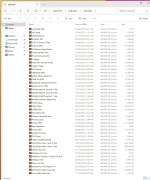
I just did a full scan just out of interest, although I did one a couple of weeks ago this was with new Mcafee install imaging back with a 2 year licence - It took one hour & almost ten mins & the drives it scanned hold two TB of data including a fair amount of archive files - I tend to archive all my software up with exe, mail, & text info files together, seems safer that way?
 

Attachments

  • MF Scan.jpg
    MF Scan.jpg
    162.2 KB · Views: 107
Last edited:
Its a system I used from long ago, it may not make any difference nowadays? (25 + years ago space was at a premium so zipping large files could save space) But I do with software put all the files together & rar them, sometimes I password them not always. depending what's in them. I also partition drives which is not in fashion these days but for me it can be handy just to image C for example which takes 17 seconds & keep portable files on another data drive as with music AV & years of photographs, these are backed up using drag & drop to external drives, just my way. For reasons unknown I keep two copies of recent images :D