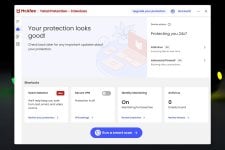
McAfee in R136 adopts a more modular architecture where the scan engine is no longer tied to the entire application version.
This means that Neo from now on will be updated on as-needed basis, without having to wait.
There is a new module related to PDF scanning, likely targeting active content and exploits.
The newest McAfee patents continue to focus on AI and performance optimisations, also touching the LOLBin field.
This is likely what delayed the release.
Patents, as summarised by AI:
1. Patent 12,536,282: Methods and apparatus for machine learning based malware detection and visualization with raw bytes
• Summary: This patent details a method for detecting malware by feeding "raw bytes" (the actual binary code of a file) directly into a neural network, rather than relying on manually selected features. It also includes a visualization component that generates "heatmaps" to show exactly which parts of the file code triggered the detection, helping analysts understand why a file was flagged.
• Key Tech: Neural Networks, Raw Byte Analysis, Gradient Activation Heatmaps.
• Grant Date: Jan 27, 2026
2. Patent 12,531,883: Identification of malicious content in operating system clipboard
• Summary: This technology monitors the operating system's clipboard to detect "clipboard hijacking" attacks. It specifically looks for malware that swaps out legitimate data (like a cryptocurrency wallet address) for a malicious one when a user copies and pastes. It compares new clipboard content against known malicious patterns or the previous content to identify the swap.
• Key Tech: Clipboard Monitoring, Pattern Matching, Crypto-Wallet Protection.
• Grant Date: Jan 20, 2026
3. Patent 12,511,393: Methods, apparatus, and articles of manufacture to improve offloading of malware scans
• Summary: To prevent system slowdowns during antivirus scans, this patent describes a system that calculates the "computational burden" (performance cost) of scanning a specific file or volume. If the burden exceeds a certain threshold, the system automatically offloads the scanning task from the main CPU to the GPU (Graphics Processing Unit).
• Key Tech: Hardware Acceleration, GPU Offloading, Performance Optimization.
• Grant Date: Dec 30, 2025
4. Patent 12,468,805: Detecting ransomware
• Summary: A specialized "ransomware mitigation engine" that uses a Convolutional Neural Network (CNN) to identify file types and monitor file access behavior. It distinguishes between legitimate file operations and ransomware behavior (like rapid overwriting or encryption) by analyzing byte statistics and write/create patterns in real-time.
• Key Tech: Ransomware Mitigation, Convolutional Neural Networks (CNN), File Type Identification (FTI).
• Grant Date: Nov 11, 2025
5. Patent 12,481,758: Methods and apparatus to disable select processes for malware prevention
• Summary: This patent covers a proactive defense method that identifies and selectively disables specific processes to prevent malware execution. It appears targeted at stopping "living off the land" attacks where malware hijacks legitimate system tools, or breaking the execution chain of complex threats before they can do damage.
• Key Tech: Process Blocking, Proactive Defense, Execution Control.
• Grant Date: Nov 25, 2025
6. Patent 12,483,590: Methods and apparatus for malware classification through convolutional neural networks using raw bytes
• Summary: Similar to the first patent but focused purely on the classification engine, this invention uses Deep Learning to classify files as benign or malicious based solely on their raw binary data. By skipping the traditional step of unpacking or parsing file headers, it can more effectively detect obscured or "packed" malware that tries to hide its features.
• Key Tech: Deep Learning, Raw Byte Classification, Malware Detection.
• Grant Date: Nov 25, 2025




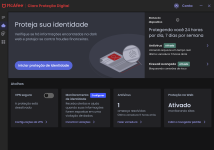
The only thing I can think of, is I reset this notebook this morning and Personalized it with a Windows dark theme, and since it's a HP notebook, had the trial version of LiveSafe installed. It showed in the Taskbar so I thought to load it and see if I could enter into the Account settings to activate my Total Protection subscription and it loaded into dark mode. It will switch if I change the Windows theme.