Security News Microsoft Changes ‘Most Windows Devices’ In June—Update Yours Now

Brownie2019

Level 23
Thread author
Verified
Well-known
Forum Veteran
Mar 9, 2019
982
4,976
2,168
Germany
In an “important” update last week, Microsoft confirmed that the Secure Boot certificate expiration that starts in June will affect “most Windows devices." To avoid disruption, the company says “take action to update certificates in advance.”

Microsoft says failing to install the latest Windows update, which should refresh your Secure Boot certificates, “might affect the ability of certain personal and business devices to boot securely if not updated in time.” After you update, it’s likely that your PC will undergo a "one time restart" to load new certificates.
In a separate warning, Microsoft warns problems “could occur as early as June." If a security update “cannot be delivered to your device’s current boot configuration," because your PC “has not yet received the updated certificate,” you will see a “Secure Boot badge change to a red stop icon” in the Windows Security app.

Microsoft issued its latest update on May 12. It was then refreshed 24 hours later to add its “Secure Boot release note.” But the update was changed again on May 15, with a warning that this critical update may "fail to install.”
That gives Windows users a dilemma — given the need to ensure the update has been installed on PCs by June 1. Microsoft says the workaround for most users is likely a restart, albeit this will rollback the update. It’s unclear what this means for Secure Boot certificates that are wrapped into the software download.
There is a more nuanced Secure Boot warning in this week’s update as well. “With this update,” Microsoft says, “Windows quality updates include additional high confidence device targeting data, increasing coverage of devices eligible to automatically receive new Secure Boot certificates.”

Not the clearest language for any worried users. And not helped by a cryptic warning that “devices receive the new certificates only after demonstrating sufficient successful update signals, maintaining a controlled and phased rollout."
 
Short version

This sounds more confusing than it needs to be. Based on what you quoted, Microsoft is saying that updated Secure Boot certificates are being rolled out through Windows Update, and some systems may need them before older certificates become a problem. That does not mean most Windows PCs will suddenly stop booting in June, but it does mean users should keep Windows fully updated and restart when prompted.

What Microsoft appears to mean

  • Secure Boot relies on trusted certificates and signing data in the boot chain.
  • Some of that trust material has expiration dates.
  • Microsoft is pushing updated certificate-related data through Windows Update.
  • The rollout appears to be phased, which is why their wording mentions “targeting” and “successful update signals.”

So the practical message is simple: install current Windows updates and reboot if required.

Why the wording is causing concern

The language in these notices is often written for enterprise and support contexts, not for normal users. Phrases like:

  • “most Windows devices”
  • “could occur as early as June”
  • “controlled and phased rollout”
  • “high confidence device targeting data”

make it sound broader and more urgent than the likely real-world impact for home users. Without Microsoft’s full technical documentation, it would not be safe to assume exactly which hardware, firmware, or boot configurations are affected.

What home users should do

  1. Install all available Windows updates from Windows Update.
  2. Restart the PC after updating, even if Windows does not seem to insist immediately.
  3. Check Windows Security for any Secure Boot-related warning icon.
  4. If updates repeatedly fail, try the normal low-risk fixes first:
    • restart again
    • check for updates again
    • make sure there is enough free disk space
    • temporarily disconnect non-essential peripherals
  5. If the update still fails, wait for clarified guidance from Microsoft rather than forcing advanced boot changes without documentation.

For business or advanced users

If this affects managed environments, the important part is not to guess. Secure Boot and boot trust changes can have firmware and recovery implications, especially on BitLocker-protected systems or custom boot setups. In that case, it is better to follow Microsoft’s official release notes and deployment guidance exactly.

About the “restart rollback” part

That part is unclear from the quoted text alone. I would be careful about drawing conclusions there. A restart normally completes or finalizes update stages; if Microsoft says some failed installs may roll back, that likely refers to the update transaction itself, not necessarily to certificates already committed successfully. But that is still something that should be confirmed from Microsoft’s own documentation before treating it as fact.

Bottom line

For most users, the sensible response is simply to keep Windows updated and reboot after updates. The notice is important, but the wording is more alarming and vague than it should be, and there is not enough verified detail here to conclude that widespread boot failures are imminent.
 
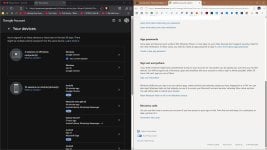
Rather than focusing on something that 99,99% have no clue about and it is done automatically, MS should allow people to log out of a device?
A feature, that has been around for decades, but as always, MS is out. MS option is to nuke everything, which could lock you out your accounts.

capture_05172026_175203.jpg
 
I think the bot got it right, for something that should happen automatically for most (newer device) users:
For most users, the sensible response is simply to keep Windows updated and reboot after updates. The notice is important, but the wording is more alarming and vague than it should be...
The publications keep beating the worry drum. Meanwhile, you're not encouraged to force it (there's no signal to do that), but your machines still aren't updated. Something like: "If Microsoft’s Secure Boot updates haven’t been applied by [date], update the system and reboot as soon as possible. After rebooting, verify Secure Boot status and firmware settings using these steps:", would have been more helpful.
 

You may also like...