App Review Microsoft Defender (Config MAX) + Smart App Control

It is advised to take all reviews with a grain of salt. In extreme cases some reviews use dramatization for entertainment purposes.
Content created by
Shadowra

Shadowra

Level 40
Thread author
Verified
Top Poster
Content Creator
Malware Tester
Well-known
High Reputation
Forum Veteran
Sep 2, 2021
2,968
37,877
3,880
29
France
Hello and welcome to this test!
Today we are going to test Microsoft Defender, but not by default!
We use ConfigureDefender developed by @Andy Ful to set Microsoft Defender to maximum.
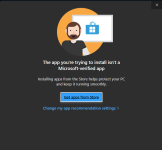
We also activate Smart Application Control of Windows 11.

=> SAC (Smart App Control) is a new system that will automatically block applications that are considered untrustworthy or potentially malicious.


The protection provided is very good.
On the Web, with or without Edge, Microsoft Defender blocks all malicious files.
On the fake crack, Microsoft Defender blocks all files dropped by the executable.

On the pack, big worries... Microsoft Defender is unable to delete the elements detected correctly, the interface bugs and deletes only few files.
I don't know if it's related to SAC, but even during the execution, SAC blocked all .exe executables and MS Defender blocked scripts.
Sometimes MS Defender even reacted late (on a malware that had modified RegAsm.exe to install AgentTesla and on a .jar that installed StrRat - even if Microsoft Defender managed to remove the infection, it is not safe that cyber criminals could have got information about the infected user) .

It is excellent, but Microsoft still needs to improve this protection, especially on what I stated above.

Request : @Max90 / @Andy Ful / @danb
 
Defender has always done well at blocking malware, not so well at removing it.
defender has no problems removing malware in real world scenarios
the removal problem only happens when quick successive executions happen as in unrealistic malware pack testing
microsoft stated a long time ago that it will not fix malware removal to make nice youtube test results

Great thanks (y) Great combo SAC+Defender on MAX
sac and defender outperform others
no need for third party software
 
Thanks for showing how this configuration can work in practice. (y)
SAC can add some protection to MAX settings when non-EXE files are used in the attack (MSI, DLL, CPL, etc.).

Kaspersky found 11 leftovers, but it seems that they were related to the Edge cache:
%LocalAppData%\Microsoft\Edge\User Data\Default\Cache\Cache_Data\
Some malware samples were downloaded via Edge with disabled SmartScreen. Anyway, I can confirm that Defender does not clean some malware leftovers.

As I mentioned a few months ago, it would be interesting to test the configurations with SAC against digitally signed samples. But it would be a hard task because most malware samples are unsigned.
 
Last edited:
Sometimes MS Defender even reacted late (on a malware that had modified RegAsm.exe to install AgentTesla and on a .jar that installed StrRat - even if Microsoft Defender managed to remove the infection, it is not safe that cyber criminals could have got information about the infected user) .

[/USER]
Well when @AndyFull finihed makes ApplockerHome it will probably be able to block sponsors for standard users when using Admin and SUA {with AppLocker on SUA account), future looks even more promising (y)(y)(y)
 
I made a light version of HomeApplocker. But I plan to test it thoroughly for several months:

1674340623628.png


1674340693612.png


1674340841808.png


1674340950754.png


1674341032105.png


I named it LightWindowsHardening. It can be configured similarly to the setup from the video + some other useful configurations. LWH will not use PowerShell or GPO to configure AppLocker.
I am not going to discuss LWH here (it would unnecessarily bloat this thread). (y)
 
Last edited:
@Andyful

Thanks for the sneek preview of HomeApplocker, really interesting to see how this pans out. (y)(y)(y)

Microsoft should contact you and use your expertise on making Windows PRO security features easy to implement and use. 🙌👏🙌

As an MT-member I hope they don't contact you, because Microsoft would probably disable all those advanced security features for Windows HOME users. ;)🤞👊


In Dutch we say "Don't look a given horse in the mouth" meaning when you get something from someone (for free) it is very ungrateful/unpolite to give critique on it, but ....

do the sponsors already include Microsoft recommended blocks?

Thanks


P.S.

I noticed new settings "Exploit Protection" of CMD and Powershell (y)(y)(y)(y)(y)
 
Last edited by a moderator:
@Andy Ful

In Dutch we say "Don't look a given horse in the mouth" meaning when you get something from someone (for free) it is very ungrateful/unpolite to
I have great respect for @Andy Ful Microsoft should hire him or at least his services. His tools and utilities are excellent and I appreciate them very much. ;)
Me too, they are so valuable for security-aware users, that Norton/Avast/Avira/AVG/Bullguard could hire and retire him (because his tools reduce the need for third-party AV's) ;)
 
Me too, they are so valuable for security-aware users, that Norton/Avast/Avira/AVG/Bullguard could hire and retire him (because his tools reduce the need for third-party AV's) ;)
If one day we receive news from a big company that Andy was hired, it is because it was well deserved. Many people will not like it, but we will understand his future professional side. ;)
 
I have great respect for @Andy Ful Microsoft should hire him or at least his services. His tools and utilities are excellent and I appreciate them very much. ;)
microsoft does not want to provide such security to home users, it is meant only for their paid clients
few people know but windows was not developed for home users, it was developed for domain-joined networks where a sysadmin would have full control over every endpoint and could allow\deny user access to most windows features
that is true to this day, but it is for paid windows users
for example, every enterprise i work with disables user access to control panel, the user is not permitted to install software except that which is approved by the organization, the user cannot change much of anything on the system

microsoft just makes windows home available mostly as an agreement with oems
it is absurd that windows home by default permits children and those who do not know enough about security full access to the entire system with administrative permissions
that is why microsoft openly stated it is developing windows s mode - and it is only available on home version of windows
 
Thanks, guys for your kind words. :)
The setup used by @Shadowra can be used to protect many home users on Windows 11. But, only a few MT members will like it. The main problem will be software updates, except for UWP (signed) apps and very popular or digitally signed applications (including signed DLLs).