Advanced Plus Security Moonhorse 2026 Windows gaming desktop

Last updated
Jun 12, 2026
How it's used?
For home and private use
Operating system
Windows 11
On-device encryption
BitLocker Device Encryption for Windows
Log-in security
    • Hardware security key
    • Basic account password (insecure)
Security updates
Allow security updates and latest features
Update channels
Allow stable updates only
User Access Control
Always notify
Smart App Control
On
Network firewall
Enabled
About WiFi router
ZTE MC888 PRO
Real-time security
Microsoft defender
Firewall security
Microsoft Defender Firewall
About custom security
Defenderui: recommended profile, cloudblock rule set to zero tolerance.
Periodic malware scanners
Kaspersky virus removal tool
adwcleaner
Malware sample testing
I do not participate in malware testing
Environment for malware testing
None
Browser(s) and extensions
Microsoft edge
- Bitwarden
- Osprey
- Ublock origin lite
- APIVOID script stop
Secure DNS
Cloudflare malware blocking dns
Desktop VPN
None
Password manager
Bitwarden
Maintenance tools
None
File and Photo backup
HDD, different cloud drives
Subscriptions
    • Google One Basic 100GB
    • Microsoft OneDrive 100GB
System recovery
System snapshots
Risk factors
    • Browsing to popular websites
    • Working from home
    • Opening email attachments
    • Buying from online stores, entering banks card details
    • Logging into my bank account
    • Downloading software and files from reputable sites
    • Gaming
    • Streaming audio/video content from trusted sites or paid subscriptions
Computer specs
Geforce RTX 4070 Super
AMD Ryzen 7800X3D
Corsair Vengeance DDR5-6000 CL36 DC - 32GB
Notable changes
microsoft defender > Mcafee total protection > microsoft defender > kaspersky > sophos home free > sophos home premium > microsoft defender > trend micro > mcafee > Microsoft defender> kaspersky > MCafee> defender > sophos > bitdefender > linux
What I'm looking for?

Looking for minimum feedback.

27.5.2026

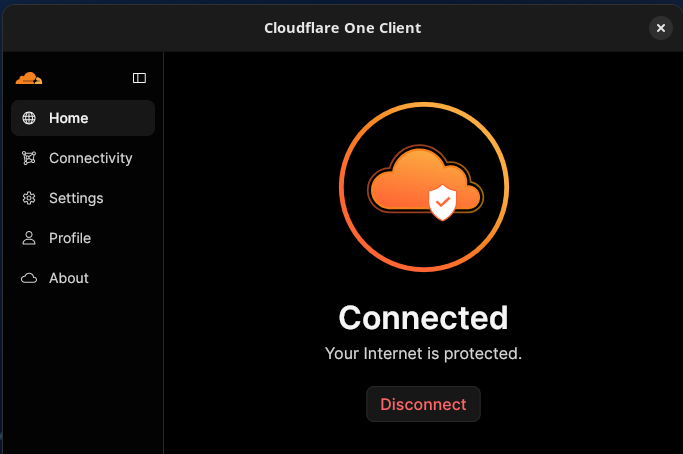
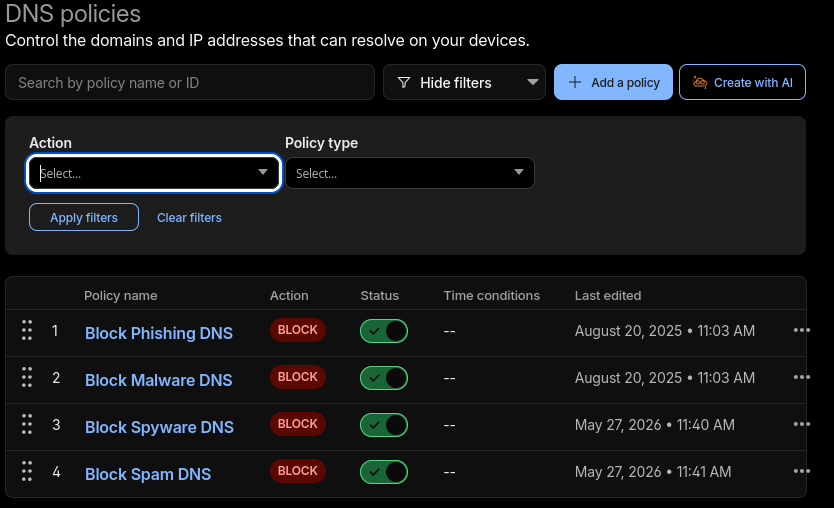
+ Added cloudflare zero trust
1779865819285.png

1779871410668.png

I have bunch of http rules to bypass things to make apps work correctly on grapheneos


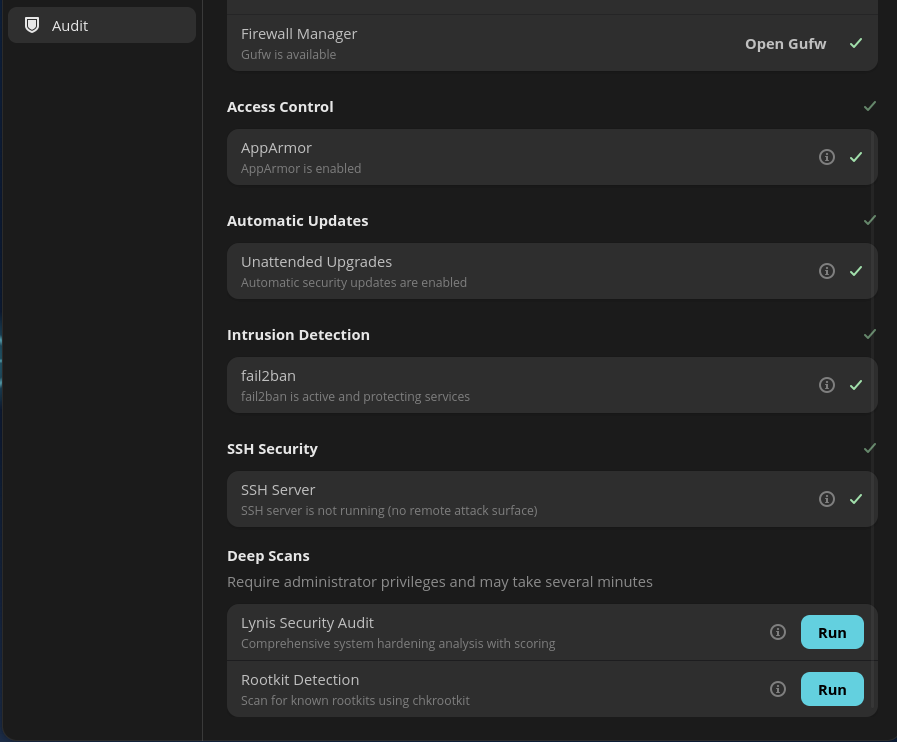
also here is picture of hardening wih ClamUI

1779865897003.png


Also installed zero trust to my graphene os + linux chromebook running pop os.
 
Last edited:
Had fun with linux, but windows gaming just feels better, performance wise and is more simple

8.6.2026

- Removed Pop OS!

Current windows setup:

- Sophos home free as antivirus
- Firefox as browser with osprey & bitwarden
- Adguard with cloudflare malware blocking dns

Enabled sophos https website decryption, wich is alot more effective blocking risky websites than without
1780888368471.png


I dont know but sophos is probably my favorite antivirus, probably i add some more protection later as sophos is free version
 
Is it not enabled by default?
No its not. It slow downs sites a littlebit, like year ago i did see it inpacting on youtube hard, but you can exclude domains so sites will run faster. Now running it a day, i have no problems running it enabled on youtube and other sites, cant see any difference whether its on or off(y)
 
So bad, if I were you stick with PopOS! Lesser hassle and safer,
I still run pop os on chromebook, probably give some other distro a spin.

I think im pretty much safe wichever i choose to go with....

Main reason for switch was my nephew that spends most of summer ( 2months holiday ) mostly on my house, and he likes to play different games and some of them dont run on linux. So what im thinking is buying probably mini pc from minisforum or mac-mini and set-up it as linux as i play retro/old games myself, and later selling this gaming pc, since ram prices/gpu prices are still high and i could get good amount of money back, 2 years used but still sells for price i bought it at...
 
So sophos pretty much interfered with war thunder ( war game ) and i had to do re-install anyways cuz of my nephew installing something ridiculous

- Removed sophos free

+ Added Zonealarm Next GEN
+ Firefox with ublock origin, script stop, and harmony web protection
+ Cloudflare malware blocking dns

edit: thinking about adding browser lockdown from novirusthanks, to avoid nephew downloading items on my pc :unsure:
1781092432491.png
 
So sophos pretty much interfered with war thunder ( war game ) and i had to do re-install anyways cuz of my nephew installing something ridiculous

- Removed sophos free

+ Added Zonealarm Next GEN
+ Firefox with ublock origin, script stop, and harmony web protection
+ Cloudflare malware blocking dns

edit: thinking about adding browser lockdown from novirusthanks, to avoid nephew downloading items on my pc :unsure:
View attachment 298068
ZoneAlarm is very very heavy... you will uninstall asap, trust me.
 
So sophos pretty much interfered with war thunder ( war game ) and i had to do re-install anyways cuz of my nephew installing something ridiculous

- Removed sophos free

+ Added Zonealarm Next GEN
+ Firefox with ublock origin, script stop, and harmony web protection
+ Cloudflare malware blocking dns

edit: thinking about adding browser lockdown from novirusthanks, to avoid nephew downloading items on my pc :unsure:
Sophos had caused some game stuttering for me as well when I tried it some years back. ESET working pretty well for me though expensive. Been trying to stick with Firefox with uBlock Origin, Privacy Badger and Osprey though some pages just better rendered with chromium based. I use Edge when I'm using windows defender / cyberlock stack.

Anyway, look forward to see how you get on with ZA.
 
ZoneAlarm is very very heavy... you will uninstall asap, trust me.
Ive tried it many times and always got rid of it during same day, now i have been running it whole 2 days! ;) i had to exclude some games from antivirus as they would hang without. What i mainly did is install clean install of windows, install all apps and lastly installed zonealarm, then ran full scan > excluded few games + set up web filter. No issues even with threat emulation on.

You're probably right. I wouldn't use it for technical and political reasons.
I do follow politics, but im pretty unsure wich is good and wich is bad country, cuz those changes constantly it seems :unsure:
but in mt we dont talk about politics so i wont go deeper into that

Sophos had caused some game stuttering for me as well when I tried it some years back. ESET working pretty well for me though expensive. Been trying to stick with Firefox with uBlock Origin, Privacy Badger and Osprey though some pages just better rendered with chromium based. I use Edge when I'm using windows defender / cyberlock stack.

Anyway, look forward to see how you get on with ZA.
Currently i have licenses from:
- ESET
- Bitdefender
- Mcafee
- Norton
- Trend micro
- Sophos free ( accessed by having it before 2021)

Maybe i return to defender in few days , no idea yet..lets see how ZAM does.

I can get free ZoneAlarm software from my ISP, hard pass.
I only get malicious website blocking from my isp and scam call detection thats, not any anvirus suite
 
If im using my pc whole day, it pretty much in some point becomes unresponsive because of zonealarm, only reboot fixes it.

The problem causes apps to not open, also firefox wont open, you cant close it from task manager and only way to solve issue is reboot.
Also having many false positives, but that was expected
Zonealarm has huge potential, but sadly it doesnt perform as intended and doesnt get love from checkpoint it deserves.

So i ended up doing clean install, because zonealarm will left alot leftovers and i was bored anyways.

New setup is the og one:
- Microsoft defender as antivirus, hardened with defenderui recommended profile, except cloud block rule is set to zero tolerannce.
- Smart app control enabled
- Enabled , the disabled by default core isolation rule, so everything in core isolation is enabled now, it says it prevents malicious codes from running
- Edge as browser, bitwarden as extension, osprey as blocking websites with malicious content, ublock origin lite, APIVOID script stop.
- Cloudflare malware blocking filter dns

Atleast i dont have to pay for anything, and its worry free to go. I have given pretty much every antivirus a go, and thats why i went for linux. And as im always back to windows defender i will run it now for loong time.

btw @TuxTalk was right about ditching zonealarm (y)
 
If im using my pc whole day, it pretty much in some point becomes unresponsive because of zonealarm, only reboot fixes it.

The problem causes apps to not open, also firefox wont open, you cant close it from task manager and only way to solve issue is reboot.
Also having many false positives, but that was expected
Zonealarm has huge potential, but sadly it doesnt perform as intended and doesnt get love from checkpoint it deserves.

So i ended up doing clean install, because zonealarm will left alot leftovers and i was bored anyways.

New setup is the og one:
- Microsoft defender as antivirus, hardened with defenderui recommended profile, except cloud block rule is set to zero tolerannce.
- Smart app control enabled
- Enabled , the disabled by default core isolation rule, so everything in core isolation is enabled now, it says it prevents malicious codes from running
- Edge as browser, bitwarden as extension, osprey as blocking websites with malicious content, ublock origin lite, APIVOID script stop.
- Cloudflare malware blocking filter dns

Atleast i dont have to pay for anything, and its worry free to go. I have given pretty much every antivirus a go, and thats why i went for linux. And as im always back to windows defender i will run it now for loong time.

btw @TuxTalk was right about ditching zonealarm (y)

Hate it when i'm right , just kidding , i tested most AV thats why i know you will remove ZA.
 
Last edited:
I had to change my isp for cheaper + better plans because currennt one was expiring. They said its branded suite by f-secure, 100% identical. Might install them to mobile and maybe later to pc if i want to change my current setup.
 
New setup is the og one:
- Microsoft defender as antivirus, hardened with defenderui recommended profile, except cloud block rule is set to zero tolerannce.
- Smart app control enabled
- Enabled , the disabled by default core isolation rule, so everything in core isolation is enabled now, it says it prevents malicious codes from running
- Edge as browser, bitwarden as extension, osprey as blocking websites with malicious content, ublock origin lite, APIVOID script stop.
- Cloudflare malware blocking filter dns

Atleast i dont have to pay for anything, and its worry free to go. I have given pretty much every antivirus a go, and thats why i went for linux. And as im always back to windows defender i will run it now for loong time.

I often revert back to Microsoft Defender security stack. Just everything runs smooth with less issues. I don't have SAC enabled as not prepared to reset my laptop but DefenderUI and CyberLock cover things well for me. I might look at APIVoid or noscript again but Osprey covers multiple DNSs for me. I had changed OS DNS but not sure I need to and I'll get less latency using my ISPs. /shrug.

Anyway, glad you found a stack that works for you. Check out @Shadowra 's review of F-Secure if your considering using it.