If you want to try out a file cleaning strategy that works really well for me
- Install portable WDC using option in main installer
- Open program and choose preferred deletions on the left side (Careful with that axe Eugene!)
- Look to right side under Scheduler then under "Select Run Type" choose "When Idle" then turn on Scheduler
- Under the Settings/Autorun check "Create Clean with 1-Click" and pin to taskbar
Now you have autorun on idle and the one click option
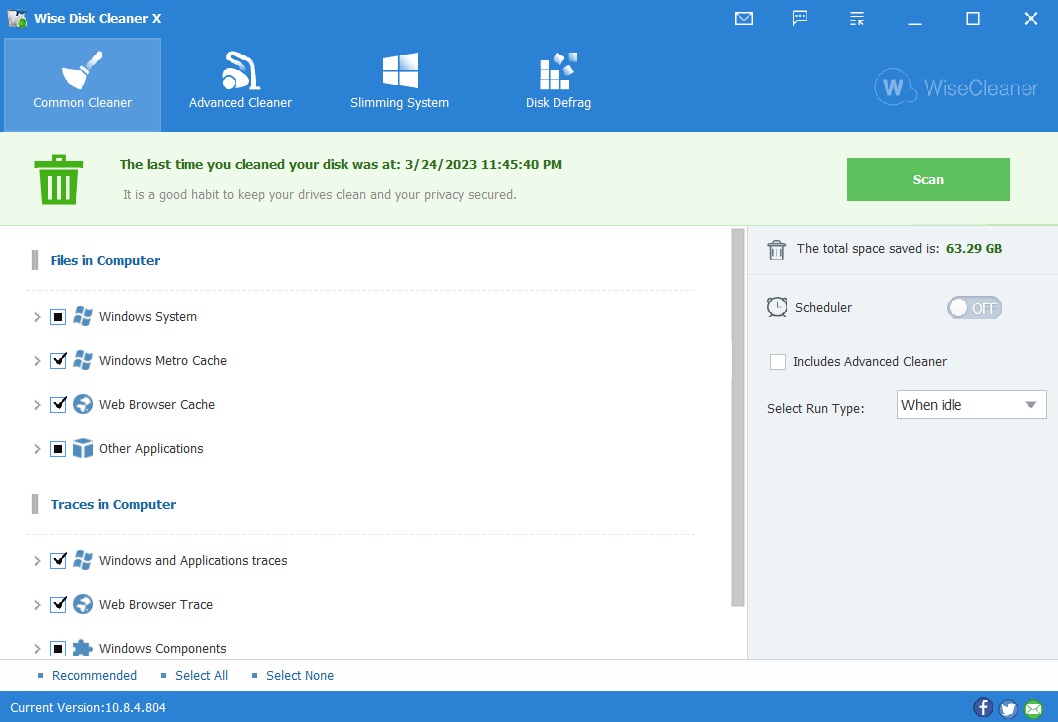
- Install portable WDC using option in main installer
- Open program and choose preferred deletions on the left side (Careful with that axe Eugene!)
- Look to right side under Scheduler then under "Select Run Type" choose "When Idle" then turn on Scheduler
- Under the Settings/Autorun check "Create Clean with 1-Click" and pin to taskbar
Now you have autorun on idle and the one click option