Well
Good Afternoon
Does anyone know when Norton Data Protector will exit the Beta and stay public?
Good Afternoon
Does anyone know when Norton Data Protector will exit the Beta and stay public?

I don"t know if this helps,
'Norton Data Protector' is a part of Norton 22.17.2! | Norton Community
May 7, 2019 - 'Norton Data Protector' is a part of Norton 22.17.2! ... Norton Data Protector feature aims to provide the comfort of having an additional layer of ransomware protection that is automatic. Additionally, you can customize the configuration of what applications and files are allowed to be modified.
Sorry,Once again wasn't"t sure link would help glI saw...
but ... We are already in version 22.17.3.50
Best response would be to ask on the Norton Community.Does anyone know when Norton Data Protector will exit the Beta and stay public?

 , I have Norton Security 22.17.2.50 ....
maybe you will find help here glWhy im no have Norton Data Protector in my Norton Security ? please help, thanks

Guys, I noticed something weird. I thought I just don't have data protector, because maybe it is not compatible or something.
On my settings page, there is no data protector tab.
However, I typed protector in search...
Seems to be there, but hidden.
Next, I typed folder, as "folder" should be on the list of settings for sure...
Protected folders does come up. Can someone else confirm the issue, before I submit to Symantec? It seems so weird to me...
@bjm_ you are a Norton fighter... I just saw now.
If these are your settings, I recommend that you set SONAR Advanced Mode to Aggressive and always, always keep boot time protection on. I know it comes off by default, by it should be onView attachment 234490
Yeah, it's there on at least two of my computers.
Sometimes my different computers get some updates at very different times. And sometimes the settings are even slightly different --- the way Norton sets them. I've wondered about that..
And yeah, @bjm_ has helped me several times. He keeps up with this stuff.
That was good that you found it by searching --- I would have just assumed it was not there.

It is obviously there, just there is no tab in settings, which seems like a glitch in the html 5, rather than data protector not being pushed. Norton support is not the most knowledgeable source lol@MacDefender faced this Data Protector issue as well. I think Norton support told him that the feature is not pushed to every user yet.
Oh it was few months ago so now it's available to everyone I guess and it's just a bug in your case.It is obviously there, just there is no tab in settings, which seems like a glitch in the html 5, rather than data protector not being pushed. Norton support is not the most knowledgeable source lol
I'll give it a try and see if it really works...
My guess is, it is a bug for everyone, but unfortunately, I no longer have contacts in NortonLifelock... everyone I used to know left, so I have to rely on their community or support to report the bug...Not greatOh it was few months ago so now it's available to everyone I guess and it's just a bug in your case.

FWIW ~ last I'm aware > https://community.norton.com/en/comment/8322411#comment-8322411Maybe @bjm_ can help us get this looked into...?
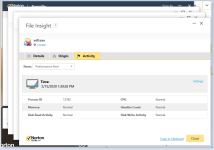
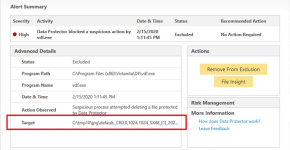
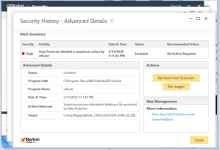
Looks like a good adittion to close any Norton gap, specially because it comes with default settings, but it does increase some FPs when detected it some suspicious activity on protected files.FWIW ~ last I'm aware > https://community.norton.com/en/comment/8322411#comment-8322411