New Update NVIDIA App Updates Thread

lokamoka820

Level 43
Thread author
Verified
Top Poster
Well-known
Mar 1, 2024
3,243
3
10,661
4,169
Banana Republic
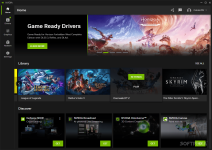
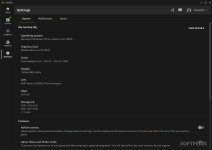
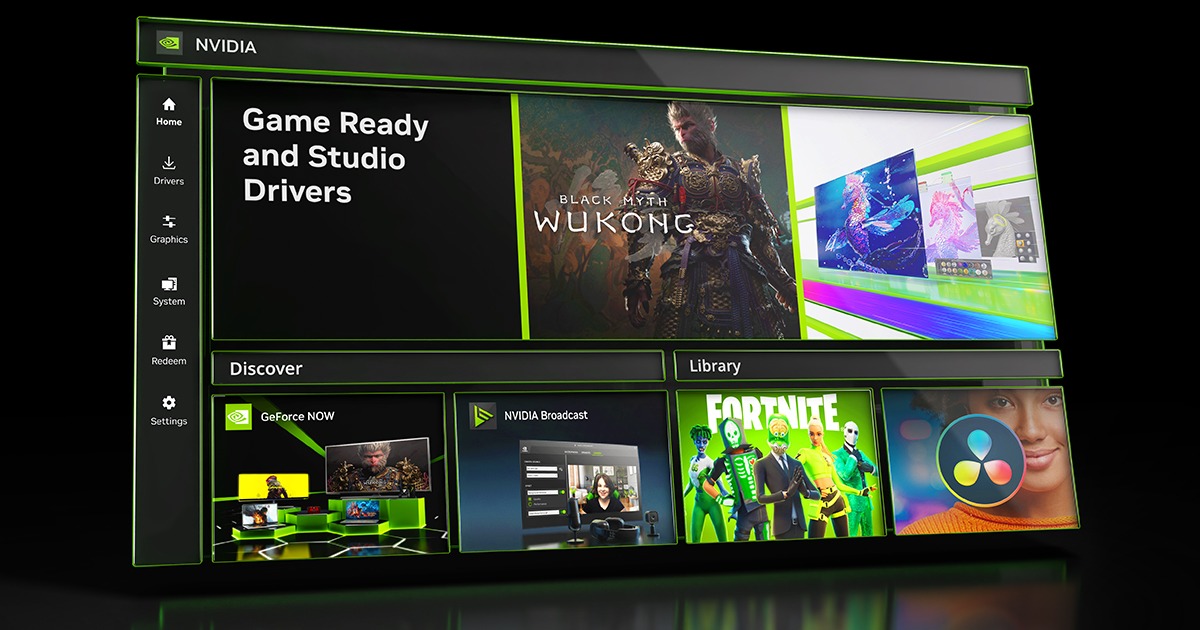
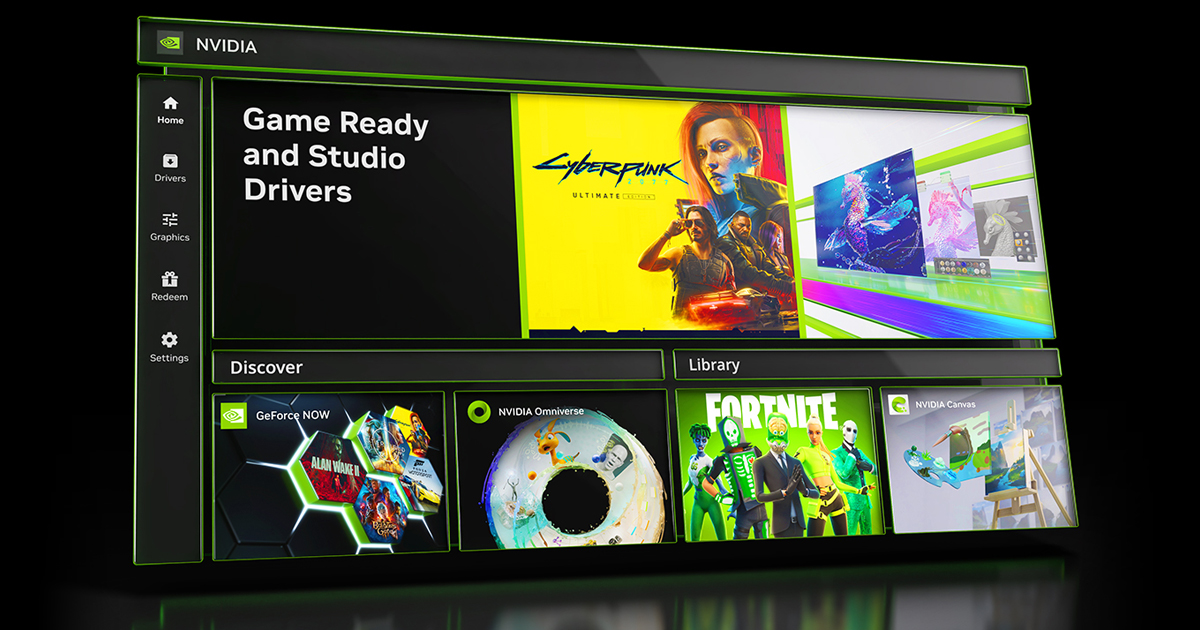
The NVIDIA App is the essential companion for PC gamers and creators. Keep your PC up to date with the latest NVIDIA drivers and technology. Optimize games and applications with a new unified GPU control center, capture your favorite moments with powerful recording tools through the in-game overlay, and discover the latest NVIDIA tools and software.
NVIDIA-App_13.pngNVIDIA-App_1.pngNVIDIA-App_3.pngNVIDIA-App_7.pngNVIDIA-App_8.png
Features:
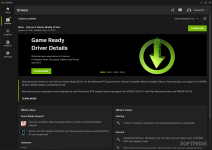
  • Game Ready Drivers GeForce Game Ready Drivers are finely tuned in collaboration with developers and extensively tested to deliver the best experience for your favorite games on the day of game release.
  • Studio Drivers NVIDIA Studio Drivers provide artists and designers with the best performance and reliability when working with creative applications.
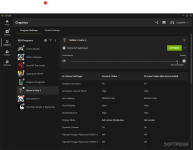
  • Optimize and Tune Your GPU Easily optimize in-game and GPU settings in one location. Customize your NVIDIA graphics settings like VSync, DSR, and Low Latency Mode. Plus, optimize your in-game settings by tapping into the power of the NVIDIA cloud data center to deliver personalized graphics settings based on your system’s GPU, CPU, and display.
  • Capture Your Greatest Moments
    Nvidia ShadowPlay icon
    Nvidia ShadowPlay simplifies recording of videos and screenshots, featuring DVR-style Instant Replay, enabling users to instantly save the last 30 seconds of gameplay. You can also manually record at up to 8K HDR at 30 fps, or 4K HDR at 120 fps with minimal impact to performance. NVIDIA Highlights automatically captures key moments, clutch kills, and match-winning plays, ensuring that your best gaming moments are automatically saved.
  • Measure Your Performance Display real-time FPS and performance statistics through the newly updated NVIDIA overlay. Tailor the display to showcase metrics like GPU and CPU utilization, FPS 1% Low, and PC and system latency with integrated NVIDIA Reflex Analyzer support.
  • AI-Enhanced Game Visuals Customize your game’s appearance in real time with NVIDIA Freestyle with powerful new AI filters like RTX Dynamic Vibrance and RTX HDR. Integrated at the driver level for seamless compatibility, Freestyle supports over 1200 games.
 
What's new in NVIDIA app 11.0.1

Release Highlights

Welcome to the official release of the new NVIDIA app, an essential companion for users with NVIDIA GPUs in their PCs, laptops, and workstations.

Whether you're a gaming enthusiast or a content creator, the NVIDIA app simplifies the process of keeping your PC updated with the latest NVIDIA drivers, and enables quick discovery and installation of NVIDIA applications like GeForce NOW, RTX Remix, and NVIDIA Broadcast.

Featuring a unified GPU control center, NVIDIA app allows fine-tuning of game, program, and driver settings from a single place, while introducing a redesigned in-game overlay for convenient access to powerful gameplay recording tools, performance monitoring overlays, and game enhancing filters, including innovative new AI-powered filters for RTX users.

The NVIDIA app incorporates many of the top features from GeForce Experience and RTX Experience, includes an optional login to redeem bundles and rewards, and introduces new RTX capabilities to elevate your gaming and creative experiences.

For a complete rundown of NVIDIA app’s many features, please visit our GeForce.com article.

We look forward to hearing from you; please send us your feedback via the NVIDIA app.

New Updates
  • Game Filter now defaults to off. It can be enabled via Settings > Features > Overlay > Game Filters and Photo Mode.
 
  • +Reputation
Reactions: Gandalf_The_Grey
NVIDIA shares fix for game performance issues with new NVIDIA App
Nvidia has shared a temporary fix for a known issue impacting systems running its recently unveiled NVIDIA App and causing gaming performance to drop by up to 15%.

The company confirmed that these performance issues are triggered when the Game Filters option is enabled in the application and it recommends disabling it and restarting the game as a workaround.

"We are aware of a reported performance issue related to Game Filters and are actively looking into it," Nvidia staff said in a support forum thread published earlier today.

"You can turn off Game Filters from the NVIDIA App Settings > Features > Overlay > Game Filters and Photo Mode, and then relaunch your game."

This comes following widespread user reports regarding the app crippling PC gaming performance after enabling Game Filters or Photo Mode, with affected customers saying they were forced to uninstall the buggy app as it was still causing issues even after disabling the overlays and other filters.
 
  • +Reputation
Reactions: lokamoka820
What's new in NVIDIA app 11.0.2
  • New Control Panel Display Features
    • Advanced Optimus Modes and Manage Displays is now available under System > Display.
  • Updated Default Shadowplay Bitrate Settings
    • Default Shadowplay settings are now configured based on your resolution, frame rate, and codec. Manually configure from the in-game overlay Settings > Video Capture.
  • Optimal Settings Support Added For 7 New Games:
    • Delta Force (GLOBAL)
    • Farming Simulator 25
    • Indiana Jones And The Great Circle
    • Marvel Rivals
    • Microsoft Flight Simulator 2024
    • Path of Exile 2
    • S.T.A.L.K.E.R. 2: Heart of Chornobyl
Squashed bugs!
  • Fixed an issue with driver rollback not working after changing the language setting.
  • Fixed an issue where Instant Replay temp recordings are not saving at selected directory.
  • Fixed an issue where windowed-mode screenshots are incorrectly saved to the desktop folder.
  • Fixed an issue with video synchronizing through OneDrive.
  • Resolved an issue that prevented the microphone from being selected or properly captured.
  • Various stability fixes.
 
What's new in NVIDIA app 11.0.3

New Updates

  • Download Project G-Assist, Your AI Assistant
    • Project G-Assist is an experimental AI assistant for your RTX PC. With a simple voice or text command, G-Assist can maximize performance and optimize power efficiency, adjust game settings, provide real-time diagnostics, chart performance metrics, customize your peripherals, and more – all powered locally by your GeForce RTX GPU. Download Project G-Assist from the Discover section on the Home tab, and press Alt+G to speak with G-Assist.
  • Customize Input Resolution For DLSS Super Resolution
    • You can now adjust the input render resolution for DLSS Super Resolution, enabling precise tuning of the new transformer model to optimize performance or enhance image quality. Available for supported titles under Graphics > Driver Setting > DLSS Override - Super Resolution.
  • New Control Panel Features
    • Added Display Scaling Settings, letting you choose different scaling modes, including integer scaling, and decide whether the GPU or monitor handles the scaling process. Available under System > Display.
    • Added Display Color Settings, which lets you adjust and calibrate the color settings for your display. Available under System > Display.
  • Optimal Settings Support Added For 7 New Games:
    • Avowed
    • DYNASTY WARRIORS: ORIGINS
    • FINAL FANTASY VII REBIRTH
    • Kingdom Come: Deliverance II
    • Marvel's Spider-Man 2
    • Sid Meier's Civilization VII
    • SUPERVIVE
Squashed Bugs!
  • Resolved an issue where desktop capture was not activated when using hotkeys.
  • Fixed an issue where Farming Simulator 25 was not detected in the game library.
  • Fixed an issue with keyboard support in the display tab.
  • Various stability fixes.
 
What's new in NVIDIA app 11.0.3.241

New Updates

  • DLSS Override Support for The Elder Scrolls IV: Oblivion Remastered
    • Enable DLSS Multi Frame Generation on your GeForce RTX 50 Series GPU with the DLSS Override feature. All RTX GPUs can access the latest DLSS models—including the latest Transformer model—via Graphics > Program Settings > Driver Settings > DLSS Override.
 
What's new in NVIDIA app 11.0.4

New Updates

  • User Accessibility Features
    • Added support for Light and Dark theme modes, with the option to automatically adapt based on Windows settings. Choose your preferred theme in Settings > Features > Theme.
    • Added support for Windows Narrator, allowing on-screen content to be read aloud for improved accessibility.
  • Optimal Settings Support Added For 12 New Games:
    • Assassin's Creed Shadows
    • Clair Obscur: Expedition 33
    • Deadlock
    • ELDEN RING NIGHTREIGN
    • Grand Theft Auto V Enhanced
    • Half-Life 2 with RTX
    • Indiana Jones And The Great Circle
    • inZOI
    • Monster Hunter Wilds
    • Split Fiction
    • The Last of Us Part II Remastered
    • The Elder Scrolls IV: Oblivion Remastered
Squashed Bugs!
  • Fixed an issue where DLSS-FG defaults to 2x irrespective of in-game setting when DLSS override model is set to "Latest” and Frame generation is set to “Use the 3D application setting".
  • Fixed an issue where the driver download could not be completed.
  • Fixed an issue where the recording bitrate setting was not saved.
  • Fixed an issue where HDR video colors were not encoded properly for HEVC and AV1 playback.
  • Fixed a bug where the in-game overlay was not accessible on the GeForce RTX 5070.
  • Fixed an issue where a PC reboot would reset microphone boost to an incorrect value.
  • Fixed an issue where Highlights summary window could not be disabled.
  • Various stability fixes.
 
  • Like
Reactions: Fel Grossi
What's new in NVIDIA App 11.0.4.159

New Updates

  • User Accessibility Features
    • Added support for Light and Dark theme modes, with the option to automatically adapt based on Windows settings. Choose your preferred theme in Settings > Features > Theme.
    • Added support for Windows Narrator, allowing on-screen content to be read aloud for improved accessibility.
  • Optimal Settings Support Added For 12 New Games:
    • Assassin's Creed Shadows
    • Clair Obscur: Expedition 33
    • Deadlock
    • ELDEN RING NIGHTREIGN
    • Grand Theft Auto V Enhanced
    • Half-Life 2 with RTX
    • Indiana Jones And The Great Circle
    • inZOI
    • Monster Hunter Wilds
    • Split Fiction
    • The Last of Us Part II Remastered
    • The Elder Scrolls IV: Oblivion Remastered
Squashed Bugs!
  • Fixed an issue where DLSS-FG defaults to 2x irrespective of in-game setting when DLSS override model is set to "Latest” and Frame generation is set to “Use the 3D application setting".
  • Fixed an issue where the driver download could not be completed.
  • Fixed an issue where the recording bitrate setting was not saved.
  • Fixed an issue where HDR video colors were not encoded properly for HEVC and AV1 playback.
  • Fixed a bug where the in-game overlay was not accessible on the GeForce RTX 5070.
  • Fixed an issue where a PC reboot would reset microphone boost to an incorrect value.
  • Fixed an issue where Highlights summary window could not be disabled.
  • Various stability fixes.
 
  • Like
Reactions: simmerskool
What's new in NVIDIA App 11.0.4.526

New Updates

  • DLSS Override Support Added for 6 DLSS Games:
    • FBC: Firebreak
    • Monster Energy Supercross 25 - The Official Video Game
    • REMATCH
    • Strinova
    • The Alters
    • Warhammer 40,000: Speed Freeks
  • Optimal Settings Support Added For 5 New Games:
    • Dune: Awakening
    • EA SPORTS F1® 25
    • FBC: Firebreak
    • REMATCH
    • Stellar Blade
Squashed Bugs!
  • Addressed a bug where DLSS Overrides did not appear for manually added games.
  • Corrected an issue where DLSS Overrides were unavailable for certain supported titles.
  • Various stability fixes.
 
What's new in NVIDIA App 11.0.5.266

New updates

  • Project G-Assist Adds Notebook Commands
    • G-Assist can now control key notebook settings, including BatteryBoost, WhisperMode, and battery Optimal Playable Settings.
  • Optimal Settings Support Added For 3 New Games:
    • Borderlands 4
    • Grounded 2
    • Mafia: The Old Country
  • DLSS Override Support Added for 13 DLSS Games:
    • Jump Space
    • Dying Light: The Beast
    • Borderlands 4
    • Cronos: The New Dawn
    • Daemon X Machina: Titanic Scion
    • Metal Eden
    • Predecessor
    • Hell is Us
    • Lost Soul Aside
    • Gears of War: Reloaded
    • METAL GEAR SOLID Δ: SNAKE EATER
    • Supraworld
    • EVE Online
Squashed Bugs!
  • Resolved an issue that caused game statistics to display as "N/A" for titles with separate executables for modes like Campaign and Multiplayer.
  • Fixed an issue where the game setting optimizations don’t work after PC restart.
  • Fixed an issue where DLSS Override - Model Presents incorrectly switched to “Custom”
  • Fixed an issue where FPS reported incorrect values when Smooth Motion is enabled.
  • Fixed an issue where a recording was incorrectly deleted when multiple recordings were removed rapidly from the gallery.
  • Various stability fixes.
 
What's new in NVIDIA App 11.0.5.420

New updates
  • Optimal Settings Support Added For 7 New Games:
    • Battlefield 6
    • Dying Light: The Beast
    • EA SPORTS FC 26
    • Jump Space
    • Lost Soul Aside
    • NBA 2K26
    • SILENT HILL f
  • DLSS Override Support Added for 11 DLSS Games:
    • Alien: Rogue Incursion
    • Battlefield 6
    • Farlight 84
    • Japanese Drift Master
    • Mavrix by Matt Jones
    • S.T.A.L.K.E.R.: Call of Pripyat - Enhanced Edition
    • S.T.A.L.K.E.R.: Clear Sky - Enhanced Edition
    • S.T.A.L.K.E.R.: Shadow of Chornobyl - Enhanced Edition
    • SILENT HILL f
    • SUPER PEOPLE
    • X4: Foundations
Squashed Bugs!
  • Fixed an issue where the “Game filters and Photo mode” toggle was not available when language was set to non-English.
  • Fixed an issue where DLSS Stats incorrectly displayed 'In-game' for the SR Model Override.
  • Various stability fixes.
 
What's new in NVIDIA App 11.0.6

New updates


  • DLSS 4.5 Super Resolution Models Available Now
    • Update to the latest DLSS 4.5 Super Resolution Models for your RTX Series GPU. Access these DLSS features under Graphics > Program Settings > Driver Settings > DLSS Override - Model Presets > “Recommended.”
    • Replaces “Latest” with “Recommended” mode to better align with DLSS 4.5’s new models: Model M (optimized for DLSS Performance) and Model L (optimized for 4K DLSS Ultra Performance), and Preset K for remaining DLSS modes.
  • Control Panel Updates
    • Added NVIDIA Surround features like Hotkey shortcuts and Bezel correction.
    • Added Debug Mode, and GPU Performance Counters in System > Advanced tab.
  • DLSS Override Support Added for 77 DLSS Games:
    • 171
    • A Difficult Game About ROLLING - ReUpRise
    • A.I.L.A
    • AION 2
    • Anno 117: Pax Romana
    • Arc Raiders
    • Ashes of Creation
    • Assetto Corsa Rally
    • Astrometica
    • Automate It: Factory Puzzle
    • Bastide
    • Beyond Hanwell
    • Bum: Revenge
    • Call of Duty: Black Ops 7
    • Carpathian Survival
    • Chernobylite 2: Exclusion Zone
    • Chip ‘n Clawz vs. The Brainioids
    • Cursed Deal
    • DAVY x JONES
    • DEADCAM | ANALOG • SURVIVAL • HORROR
    • Deathground
    • DREADZONE
    • DUET NIGHT ABYSS
    • Echoes of the End: Enhanced Edition
    • Electronic Market Simulator
    • EMOTIONLESS: The Last Ticket
    • ENTITY: THE BLACK DAY
    • Europa Universalis V
    • FINAL FANTASY VII REBIRTH
    • Firefighting Simulator: Ignite
    • Goofy Gorillas
    • Greedland
    • Heroic Kingdom: Origins
    • Infinity Nikki
    • Jurassic World Evolution 3
    • Keeper
    • Legend of Ymir
    • Little Nightmares III
    • Mother Machine
    • Night of the Dead
    • Night Project
    • Ninja Gaiden 4
    • Noble Legacy
    • Nowhere Near
    • Otherplane
    • Outbreak: Shades of Horror
    • Palworld
    • Park Studio
    • PERISH
    • Pizza Bandit
    • Project Motor Racing
    • Prologue: Go Wayback!
    • Real Life
    • Renovation Simulator
    • Rocket Squad: Infinity
    • RV There Yet?
    • Seafarer: The Ship Sim
    • Small Spaces
    • Sophonce
    • SpongeBob SquarePants: Titans of the Tide
    • Storage Hunter Simulator
    • TEKKEN 8
    • The Black Pool: Arena Survivors
    • The Bus
    • The Last Caretaker
    • The Outer Worlds 2
    • Tower of Fantasy
    • Trench Tales
    • Vampire: The Masquerade - Bloodlines 2
    • Violet
    • Wacky West
    • Where Winds Meet
    • Why don't they laugh?
    • Winter Survival
    • Wreckreation
    • Yakuza Kiwami 2
    • Zombie City
  • Optimal Settings Support Added For 10 New Games:
    • Anno 117: Pax Romana
    • ARC Raiders
    • Call of Duty: Black Ops 7
    • Digimon Story: Time Stranger
    • Escape From Duckov
    • Europa Universalis V
    • Football Manager 26
    • RV There Yet?
    • The Outer Worlds 2
    • Vampire: The Masquerade - Bloodlines 2
Squashed Bugs!

  • Fixed an issue where NVIDIA app overlay would disappear after changing display resolution.
  • Fixed an issue where the recording bitrate would incorrectly set to 150 Mbps after a system restart.
  • Fixed an issue preventing users from changing the destination folder for saved recordings.
  • Fixed an issue where images captured using Photo Mode > Super Resolution appeared blank for 50 Series GPUs.

 
  • Like
Reactions: simmerskool
What's new in NVIDIA App 11.0.6.383

New updates


  • Project G-Assist Enhanced With Better Responses and New Controls
    • New Reasoning Mode for improved answers. Toggle between Reasoning Mode for higher accuracy and Flash Mode for faster responses.
    • Added controls for G-SYNC Monitor settings;
      • Adjust image settings like brightness, contrast, saturation and temperature
      • Set advanced G-SYNC, G-SYNC Pulsar and Ambient Adaptive features
    • Added controls for Corsair devices:
      • Change mouse DPI, peripheral lighting and iCue profiles
    • Streamlined plug-in installation; users can now download plugins directly in G-Assist and use them instantly, with no restarts required.
    • New pin/unpin button to select whether G-Assist remains on screen when clicked out of the G-Assist window.
 
  • Like
Reactions: simmerskool

You may also like...