



Gandalf_The_Grey
Level 86
Verified
Honorary Member
Top Poster
Content Creator
Well-known
Forum Veteran
Version 3.1.1029 – released on 11/10/2026
Added
Changed
- Block Start menu ads and the Windows welcome screen
- “List” view with compact app cards side by side
- “High contrast (black)” and “High contrast (white)” view modes
- Recognize extras and telemetry from HP, Dell, Lenovo, ASUS, Acer and MSI
- Reason why an app should be removed, kept or cannot be removed
- Details for Store apps and desktop programs such as package name, product code and uninstall command
- Support for screen readers such as Narrator, NVDA and JAWS
Fixed
- New “Edit” menu, main menu reorganized
- With apps selected, the selection bar takes the place of the filter row
- Cards show the installed version instead of “Installed”
- Available winget updates are shown as a green dot
- Column and sort option are called “Size” instead of “Storage”
- “All” also shows defective and orphaned desktop apps and marks them
- “Newly discovered” also shows updated desktop programs
- Leftovers are consistently “removed”, installed apps “uninstalled”
- “Entire PC” warns before removing and asks for confirmation
- Result lists apps that are only removed after a restart separately
- When the program runs under another account than the signed-in one, dialogs name both accounts
- Remove, Install and Update are unavailable until the first scan has finished
- Running programs are asked to close before they are uninstalled
- App icons appear in the variant for light or dark mode
- On Windows 11, Windows draws the window frame with shadow and rounded corners
- Properties windows open centered on the main window and cascade
- Number of users an app is installed for counts real user accounts only
- Shared installation folders, e.g. of Microsoft Office, count only once towards the size
- Size includes the app data and counts it only once per app
- Apps of Microsoft Entra ID users are found
- Installed desktop programs are no longer classified as orphaned by mistake
- Profiles of installed programs are no longer offered as orphaned apps
- OEM audio components from Dolby are no longer recommended for removal
- winget updates are only matched to apps with a fitting installed version
- Windows apps that were not removed are reported as skipped instead of removed
- Failed or cancelled uninstalls are reported as such
- The result of an uninstall is reported only after the uninstaller has finished
- Failed installs are reported, “Install” is only offered where it can work
- If the restore point fails, the removal can be stopped
- Removing from the “Entire PC” no longer leaves incomplete packages behind
- Locked leftovers are removed on the next restart
- Actions apply to exactly the confirmed apps, the selection is kept when the list refreshes
- The list refreshes after every action, however the dialog is closed
- “Cancel” reliably ends a paused operation
- Properties window opens the folder of its own app, not that of the selected app
- Double-click opens the Properties window only once, an open window comes to the front
- Apps with an invisible logo show the default icon
- Architecture of 32-bit ARM packages is shown correctly
- Improved stability and reliability
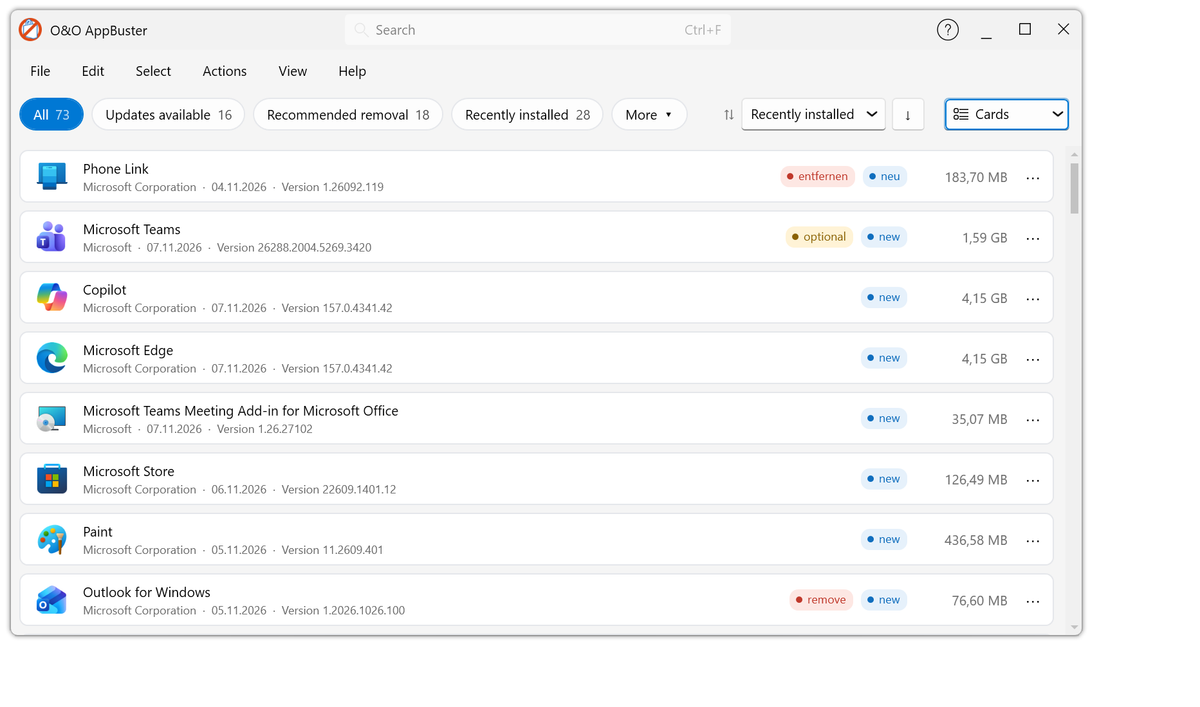
What’s New – O&O AppBuster | O&O Software
Changes in the respective versions (changelog). Version 3.1.1029 – released on 11/10/2026.


