Advanced Security oldschool's cheapo laptop configuration

Last updated
Feb 4, 2026
How it's used?
For home and private use
Operating system
Windows 11
Other operating system
Windows Pro
On-device encryption
N/A
Log-in security
    • Biometrics (Windows Hello PIN, TouchID, Face, Iris, Fingerprint)
Security updates
Allow security updates
Update channels
Allow stable updates only
User Access Control
Always notify
Smart App Control
On
Network firewall
Enabled
About WiFi router
Provided by ISP
Real-time security
Windows Security
Firewall security
Microsoft Defender Firewall
About custom security
MS Defender | Platform & Engine Beta channel updates
Cloud Protection Level - Block
ASR rules
Exploit Protection Settings
Firewall Hardening Tool
Controlled Folder Access - Added Start Menu, Start Menu > Programs, and Quick Launch folders.
RunBySmartscreen

Windows Security - A Github page by a former MT member with links to relevant MS documentation.
Periodic malware scanners
NPE, Sophos Scan & Clean, Eset Online Scanner
Malware sample testing
I do not participate in malware testing
Environment for malware testing
N/A
Browser(s) and extensions
Ungoogled Chromium | Privacy Badger | UBOL* | McAfee Web Advsior | Brave Search | Chrome Web Store
* I use Privacy Badger on all websites and UBOL "On click" via browser's menu access control.

Ungoogled Chromium flags

Firefox | µBO | Brave Search

Edge | µBO | GPC Enabler | Brave Search
Edge flags
Secure DNS
Quad9 DNS
Desktop VPN
None
Password manager
Maintenance tools
Windows built-in
File and Photo backup
Copy/Paste
Subscriptions
    • None
System recovery
Aomei Backupper Pro Lifetime - Primary
Wiindows Backup & Restore- Secondary image backup
Risk factors
    • Browsing to popular websites
    • Opening email attachments
    • Buying from online stores, entering banks card details
    • Downloading software and files from reputable sites
    • Streaming audio/video content from trusted sites or paid subscriptions
Computer specs
Lenovo L340 Intel(R) Core(TM) i3-8145U CPU @ 2.10GHz 2.30 GHz 16GB RAM 500GB SSD 1TB HDD
Notable changes
22-12-5 Reverted to MS Defender.
23-1-21 Refreshed Windows with SAC in evaluation mode.
23-2-2 Clean Windows installation
23-2-18 SAC user-enabled on
27-2-23 Added Chrome for the lack of 'feature' bloat.
28-2-23 Changed default browser to Chrome
24.2.24 Refreshed Windows and re-enabled Smart App Control
26.2.2 Replaced Chrome with Ungoogled Chromium
26.2.2
9.25 Updated to 25H2 via Enablement package.
5.7.24 Performed a repair installation via Windows Update. Nice & easy!
6.10.24 Updated to 24H2 OS build 26100.1882
10.10.24 Rolled back to 23H2 due to bugs & performance
16.10.24 Added Chrome browser with Privacy Badger
5.1.25 Reset PC and enabled Smart App Control
2.4.26 Ungoogled Chromium as default browser
What I'm looking for?

Looking for minimum feedback.

thanks again, I just installed JShelter on Edge. Many settings at first glance so stayed with default "recommended" -- now see what breaks, ie, fails to load.
The default configuration is what the developers advise. When encountering a broken site, you may use the individual sliders in the flyout. Breakage is often due to the Javascript Shield.
 
Added a new, hardened Edge profile for transactions and adjusted settings, permissions, etc. e.g. disabled JavaScript.

I also had a problem with Windows updates. It would check endlessly with no result. I think I know the cause was a certain software, but I can't verify it. Fairly simple fix once I got my head around it. Installed July Cumulative Update.
 
Last edited:
I also had a problem with Windows updates. It would check endlessly with no result. I think I know the cause was a certain software, but I can't verify it. Fairly simple fix once I got my head around it. Installed July Cumulative Update.
I had this problem before, and it was because of firewall software.
 
Our old friend @Kees1958 has some news regarding his laptop configuration:
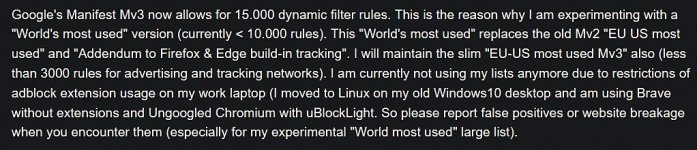
Due to further safety restrictions on my work (can't view mail anymore through virtual browser or use the off-line upload mode for office documents) , I don't use my Desktop anymore for work, so I removed my Windows dual boot and only using Linux Mint 21.3 partition on my desktop. On Linux I am using Ungoogled Chromium with uBlockOrigin lite. uBOL now offers AdGuard Dutch filter, which works well for me. I use Brave as secondary browser on Linux, only to copy widevine from brave to ungoogled.

Ungoogled runs in Flatpak with stripped rights (e.g only allow sound, gpu acceleration and acesss to xdg-download) and super tight website permissions (blocked/disabled all except images, sound, scripts only allow a few TLD's and session only on device data). Only other extension is No-Eval, which together with disabling V8 JIT, allowing javascript on a few Top Level Domains and sandboxing should lower script based threats to absolute minimum).

 
Most recent information about Kees1958 filterlists.

Schermafbeelding 2024-08-07 142242.jpg
 
Switched SAC off in order to update and run Smart Switch to backup phone. Decided to continue using my old phone instead of buying a new one. It's still in very good shape, is a smaller size than new ones and I don't need new features, latest hardware, etc.

Switched KVRT to NPE secondary scanner.
 
Rolled back to 23H2 due to bugs, app crashes and performance. I experienced the widely reported pink boot screen. Rainmeter kept crashing and none of the fixes worked.
Desktop customisation apps are broken pretty much every single major Windows release.
I should have taken my own advice. :LOL:
Well not like you are missing anything 😉
 

You may also like...