
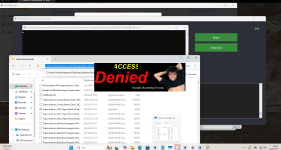
Should I share the video I made a dumb criticism wihle doing video then realized it might be real time protection problem sorry for that but malware still not supsneded.
Last edited by a moderator:


Open MalwareTips from your Home Screen or desktop. Follow discussions, find answers and pick up where you left off.
If you cannot find an install option, update your browser or use its bookmark option to keep MalwareTips close.
After installation, open the app and sign in. Enable push notifications in Preferences if you want alerts. On iPhone and iPad, push requires a Home Screen web app and iOS or iPadOS 16.4 or later.
Sign in to manage notificationsInstallation is optional. Your notification settings stay under your control.
 Thread starter
OsirisXD
Thread starter
OsirisXD

I don’t know what malware damaged and cooked but I’m psychologically damaged after these images.View attachment 290000
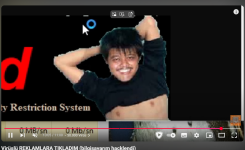
View attachment 290001Should I share the video I made a dumb criticism wihle doing video then realized it might be real time protection problem sorry for that but malware still not supsneded.
That's malware from my traininng data I removed a lot of stuff which has only detected by Kaspersky or Bitdefender. So there only minimum 50/77+ detection rate on virustotal malwares here.I don’t know what malware damaged and cooked but I’m psychologically damaged after these images.
What sort of malware is this???
So no more Adware.DepressingView.A? GoodI would highly suggest if you want solution you should use my solutions in cloud otherwise it will stuck against these malware. You don't need make open source if this my stuff. Edit: Malware restarted system.

That’s a JavaScript error.
Can you elaborate on that, what do you mean?Can't believe quarantine is behaviour like Spybot Search and Destroy instead of system volume.
It restores quarantine in json format and normal file.That’s a JavaScript error.
Can you elaborate on that, what do you mean?
It seems to be a custom format (zz). What’s the problem? That it’s in a folder?It restores quarantine in json format and normal file.
Members who viewed this thread in the last 5 minutes


