I used to run applocker but not anymore too much to fiddle with. SRP is easier to set up. Now i only a few rules. I used to have a bigger list but i've reinstalled windows and forgot to save them. Until paranoia strikes again (i hope not ) i will use only these rules.
security level is Disallowed (Software will not run, regardless of the access rights of the user.)
I've removed LNK extension from designated file types proprieties so i can run shortcuts. I know i can add extensions but i'm lazy atm.
I have enabled User Account Control: Only elevate executable files that are signed and validated. If you don't work with unsigned software, developing, etc, this is AWESOME.

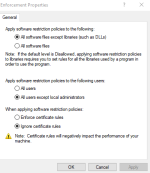
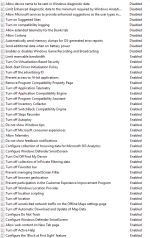
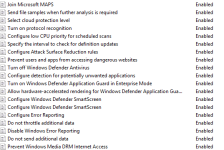
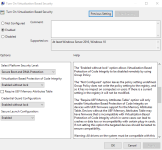
I have windows enterprise and i have device guard on. Windows defender is off.
If i were to use realtime stuff it would be shadow defender, comodo firewall with cs settings and kaspesky av( paid) or windows defender .
I hope paranoia is a thing of the past.
Edit: Copy/paste from last year




 Devjit’s Gaming PC 2026
 Divine_Barakah's Second Laptop Security Config
 Windows 11 Home OEM + Office 2021 Pro Plus OEM Bundle €23.80
 Harden Your Windows Security: Master Microsoft Defender’s Advanced Protections