


Features of File Sharing Pro:
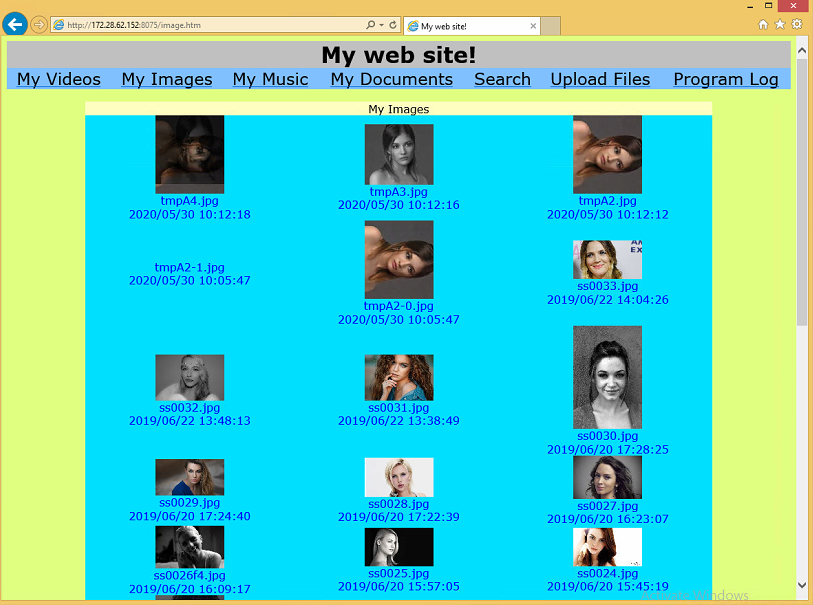
- Professional personal web file server – Runs a dedicated file-serving websitedirectly from your computer using robust OS-based authentication.
- File-only serving engine – The built-in web server does not run scripts or code, focusing purely on file transfers for safer operation.
- Hardcoded HTML responses – Pages returned to browsers are predefined, not interpreted server-side, which sharply reduces attack opportunities.
- 128-bit encrypted operating system authentication – Uses the native login securityof Windows and macOS to protect access to your site.
- Encrypted credential exchange – Usernames and passwords are protected with 128-bit encryption, aligning with strong modern security practices.
- Alignment with OS login policies – Authentication is as difficult to bypass as the PC or Mac’s own sign-in, giving a strong security foundation.
- Support for over 100 MIME types – Correctly handles a wide variety of file formats, from common office documents to multimedia and archives.
- Rich media compatibility – Serve photos, audio, and video files so contacts can access creative content and recordings easily.
- Document and archive support – Make PDFs, office files, and compressed packages available through one consistent interface.
- Large file download and upload support – Designed to work smoothly with big files, far beyond the size limits often enforced by email or basic web forms.
- High-capacity downloads – Let users grab multi-gigabyte videos, ISOs, or backups with fewer hurdles and no arbitrary caps.
- High-capacity uploads – Accept large client uploads directly into your secured environment, ideal for receiving raw project materials.
- Executable file hosting – Share .exe files and other installable binarieswithout special packaging or naming workarounds.
- Software distribution for developers – Provide beta builds, patches, and internal tools directly from your server to approved testers.
- Simplified delivery to clients – Give customers a secure link to download installers, avoiding email blockers and cloud restrictions.
- Client-side web uploads – Allow visitors to send files backthrough the website once logged in.
- Browser-based upload interface – Users upload through a simple form in their browser, with no extra utilities to install.
- Permission-based upload access – Restrict who can upload, so only trusted accounts contribute data to your machine.
- User and page-level access control – Manage multiple user accountsand define what portions of the site each one can see.
- Per-user page permissions – Grant or deny access to specific folders or sections, mapping your structure to real-world roles.
- Isolated spaces for different groups – Keep client, partner, and family content separated logically within the same installation.
- Built-in search box for visitors – Offer a search fieldon your website so users can quickly locate specific files.
- Keyword-based file lookup – Users type in names or terms, and the site presents relevant matches within their allowed scope.
- Faster navigation in large libraries – Help users avoid lengthy manual browsing when many files are published.
- Cross-platform server (Windows & macOS) – Available for both Windows and Macmachines, so you can host from the system you prefer.
- Windows compatibility – Works with modern Windows desktops that support the required authentication and networking features.
- macOS compatibility – Runs on macOS versions starting from OS X 10.7, supporting many Intel-based Mac systems.
- No client software required – Only the server host runs File Sharing Pro; visitors need nothing more than a browser.
- Any modern browser support – Access the site from desktop, laptop, tablet, or smartphone with common browsers.
- Simplified onboarding for non-technical users – Just share the URL plus login and your users are ready to connect.
- Simple network configuration requirement – Needs only a port forwarding ruleon your router so external users can reach your site.
- Direct inbound connection routing – Router forwards a selected port to your host machine, sending traffic to File Sharing Pro’s web server.
- Avoidance of external relay servers – Keep communications direct between your system and your visitors, avoiding third-party relays.
