- Content source
- https://itsfoss.com/news/debloat-smart-tv/
Last week, we saw a wave of developers determined to reverse engineer everything with AI. This week, there's a new wave, and to be honest, I like this one better.
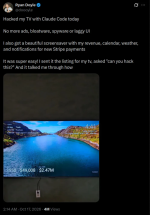
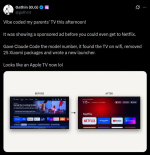
Some people have found an unusual way of using AI for something that actually matters to them. They are making their smart TVs usable again by stripping the operating system of ads and junk.
If you own a budget Android TV, you know the drill. You switch it on, wait for the home screen to load, scroll past a sponsored banner, and only then reach the app you wanted. People are now asking Claude to fix that for them.
How does it all work?
There's no magic here. Android TV has the same Android Debug Bridge (ADB) as your Android phone, and Claude simply does the changes for you.
You enable Developer Options on the TV by going to Settings -> Device Preferences -> About and pressing OK on Build seven times. Then you turn on USB debugging (or wireless debugging, if your TV has it). Some TVs,, like Xiaomi, don't show a wireless debugging toggle at all, but USB debugging alone opens network ADB on port 5555.
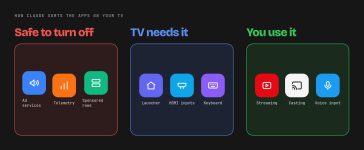
Next, you run Claude Code or the Claude desktop app on a computer connected to the same Wi-Fi network. You ask it to connect to the TV's IP address and suggest which non-essential apps can go. Some people use Codex or other coding agents too, but the approach is the same.
Taking back the TV you paid for
This is the real way real people are using AI. Finally some good use of AI to take back control of a device you already paid for, and yet see ads anyway.
If you have an old Android TV that is pathetically slow, this might be worth a weekend afternoon. Just mind to disable instead of uninstalling, and keep the features your family actually uses.