frostyfruits43
New Member
Hello and thankyou in advance for taking the time to assist me.
For the past 12 months at least I have been experiencing symptoms on my home desktop pc that would seem to inidicate that I am not the only person who has access to it. I cannot remember exactly the first symptoms that led me to believe this as it was a long time ago, however I am writing this post now as I think I finally have sufficient enough evidence to be recognizable as malicious and hopefully easy enough to remove.
Approx every 2 weeks I do a complete reinstall of Windows as otherwise it takes too long for the system to respond to any action at all, and by that time there will be upwards of 60 svchost.exe and msedgewebview2.exe processes (which I can only assume are impersonations) consuming the majority of the resources. I am constantly seeing the banner in the windows settings that says "these settings are managed by your organisation" when this is a home computer with absolutely nothing to do with any organisation. Settings are constantly reverting back to the opposite of what I had set within 48 hours (especially network settings: internet options, proxy, vpn firewall). Permissions are always broken for example my local appdata folder is apparently something I don't have the permission to access. Another concern is that I have every virtualisation setting in the bios and in windows disabled, yet msinfo32 shows hyper v is alive and well, as does powershell (Get-ComputerInfo -property "HyperV*").
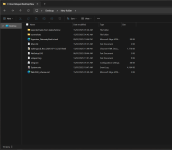
There are countless other issues but I will get to the point - Last night I was made aware of a program named Winaero Tweaker, included with is a utility that allows you to run executables as trustedinstaller. I'm by no means an expert with windows or even really that knowledgable at all about it to be honest, but running task scheduler and being able to view the hidden tasks is definitely concerning. There is something going on for sure and I would really appreciate some expert advice! I took some screenshots of the suspicious tasks, also with a couple of system logs and a few other bits of evidence I gathered (12mb) i'm just not sure the best way to upload them? theres a screenshot attached of the file list if you could please advise that would be super helpful.
Thanks again
For the past 12 months at least I have been experiencing symptoms on my home desktop pc that would seem to inidicate that I am not the only person who has access to it. I cannot remember exactly the first symptoms that led me to believe this as it was a long time ago, however I am writing this post now as I think I finally have sufficient enough evidence to be recognizable as malicious and hopefully easy enough to remove.
Approx every 2 weeks I do a complete reinstall of Windows as otherwise it takes too long for the system to respond to any action at all, and by that time there will be upwards of 60 svchost.exe and msedgewebview2.exe processes (which I can only assume are impersonations) consuming the majority of the resources. I am constantly seeing the banner in the windows settings that says "these settings are managed by your organisation" when this is a home computer with absolutely nothing to do with any organisation. Settings are constantly reverting back to the opposite of what I had set within 48 hours (especially network settings: internet options, proxy, vpn firewall). Permissions are always broken for example my local appdata folder is apparently something I don't have the permission to access. Another concern is that I have every virtualisation setting in the bios and in windows disabled, yet msinfo32 shows hyper v is alive and well, as does powershell (Get-ComputerInfo -property "HyperV*").
There are countless other issues but I will get to the point - Last night I was made aware of a program named Winaero Tweaker, included with is a utility that allows you to run executables as trustedinstaller. I'm by no means an expert with windows or even really that knowledgable at all about it to be honest, but running task scheduler and being able to view the hidden tasks is definitely concerning. There is something going on for sure and I would really appreciate some expert advice! I took some screenshots of the suspicious tasks, also with a couple of system logs and a few other bits of evidence I gathered (12mb) i'm just not sure the best way to upload them? theres a screenshot attached of the file list if you could please advise that would be super helpful.
Thanks again