

The MalwareTips app
Your community, one tap away.
Open MalwareTips from your Home Screen or desktop. Follow discussions, find answers and pick up where you left off.
- Home Screen access
- Optional push alerts
- Your community
You're ready to explore.Explore what's new
Installation instructions
iPhone & iPad
- Open MalwareTips in Safari and tap Share. You may need to open the Page Menu first.
- Choose Add to Home Screen. If it is not listed, use Edit Actions to add it.
- Keep Open as Web App enabled if shown, then tap Add.
Android
- Open MalwareTips in Chrome or another browser that supports app installation.
- Open the browser menu and look for Install app, Install and create shortcut, or Add to Home screen.
- Choose Install and confirm. Wording varies by browser.
Desktop
- Chrome: use the install icon in the address bar, or the menu under Cast, save and share.
- Edge: open the menu, then More tools, Apps and Install this site as an app.
- Safari on Mac: choose Share or File, then Add to Dock. Firefox on Windows: look for the web apps button in the address bar.
If you cannot find an install option, update your browser or use its bookmark option to keep MalwareTips close.
Keep up with your conversations
After installation, open the app and sign in. Enable push notifications in Preferences if you want alerts. On iPhone and iPad, push requires a Home Screen web app and iOS or iPadOS 16.4 or later.
Sign in to manage notificationsInstallation is optional. Your notification settings stay under your control.
You are using an out of date browser. It may not display this or other websites correctly.
You should upgrade or use an alternative browser.
Post your Speedtest.net and Pingtest.net results
-
 Thread starter
Jack
- Start date
- 1,021 Replies
- 247,806 Views


F
ForgottenSeer 65219
TD-LTE
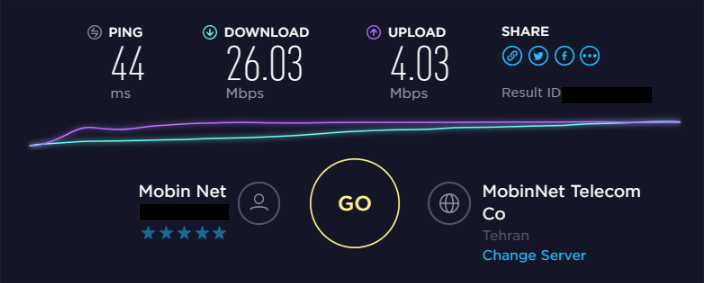


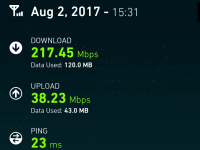
Highest I've ever had! (But it IS half past midnight!)


P
plat1098
100/25

F
ForgottenSeer 55474
My internet Speed is:300/50 Mbps,I do not know how to make those screenshots
T
The paranoid one

My internet Speed is:300/50 Mbps,I do not know how to make those screenshots
I use ShareX. You can select if you want a window, area, etcetera. When it finishes, I can copy to clipboard and/or upload the image to Imgur.
You can upload it and select

Write the URL you got from igmur

And done
It´s esasy and, why not, sometimes is funny
Last edited by a moderator:

You'r right @The paranoid one

Don't think I've posted my speeds since I've moved. Normally sits at 75-80 MB down and 30-35 MB up, but I've restricted our download and upload during 6PM to 12AM so we don't use it so quickly. haha


T
The paranoid one
I would never laugh at your connection, but you have a really fun way to share itOkay, make fun of my connection, no problem, go ahead, come on. You can mock up, you can laugh at it. Have fun, enjoy...

Don't worry man, it still a great speed for sure than my own connection..Okay, make fun of my connection, no problem, go ahead, come on. You can mock up, you can laugh at it. Have fun, enjoy...

Nice.
I use ShareX. You can select if you want a window, area, etcetera. When it finishes, I can copy to clipboard and/or upload the image to Imgur.
You can upload it and select
Write the URL you got from igmur
And done
It´s esasy and, why not, sometimes is funny


MalwareTips community
Join the discussion. It's free.
Create an account to reply to this thread, ask your own questions and get help from people who know security.
- Reply and ask your own questions
- Get an alert when someone answers
- Free malware removal help from volunteers


Recently browsing
Members and guests who viewed this thread in the last 5 minutes
