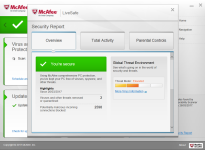
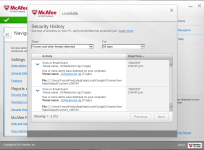
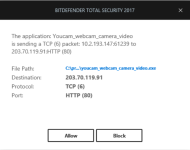
Pretty much after connecting to a wifi connection that is used by a community of flats i was infected by some kind of trojan/spyware which stole data/video and provided it to some user. I've rebooted by computer and done multiple scans but can't find anything.
I've noticed however through TCPview (an application that views firewall connections going outwards) that bytes are being sent through my 'system' and 'svchost.exe' which i found unusual. There were times that these processes got to 100,000 bytes (svchost.eve) and 20,000 bytes (system), whether or not these are normal process or if its just paranoia, nevertheless a second opinion would help
Btw I have never connected to this public wifi ever again however the infection has remained on my PC even after the system reboot.
I want to remove whatever has been installed on my computer and strengthen my firewall so this doesn't happen again.
Thanks
I've noticed however through TCPview (an application that views firewall connections going outwards) that bytes are being sent through my 'system' and 'svchost.exe' which i found unusual. There were times that these processes got to 100,000 bytes (svchost.eve) and 20,000 bytes (system), whether or not these are normal process or if its just paranoia, nevertheless a second opinion would help
Btw I have never connected to this public wifi ever again however the infection has remained on my PC even after the system reboot.
I want to remove whatever has been installed on my computer and strengthen my firewall so this doesn't happen again.
Thanks