Protecting from infected USB flash drives

TheMalwareMaster

Level 21
Thread author
Verified
Honorary Member
Top Poster
Well-known
Forum Veteran
Jan 4, 2016
1,066
5,727
1,978
Europe
Good afternoon, I have to insert in my computer an old flash drive which has not been used for 6 years... That one cames from the age when I had no computer knowledge, so it could be infected. I need to format this one in order to use it for other data. How can I protect myself, in order to prevent a possible attack (I remmeber there was some kind of registry tweak for disabling USB file execution)? I am running Voodooshield, is that enough?
 
Insert it in computer with real-time updated AV and format it there. If you don't have an alternative I think VS will protect you from any executions from an USB. It's the purpose of default deny software.
 
I would love to protect myself without installing other products. I have to do this only once. What about this registry tweak? Will it be useful?
Disable execution from Removable Disks:
[HKEY_LOCAL_MACHINE\SOFTWARE\Policies\Microsoft\Windows\RemovableStorageDevices\{53f5630d-b6bf-11d0-94f2-00a0c91efb8b}]
"Deny_Execute"=dword:00000001
 
That's the disabling of the autorun feature of the USB stick

Frankly, most (if not all) AV/internet security suite will have removable media protection.

Alternatively, you can install MCShield and USB Disk Security. As for BadUSB if you have HMPA then the protection feature is there otherwise download the free G Data USB Keyboard Guard
 
It's the purpose of default deny software.
True...
@TheMalwareMaster so with VS you need not worry w/ regards to USB virus/malware.

Note: you can also try ShielaUSBshield and smadav, I'm currently using the latter hopefully my USB will be infected when I go to a colleague of mine so I can test it out. I can attest to ShielaUSBshield effectiveness, and IMO its much better than MCshield both have the function to clean and unhide files.
 
Last edited:
I would love to protect myself without installing other products. I have to do this only once. What about this registry tweak? Will it be useful?
Disable execution from Removable Disks:
[HKEY_LOCAL_MACHINE\SOFTWARE\Policies\Microsoft\Windows\RemovableStorageDevices\{53f5630d-b6bf-11d0-94f2-00a0c91efb8b}]
"Deny_Execute"=dword:00000001
You can disable Windows Autoplay feature from the control panel if I'm not wrong
 
I would love to protect myself without installing other products. I have to do this only once. What about this registry tweak? Will it be useful?
Disable execution from Removable Disks:
[HKEY_LOCAL_MACHINE\SOFTWARE\Policies\Microsoft\Windows\RemovableStorageDevices\{53f5630d-b6bf-11d0-94f2-00a0c91efb8b}]
"Deny_Execute"=dword:00000001
That will work, but you will not be able to execute anything from a Removable Device in the future, like some portables and similar
 
That will work, but you will not be able to execute anything from an Removable Device in the future, like some portables and similar
I can remove the tweak right after formatting the flash drive. Is this tweak the same as disabling autoplay from the control panel?
 
Is this tweak the same as disabling autoplay from the control panel?
No, disabling autorun will just remove the functionality for execution settings stored on flash drives in autorun.inf file. It will change the the value data in HKEY_CURRENT_USER\SOFTWARE\Microsoft\Windows\CurrentVersion\policies\Explorer\NoDriveTypeAutorun
 
1/ disable autoplay
2/ install an AV which can quickly scan the USB silently (avira, avast, WD are the ones I found working). KIS has a very slow USB scan so this is bad. Norton is consistently not working although USB protection is enabled. That how I got infected last time due to norton's non-existing USB protection
3/ immunize the USB using panda USB vaccine. I don't like bitdefender
4/ McShield
 
Last edited:
I won't tweak the registry becuase I have to check some files in the drive. Voodooshield should work, anyway, I have a backup of all the files
 
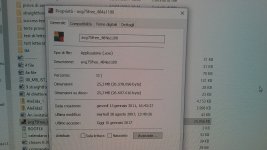
20170110_172401.jpg
Everything was safe in there. Even found this oold AVG installer ahhaha
 
Actually turning off the autoplay via Control Panel or registry tweak will save you from 99.99% of autorun attacks.

I recommend to download USBFix (Bitdefender Partner tool) as it can effectively clean all the infections including shortcut viruses where typical AV failed to do so.
 
  • Like
Reactions: ng4ever
Use SMADAV tool i am using from past 6 months its very good and additional protection for USB drives.