New Update Proton launches free standalone cross-platform Authenticator app

Parkinsond

Level 62
Thread author
Verified
Well-known
Dec 6, 2023
5,051
14,222
6,069
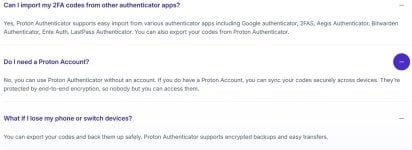
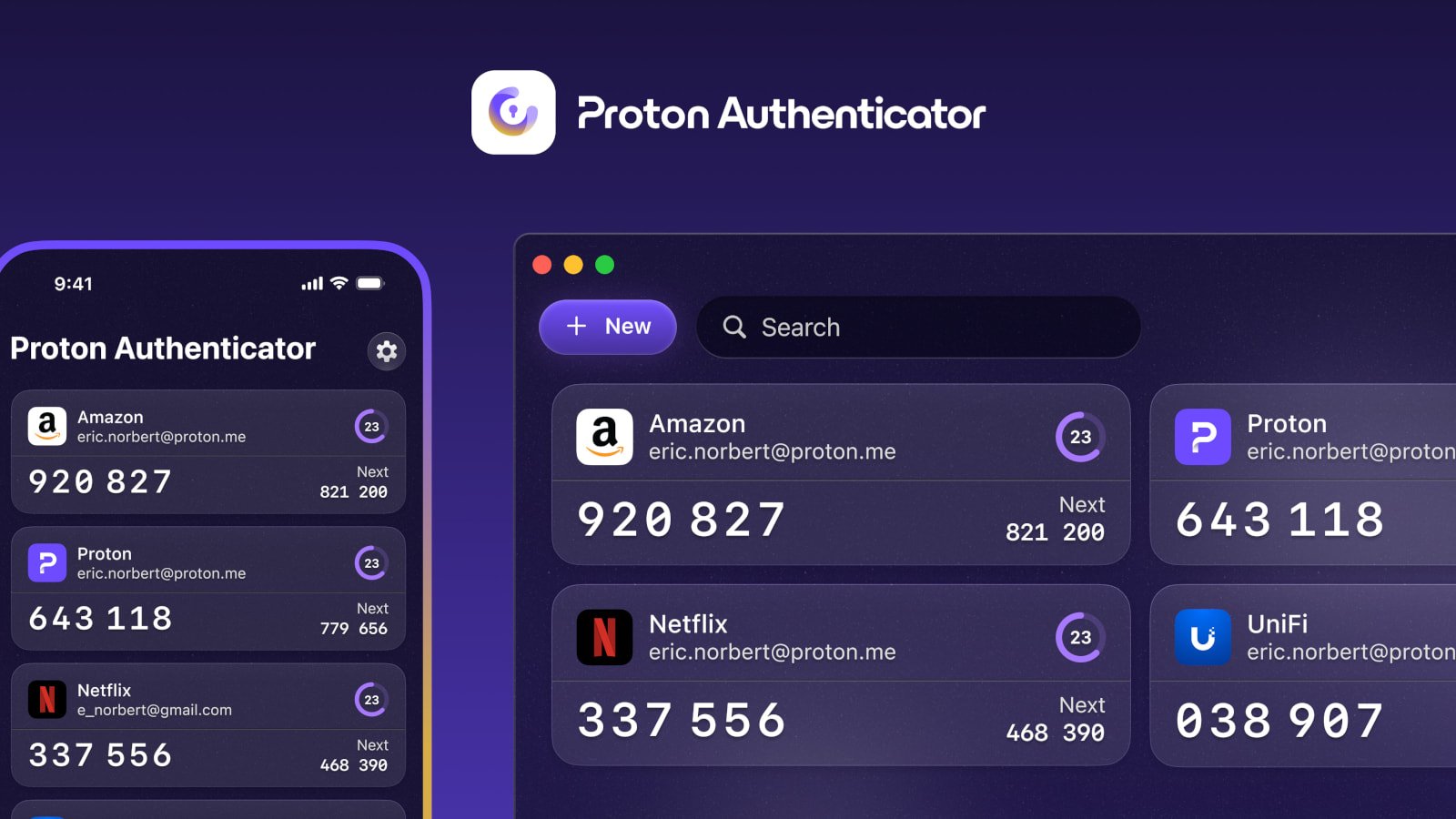
Proton has launched Proton Authenticator, a free standalone two-factor authentication (2FA) application for Windows, macOS, Linux, Android, and iOS.

headpic.jpg

2FA authenticator apps are offline tools that generate time-based one-time passwords (TOTPs) that expire every 30 seconds, and which can be used alongside passwords when logging into online accounts, providing the second factor authentication.

Proton Authenticator uses no ads, trackers, or vendor lock-in, and requires no Proton account.
 
It looks like it also has a desktop app. I installed it, but I think as a security measure I couldn't take a screen shot of it (it was of the settings options, I hadn't imported anything yet). A couple of my questions were answered from the posted link by @Parkinsond

View attachment 289918
Did not try before; only MS authenticator for short time (my work MS account refused log in with username and password anymore), found it annoying and did not log in again for months (we rely on Whatsapp for business communication).
 
Did not try before; only MS authenticator for short time (my work MS account refused log in with username and password anymore), found it annoying and did not log in again for months (we rely on Whatsapp for business communication).
I switched to 2FAS after Authy ended support for the desktop app (Windows). So Proton's intrigues me, to get that feature back, let alone it doesn't need to be connected to my Proton (email) account without syncing. Yet, it's still a question of having too may apps, security features connected with one company even though they're end to end encrypted.
 
I switched to 2FAS after Authy ended support for the desktop app (Windows). So Proton's intrigues me, to get that feature back, let alone it doesn't need to be connected to my Proton (email) account without syncing. Yet, it's still a question of having too may apps, security features connected with one company even though they're end to end encrypted.
I like Proton products; the only e-mail provider to offer aliases beside MS.
 
Free for now. I expect they'll lure users and then limit app features and more. That's their business tactic.

I switched from Aegis to Stratum. Aegis refused to add WearOS support so I had to go and grab a phone every time I wanted to login somewhere. Now I just open Stratum on my Galaxy Watch and see the code.
 
Free for now. I expect they'll lure users and then limit app features and more. That's their business tactic.

I switched from Aegis to Stratum. Aegis refused to add WearOS support so I had to go and grab a phone every time I wanted to login somewhere. Now I just open Stratum on my Galaxy Watch and see the code.
Thanks for that tip as I wear a Galaxy watch, too, as opening the phone every time is a bit of an annoyance.
 
I wish they keep e-mail free; I like its UI and features.
Oh, don't worry. E-mail service will continue to be free. They will just restrict it more with each update. But the core functionality will be free; they have to get customers somehow.
Thanks for that tip as I wear a Galaxy watch, too, as opening the phone every time is a bit of an annoyance factor.
I wanted an authentication app with cross platform support, so I could just copy-paste code from PC into the browser. I was unable to find the one that is truly private. So I opted for next best thing, 2FA on watch.

Try it! Transfer to Stratum couldn't be simpler process.
 
It's a good initiative by Proton to create Proton Authenticator. However, for now, I'm going to stick with Aegis, especially since I've set aside a dedicated device for this purpose that I call Samsung Authenticator, which is exactly what you're reading, a smartphone that is only used for this MFA Offline purpose. This device has no connection to the web. :)
 
It's a good initiative by Proton to create Proton Authenticator. However, for now, I'm going to stick with Aegis, especially since I've set aside a dedicated device for this purpose that I call Samsung Authenticator, which is exactly what you're reading, a smartphone that is only used for this MFA Offline purpose. This device has no connection to the web. :)
Never heard about before; actually I use only passwords; I am oldschool.
 
It's a good initiative by Proton to create Proton Authenticator. However, for now, I'm going to stick with Aegis, especially since I've set aside a dedicated device for this purpose that I call Samsung Authenticator, which is exactly what you're reading, a smartphone that is only used for this MFA Offline purpose. This device has no connection to the web. :)
I used to do that... have a backup 2FA app on my old device. I don't anymore because that would require me to actually maintain device, charge it sometimes and such. Not to mention it's pain when you enable 2FA for new accounts; then you have to update 2FA app on that other device. Instead, I just created a encrypted backup and uploaded it to my Google Drive. In case my phone breaks and I get a new one, I just download the file, open it in Stratum, type password and there are all my 2FA codes. Simple, effective, secure.
Never heard about before; actually I use only passwords; I am oldschool.
2FA is absolutely needed at least for accounts that are important to you. There are various types of hacking attacks and password is the first victim in any of them.
Theoretically speaking, strong passwords are unbreachable, only weak ones.
Don't be so sure. If website has a data breach; your 4&HiX;wbv.1R_AvrlE'a82_X^&0.WpD will equally be exposed as password123. This is why 2FA exists; if your password leaks somewhere, your account is still secure because in order to get into it, they still need to finish another step to gain access to your account.
 
I used to do that... have a backup 2FA app on my old device. I don't anymore because that would require me to actually maintain device, charge it sometimes and such. Not to mention it's pain when you enable 2FA for new accounts; then you have to update 2FA app on that other device. Instead, I just created a encrypted backup and uploaded it to my Google Drive. In case my phone breaks and I get a new one, I just download the file, open it in Stratum, type password and there are all my 2FA codes. Simple, effective, secure.

2FA is absolutely needed at least for accounts that are important to you. There are various types of hacking attacks and password is the first victim in any of them.

Don't be so sure. If website has a data breach; your 4&HiX;wbv.1R_AvrlE'a82_X^&0.WpD will equally be exposed as password123. This is why 2FA exists; if your password leaks somewhere, your account is still secure because in order to get into it, they still need to finish another step to gain access to your account.
Of course, but the most common way of account hacking is infostealers which harvest the cookies, regardless of the way you logged in; website data breach is less common, especially for financial facilities.
 
  • Like
Reactions: Marko :)
Of course, but the most common way of account hacking is infostealers which harvest the cookies, regardless of the way you logged in; website data breach is less common, especially for financial facilities.
Yes, infostealers are the major threat these days, but it doesn't mean 2FA is useless. 2FA still has its very important use. And despite infostealers being the most common type of hacking attack in 2025, data breaches still happen on weekly basis. For you, as average person and not a business entity, I'd say data breaches are major concern and not infostealers.

Hackers tend to attack popular people and businesses with infostealers because they have a lot to gain from them; not much from you. Same like how ransomware now practically targets only businesses. Businesses are safe bet; they can't afford to lose data while we can.

Beside, if you use ad blocker, don't download suspicious apps or visit shady sites, generally take care of your PC and online accounts, you shouldn't have to worry about infostealers.
 
I used to do that... have a backup 2FA app on my old device. I don't anymore because that would require me to actually maintain device, charge it sometimes and such. Not to mention it's pain when you enable 2FA for new accounts; then you have to update 2FA app on that other device. Instead, I just created a encrypted backup and uploaded it to my Google Drive. In case my phone breaks and I get a new one, I just download the file, open it in Stratum, type password and there are all my 2FA codes. Simple, effective, secure.
Yes, but I also have backups elsewhere, such as on a memory card encrypted with a different password from the main backup, I have a backup on my offline KeePass on another USB stick, and I have an extra battery for my device in case it no longer holds a charge. As it has an AMOLED screen and I only use it for MFA and don't use the device all the time, the battery lasts a week. It would be very unfortunate if I had problems all at once and, for some reason, also lost the backup. It is always better to be safe than sorry. So, the backup saves my skin in these situations. the backup file is small and then you just import it into Aegis on another device and it takes less than 5 minutes to send the file via Bluetooth and that's it, imported into Aegis and back up and running on another device, without any effort or internet access because I save the apk apps on my memory card so I don't need access to the store to install them. I'm not stupid, I take a lot of precautions when it comes to backup. The only thing I can't forget or lose is my master password. Other than that, everything is safe and backed up with encryption. ;)
 
Yes, but I also have backups elsewhere, such as on a memory card encrypted with a different password from the main backup, I have a backup on my offline KeePass on another USB stick, and I have an extra battery for my device in case it no longer holds a charge. As it has an AMOLED screen and I only use it for MFA and don't use the device all the time, the battery lasts a week. It would be very unfortunate if I had problems all at once and, for some reason, also lost the backup. It is always better to be safe than sorry. So, the backup saves my skin in these situations. the backup file is small and then you just import it into Aegis on another device and it takes less than 5 minutes to send the file via Bluetooth and that's it, imported into Aegis and back up and running on another device, without any effort or internet access because I save the apk apps on my memory card so I don't need access to the store to install them. I'm not stupid, I take a lot of precautions when it comes to backup. The only thing I can't forget or lose is my master password. Other than that, everything is safe and backed up with encryption. ;)
Military-level 💂‍♂️
 
  • Hundred Points
Reactions: piquiteco
I did not decalre their uselessness; they are just inconvenient, especially for less tech aquainted users, and for diseased users like me 🤕
I am also new to MFA. Before 2021, I did not use it on my accounts because I thought that if I lost the device and even if I had the 2FA QR code and seed, I would lose access to my account, as it changes every time you activate MFA. After much research and testing, I discovered that all you have to do is save the QRCODES or account seed code in a safe place, and you can activate it on another device just by pointing the camera at the QRCODE or copying it to the authenticator app, and you're back with access to your account. Yes, it's inconvenient, but it's worth it because you only have to do it once, and it's worth the effort because you'll know that even if there's a breach, your account will still be protected by MFA. I tested more than 10 authenticators, and I even got sick of messing around with MFA between 2021 and 2022, but it was worth the effort. I am not an important or politically exposed person, but at least I am calm and know that even if my password has been leaked, the attacker will still face an obstacle in the form of MFA.
 

You may also like...