

Troubleshoot RAM replacement help.

apaul

Level 2
Thread author
Verified
Forum Veteran
Sep 12, 2013
144
95
66
Briefly explain your current issue(s)
Somehow my old RAM is not working. I have to purchase new one. Please help me to choose correct one.
Steps taken to resolve, but have been unsuccessful
Nothing
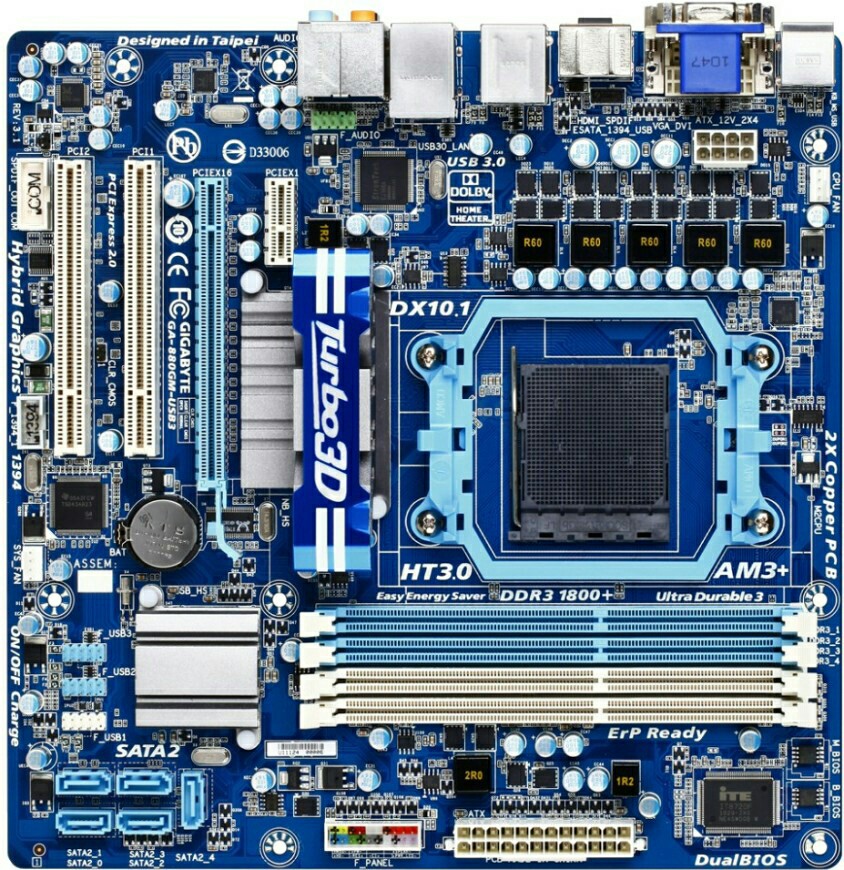
Motherboard - GA-880GM-USB3
Processor - AMD X6 1055T
Graphics card - PCI EXP 4650 1 GB
I want to buy new 4GB RAM. Please help me to choose correct one.
[Sorry for my bad English]
PicsArt_1447583832207.jpg
 
Last edited by a moderator:
Upvote 0
4 x 1.5V DDR3 DIMM sockets supporting up to 16 GB of system memory (Note 1)
Dual channel memory architecture
Support for DDR3 1800 (OC)/1666/1333/1066 MHz memory modules (Note 2)

1st - 1600Mhz will be compatible with this motherboard.
2nd - You should place them into slot 3 and 4 for maximum performance (which I feel it's weird)
3rd - 1866Mhz ram sticks will be bottlenecked on that motherboard. The manufacturer says you can overclock your ram (1066, 1333 or 1600) up to 1800. This overclocking requires tweaking into your BIOS. Note that 1800Mhz ram won't give you better gaming performance than 1600. It only help when dealing with very big files (like 3d modelling, video editing, etc.)
4th - Do not ganged your memory unless you will be using VERY demanding programs, since you wont need the extra bandwith. Unganged memory will perform faster and that's what you need.

Source

Now once you understood the RAM Compatibility for that motherboard, any brand may prefer as long you meet base on the condition.

Even those on the computer shop can provide you necessary RAM to the specifications.
 
Upvote 0

You may also like...