


This is the security configuration of my computer. Although it may not maximize security, it has a very low false-positive rate. Combined with good usage habits, the probability of getting infected is very low.
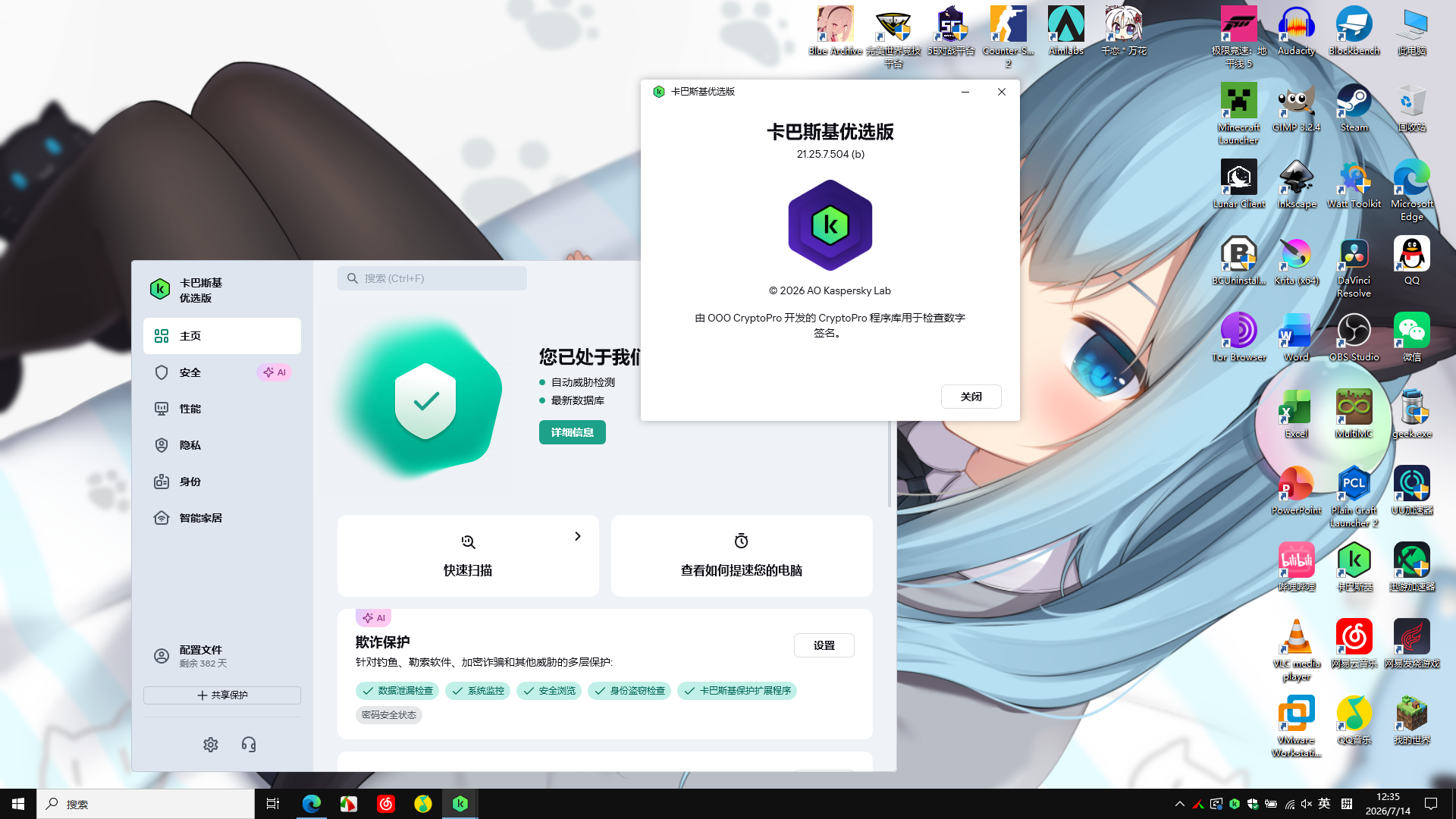
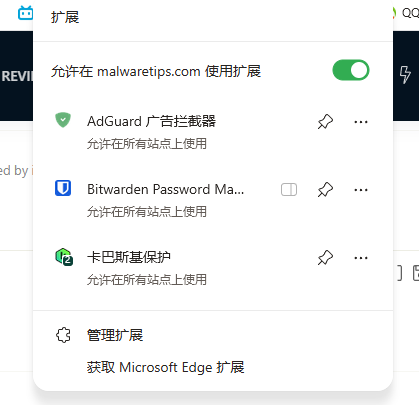
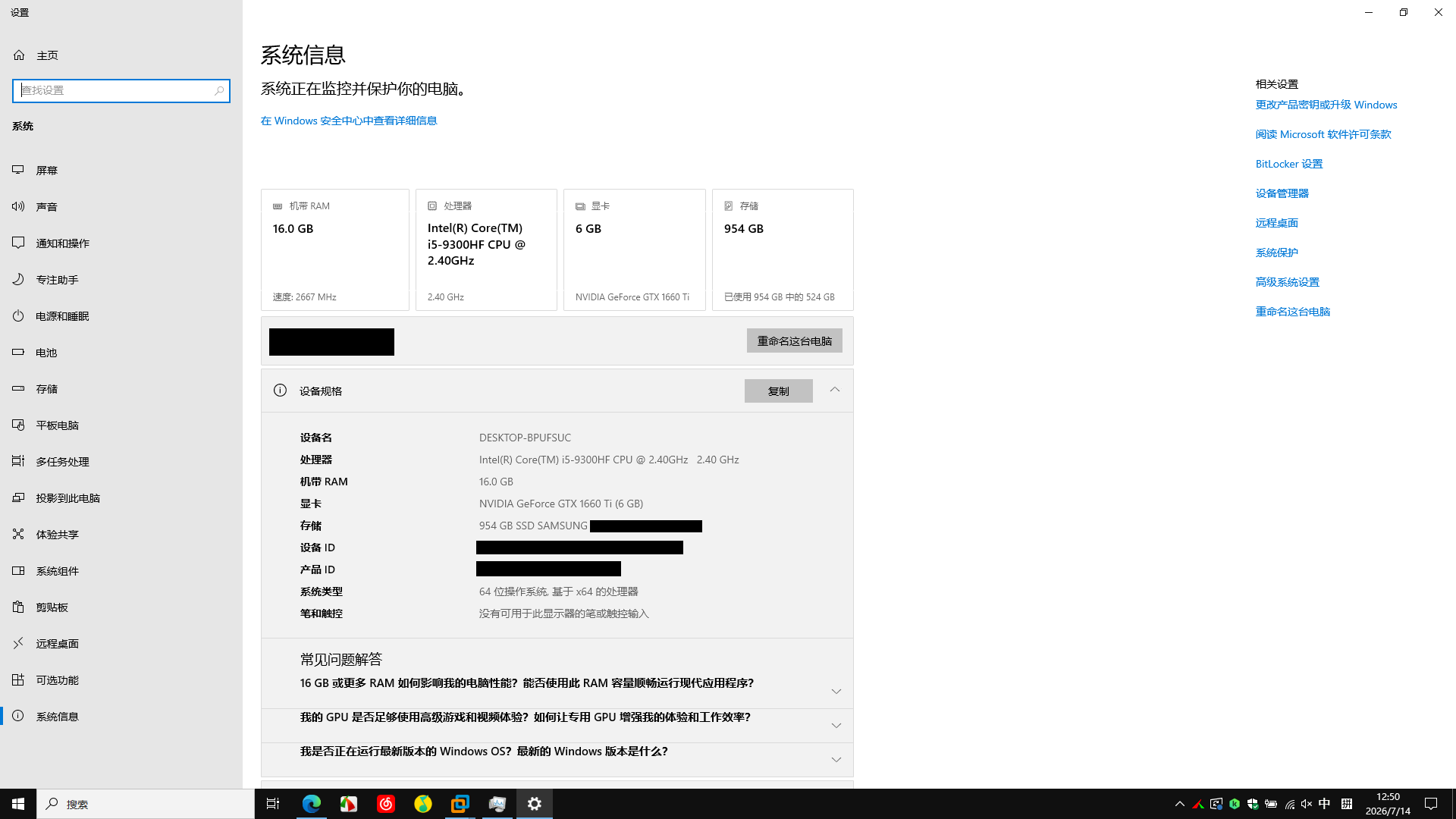


More Security features: for example ?? ( Got to list them for the poster to see )Consider Windows 11 if applicable, since it contains more security features and is overall more secure.
=======================================================================================================
While Windows 11 shares a core codebase with Windows 10, the primary shift isn't just new software utilities—it's a drastically raised security baseline. Windows 11 elevates many features that were optional or rarely configured in Windows 10 into mandatory, default-on architectural requirements.
The core architectural upgrades that differentiate Windows 11 from Windows 10 include:
1. Hardware-Rooted Trust Engine
Windows 10 allowed installations on legacy BIOS and systems without cryptographic coprocessors. Windows 11 enforces a strict hardware root of trust:
- Mandatory TPM 2.0: Unlike Windows 10’s optional stance, Windows 11 strictly requires a Trusted Platform Module (TPM) 2.0. This hardware-level module handles cryptographic key storage, binds web-based credentials to the physical machine, and enables robust anti-hammering protections for Windows Hello PINs.
- Enforced UEFI & Secure Boot: Windows 11 completely drops legacy MBR/BIOS support. Systems must boot via UEFI with Secure Boot active to block bootkits and malicious code from execution before the OS kernel initialization phase.
- CPU Architecture Floor: By restricting support to modern processors (Intel 8th Gen+, AMD Zen 2+), Microsoft ensured the hardware natively supports advanced instruction sets for memory isolation without tanking system performance.
2. Virtualization-Based Security (VBS) by Default
In Windows 10, VBS and its child features were typically restricted to Enterprise environments or required manual configuration. On Windows 11, these are enabled out of the box on clean installs:
- HVCI (Hypervisor-Protected Code Integrity / Memory Integrity): VBS creates an isolated, hardware-virtualized memory zone using the Windows hypervisor. HVCI runs within this secure container, strictly checking kernel-mode drivers before execution to prevent dynamic unsigned code injection into the kernel space.
- Kernel-Level Credential Guard: Runs isolated lsass.exe logic within the virtualized space, stripping local administrative users of the ability to dump plaintext NTLM or Kerberos credentials from memory via tools like Mimikatz.
3. Local Security Authority (LSA) Protection
Windows 11 enables LSA Protection by default. This ensures that the Local Security Authority process (lsass.exe), which manages user credentials and authentication, only loads verified, Microsoft-signed code. It stops unprivileged or compromised processes from reading or injecting code directly into the LSASS memory space, drastically neutralizing standard pass-the-hash or token manipulation techniques.
4. Smart App Control (SAC)
An AI-driven code execution defense mechanism completely absent from Windows 10.
- SAC uses Microsoft’s cloud-based Threat Intelligence backend to evaluate binaries in real time.
- If an application is unsigned, lacks a verified digital signature, or has a low reputation score among enterprise endpoints, SAC automatically blocks it from executing. It operates much like an automated application-whitelisting mechanism for consumers.
5. Hardware-Enforced Stack Protection
Windows 11 utilizes modern CPU capabilities (Intel CET / AMD Shadow Stacks) to implement Hardware-Enforced Stack Protection. This maps a duplicate "shadow stack" in hardware that mirrors the program's return addresses. If a malicious exploit attempts a Return-Oriented Programming (ROP) or buffer overflow attack to redirect execution flow, the CPU detects the mismatch between the operational stack and the shadow stack, immediately terminating the process.
6. Native Passkey Integration & Enhanced Hello
While Windows 10 handled basic biometric authentication, Windows 11 updates the cryptographic framework under the hood:
- Native WebAuthn Passkeys: Windows 11 integrates passkey management directly into the OS Settings panel. It uses the TPM 2.0 chip to securely bind FIDO2 credentials across major browsers, eliminating traditional password requirements and offering complete immunity to conventional credential-phishing operations.
Security Feature Baseline Comparison
Security Control Windows 10 Baseline Windows 11 Baseline TPM Requirement Optional (Supports 1.2 or none) Mandatory TPM 2.0 Boot Architecture Legacy BIOS or UEFI UEFI with Secure Boot mandatory Memory Integrity (HVCI) Optional / Disabled by default Enabled by default LSA Protection Disabled by default Enabled by default Smart App Control Not Available Built-in (Enabled on new installs) Hardware Stack Protection Unsupported on legacy CPUs Native (Requires compatible modern CPU)


Okay, I guess I must have confused it with smartscreen. Thank you.Your setup contains an error (Windows 10). There is no Smart App Control on Windows 10.


