Advanced Plus Security silversurfer Laptop Config

CSC Archive
25 Replies 9,575 Views
Last updated
Jan 27, 2023
Windows Edition
Home
Main use of this computer
For home and private use
Operating system
Windows 11
On-device encryption
Windows BitLocker / Device Encryption
Device sign-in security
    • Windows Hello PIN or biometric sign-in (face / fingerprint / Touch ID)
Security updates
Allow security updates and latest features
Update channels
Allow stable updates only
User Account Control (UAC)
Always notify
Smart App Control
Off
Network firewall
Enabled
Real-time protection
  • Bitdefender Antivirus Free
  • Windows Firewall Control
Device firewall
Microsoft Defender Firewall
Custom security settings
Bitdefender Antivirus Free: "Encrypted web scan" disabled.
Windows Firewall Control: Secure Profile/Rules enabled.
Periodic malware scanners
KVRT, EEK, NPE.
Malware sample testing
I participate in malware testing; details below
Environment for malware testing
VMware Workstation Pro v17
Browsers and extensions
Edge: AdGuard, Dark Reader, KeePassXC.
Firefox: uBlock Origin, Dark Reader, KeePassXC.
Secure DNS
Either Quad9 DNS or Cloudflare 1.1.1.2
Desktop VPN
Proton VPN Free
Password and passkey manager
KeePassXC for Windows.
KeePass Portable (Backup).
Maintenance tools
Revo Uninstaller, PatchMyPC, Autoruns, Process Explorer, Sumatra PDF, O&O ShutUp10++
File and photo backups
iCloud for Windows as app from Microsoft Store.
Subscriptions
    • None
System recovery
Macrium Reflect 8 Home (full system backup stored on external drive)
Usage and exposure
    • Visiting familiar websites
    • Opening email attachments
    • Downloading software and files from reputable sites
    • Streaming audio/video content from trusted sites or paid subscriptions
    • Streaming from untrusted sites
Computer specs
HP Laptop 17
AMD Ryzen 7
RAM: 16GB
SSD 1TB
Notable changes
Apr 15, 2022
  • Removed: Kaspersky Free
  • Added: F-Secure Safe (Giveaway License)
Jul 13, 2022
  • Removed: F-Secure Safe
  • Addeed: Bitdefender Free
Aug 8, 2022
  • Removed: Bitdefender Free
  • Added: Kaspersky Free v21.7
Sep 20, 2022
  • OS updated to Windows 11 22H2
Sep 26, 2022
  • Added: Proton VPN
  • Removed: Windscribe
Nov 22, 2022
  • Added: Macrium Reflect 8 Home
Dec 14, 2022
  • Removed: Kaspersky Free v21.8
  • Added: Bitdefender Free
  • Removed: Simple Windows Hardening
Feedback preference

Suggestions on the main improvements

Well thought through and strong config. Didn't expect less. (y)
Just would like to know if you ever tried HiBit Uninstaller. From my experience it's much smoother and easier to navigate than Revo. Also, as I am admittedly a NextDNS fanboy I'd like to know if you tried it yet and if so, why you are not using it.
 
Well thought through and strong config. Didn't expect less. (y)
Just would like to know if you ever tried HiBit Uninstaller. From my experience it's much smoother and easier to navigate than Revo. Also, as I am admittedly a NextDNS fanboy I'd like to know if you tried it yet and if so, why you are not using it.

Yes, I tried recently again HiBit Uninstaller, works well even for me, but Revo is still more familiar to me since years, just my personal preference...

NextDNS, free user account limitation (300000 queries/month), I prefer to setup DoT on router. Honestly, I have to check a full month with my devices.
 
Yes, I tried recently again HiBit Uninstaller, works well even for me, but Revo is still more familiar to me since years, just my personal preference...

NextDNS, free user account limitation (300000 queries/month), I prefer to setup DoT on router. Honestly, I have to check a full month with my devices.
Won't be enough for all devices probably but if you use the free account just for your browsers it might work out. :)
 
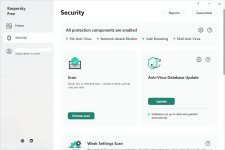
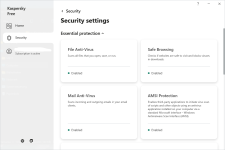
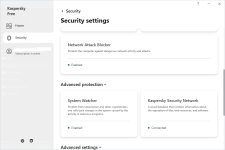
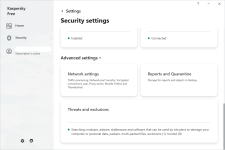
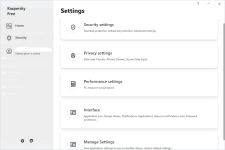
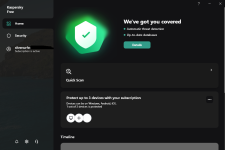
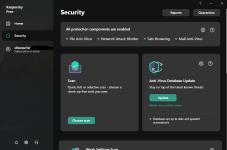
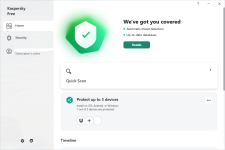
For interested users, how looks the new UI of Kaspersky Free (21.5.11.384) and some basic settings, just check screenshots inside spoiler below:

#1.png#2.png
#3.png#4.png
#5.png#6.png
 
Thanks, I am also thinking of switching to F-Secure from Kaspersky.

I noticed some surprising behavior in my Mac from Kaspersky which made me not to use it anymore. Since I can not 100% prove it (and I am still looking into it) I am not going to share now to avoid sharing false information.

But I was considering F-Secure and Malwarebytes. I like Malwarebytes because on my Windows I can also keep my Windows defender active...
 
How ? If you visit https://windscribe.com/features/use-for-free it's showing only 10 GB/month
Well, Windscribe has been given this "special" 50GB/month very long time ago. I believe that was in 2016. I never changed anything on my user account of Windscribe, so it's still same amount of free bandwidth usage like at the beginning.

Another query is, now I'm using Adguard browser extension previously used uBlocker. So what's better?
We can't say really what's better, both are very good adblockers. I am using Adguard on mobile. uBlockOrigin has more advanced features, but could be too complicated for standard users ;)
 
Well, Windscribe has been given this "special" 50GB/month very long time ago. I believe that was in 2016. I never changed anything on my user account of Windscribe, so it's still same amount of free bandwidth usage like at the beginning.


We can't say really what's better, both are very good adblockers. I am using Adguard on mobile. uBlockOrigin has more advanced features, but could be too complicated for standard users ;)
Malwarebytes have it's own browser guard. Is it better to use?

 
I was curious about Bitdefender Free (in my Hub tests performs very slow as usual for most of AVs running inside VM), but on my laptop it's really the opposite, low system impact and fast performance overall. So I decided to keep longer this free AV, at least for a few weeks ;)

Added: Bitdefender Free
Removed: F-Secure Safe
 
Updated my config, according to latest changes: By Staff - Get started with Your Computer Security Configuration (2022)

Note: Windows 11 - Smart App Control: Off by default (Decision by Microsoft: "we determined that you weren't a good candidate for Smart App Control.")
 
Back
Top