

Difficulty Level: Easy.
OS required: Windows 8.1. (Not tested on Windows 8).
Many laptop and desktops with standard monitors are not touch-enabled, however you can still use your mouse to operate the "Slide to Shutdown" feature on your Windows 8.1 PC.
First copy this path:
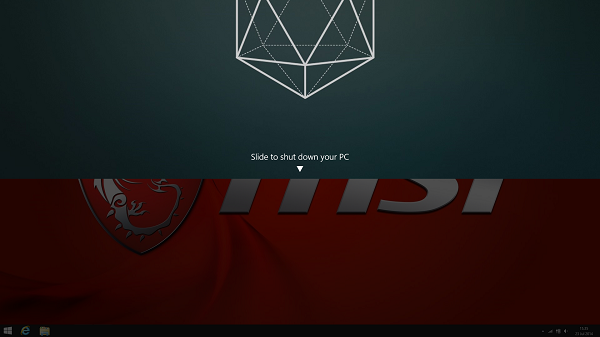
This is the executable file that will run when Slide to Shutdown is initiated. The desktop will dim and the top 50% of your screen will display your Lockscreen wallpaper, with the words 'Slide to shut down your PC'. You can use your mouse or touchpad to drag and drop, to shutdown your PC.
Steps
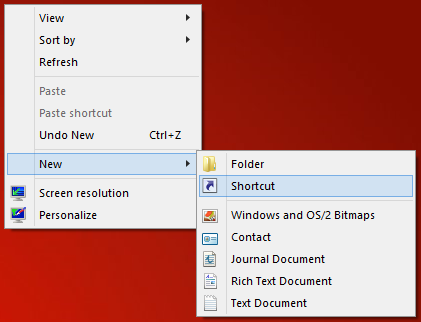
Now we must create a simple shortcut to the file on the desktop, right-click anywhere on the desktop.
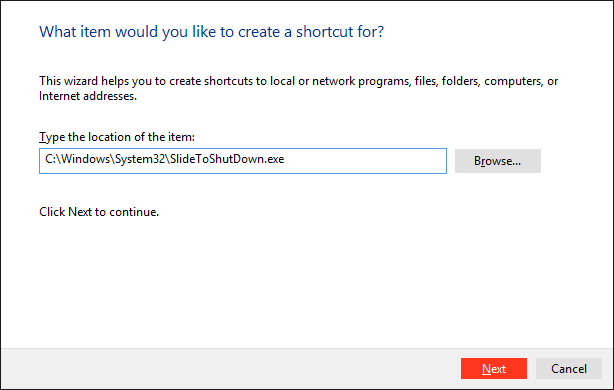
Now paste here. Click on Next to rename shortcut, then on Finish.
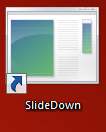
A shortcut should appear like this:
Now continue to change the program icon. Right-click to open the Properties.
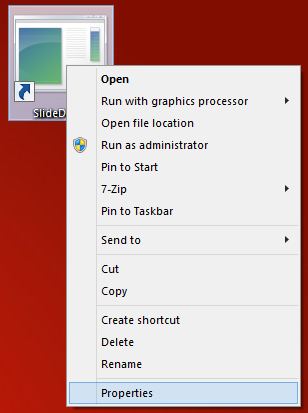
Select 'Change Icon' and ignore any messages. Choose the Power icon (or any custom icon file) > OK > Apply > OK
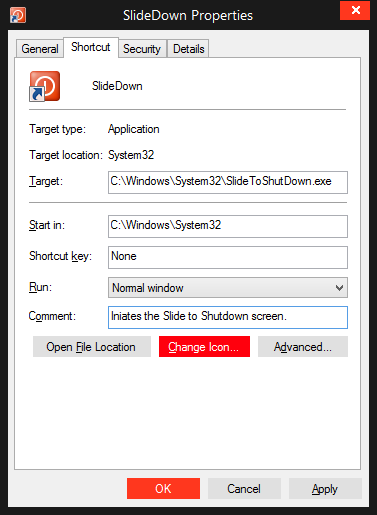
You can now run the file from the desktop to Slide to Shutdown via a mouse click.
Enjoy!
OS required: Windows 8.1. (Not tested on Windows 8).
Many laptop and desktops with standard monitors are not touch-enabled, however you can still use your mouse to operate the "Slide to Shutdown" feature on your Windows 8.1 PC.
First copy this path:
Code:
C:\Windows\System32\SlideToShutDown.exeSteps
Now we must create a simple shortcut to the file on the desktop, right-click anywhere on the desktop.
Now paste here. Click on Next to rename shortcut, then on Finish.
A shortcut should appear like this:
Now continue to change the program icon. Right-click to open the Properties.
Select 'Change Icon' and ignore any messages. Choose the Power icon (or any custom icon file) > OK > Apply > OK
You can now run the file from the desktop to Slide to Shutdown via a mouse click.
Enjoy!

 I shall apply this the next time I'm logged onto 8.1!


